Powerful EcoFlow stations for energy anywhere!
In cart {{totalProductsCount}} item(s)
Your cart is empty
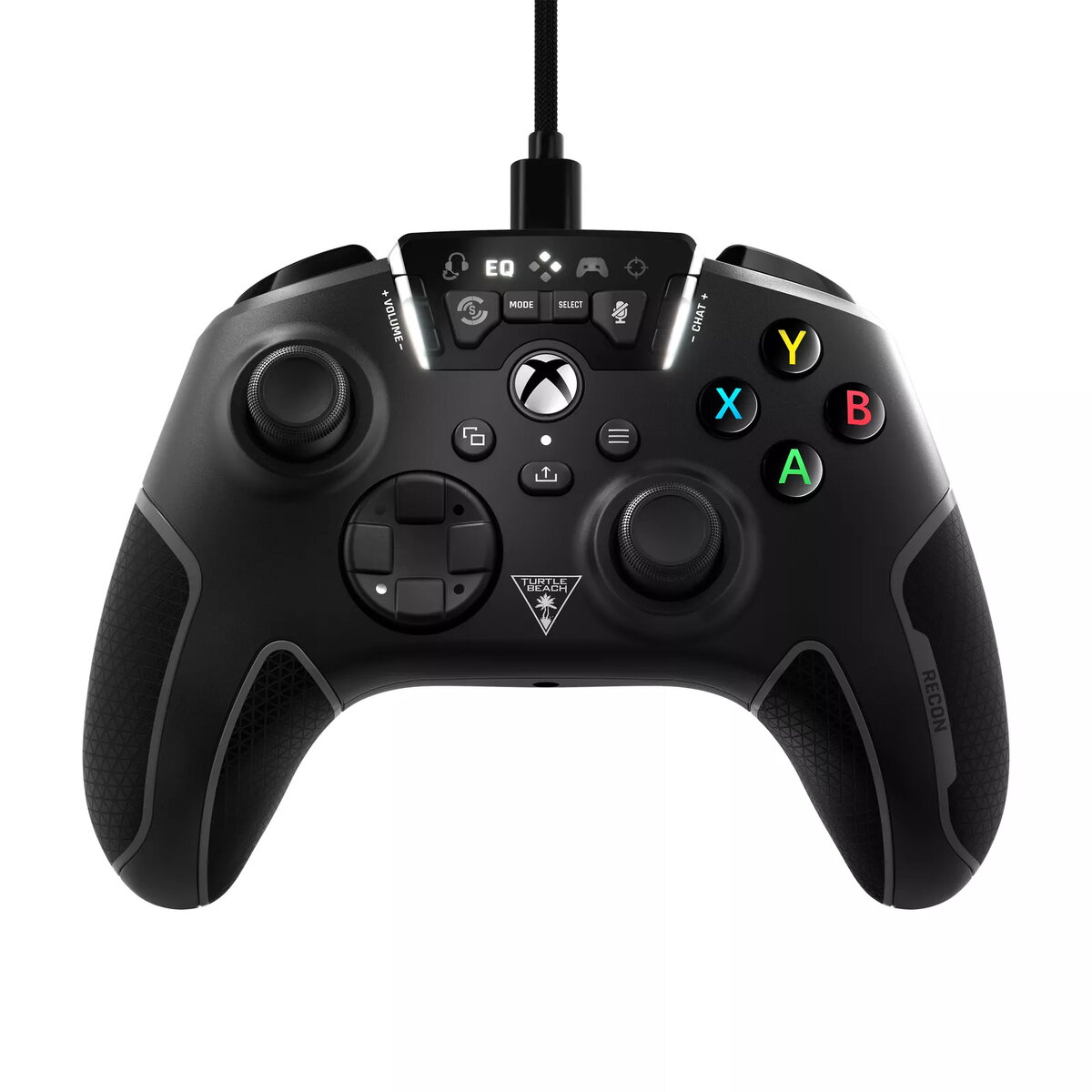
Gamepad Turtle Beach Recon Black USB
The Turtle Beach Recon Black USB Gamepad is a high-performance controller designed for seamless integration with PC, Xbox One, Xbox Series S, and Xbox Series X platforms. This wired controller combines advanced audio technology with precision control, offering gamers a competitive edge through features like Superhuman Hearing and customizable audio presets. Its ergonomic design, featuring cooling grips, ensures comfort during extended play sessions, while the responsive buttons and vibration feedback provide an immersive experience.
This controller stands out by integrating professional-grade audio controls directly into the gamepad, allowing users to adjust mic monitoring, game and chat volume, and EQ settings without interrupting gameplay. The inclusion of two mappable quick-action buttons enables players to save up to four profiles, providing flexibility for different gaming styles. Furthermore, the Pro-Aim Focus Mode allows for adjustable thumbstick sensitivity, which is essential for maintaining accuracy during long-range engagements. The ergonomic construction, complete with cooling channels, actively reduces hand fatigue and keeps palms dry, making it an excellent choice for marathon gaming sessions.
This controller may not be the ideal choice for users who prefer the freedom of wireless gaming, as it requires a physical cable connection at all times. Additionally, those who prefer a minimalist controller without extra programmable buttons or advanced audio features might find the additional functionality unnecessary for their specific needs.
To begin using the controller, simply connect the provided 3m USB cable to the gamepad and your PC or Xbox console. Once connected, you can plug any standard 3.5mm headset into the integrated jack to access Turtle Beach audio enhancements. Use the dedicated audio control buttons on the controller to cycle through EQ presets or adjust the game and chat volume mix. To map the quick-action buttons, follow the on-screen prompts or the manufacturer's configuration guide to save your preferred profiles for different games.
Usage recommendations: For the best experience, keep the controller firmware updated via the official software on your PC or Xbox to ensure compatibility with the latest game titles and to maintain optimal performance of the audio features.
{{highlightedFeature.featureTitle}}:
{{getProductFeatureValueById(product, highlightedFeature.featureId)}}