Leave your address - as soon as the price of the product goes down, you'll know about it right away
Wireless ergonomic optical mouse UGREEN – black
In cart {{totalProductsCount}} item(s)
Your cart is empty
Wireless ergonomic optical mouse UGREEN – black
Leave your address - as soon as the price of the product goes down, you'll know about it right away
Wireless ergonomic optical mouse UGREEN – black
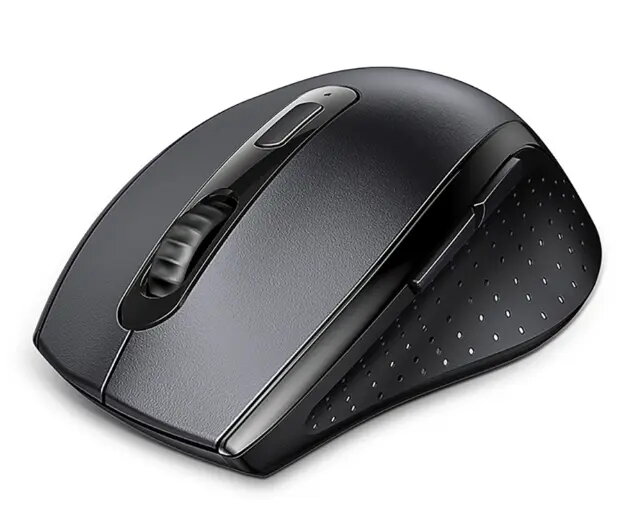
UGREEN wireless ergonomic optical mouse in black is a compact input device designed for everyday computer use. Its ergonomic shape supports a natural hand position to reduce strain during prolonged tasks. The optical sensor provides precise cursor control suitable for office applications, web browsing and general productivity. Wireless connectivity minimizes cable clutter and enables plug-and-play operation with most desktops and laptops.
The mouse combines an ergonomic contour with a compact footprint to balance comfort and portability. Its optical tracking delivers accurate pointer movement on a variety of desk surfaces without requiring a specialized mouse pad. Wireless operation offers a tidy workspace and simple setup via a receiver or built-in wireless standard. The button layout and scroll wheel are optimized for common navigation and clicking tasks, while low power consumption extends battery life for longer intervals between replacements.
Install batteries if required, then plug the wireless receiver into an available USB port or enable the mouse’s wireless pairing according to the host device instructions. Position the mouse on a flat surface and move it to control the cursor. Use the left and right buttons for selection and the scroll wheel for vertical navigation. For best performance, keep the optical sensor area free of dust and use the mouse on a stable surface. No special drivers are typically required for basic operation; operating systems will usually recognize the device automatically.
To maintain comfort during extended use, adjust wrist and arm position to keep a neutral posture. Replace batteries before power is low to avoid interruptions. Clean the optical sensor and exterior surfaces periodically with a dry, lint-free cloth. For precise tasks, use a consistent, smooth surface and adjust pointer speed in the host system settings as needed.
{{highlightedFeature.featureTitle}}:
{{getProductFeatureValueById(product, highlightedFeature.featureId)}}