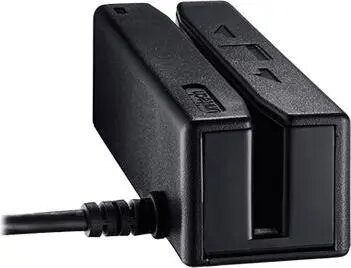
The Unitech MS242-GUCB00-SG handheld barcode scanner is a wired, USB HID plug-and-play device designed for fast and reliable 1D barcode capture. Finished in black, it connects via a standard USB interface and requires no additional drivers on most modern operating systems. The scanner is intended for environments that need a simple, dependable scanning solution for retail, point-of-sale, inventory management and basic warehousing tasks.
Advantages
The scanner offers straightforward installation through USB HID, enabling immediate use after connection. Its focus on 1D barcode reading ensures consistent performance for common linear symbologies, and the compact handheld design supports extended use at checkout or on the warehouse floor. The black housing is resistant to visible wear and integrates unobtrusively with typical retail and office setups.
Suitable for
- Retail checkout and point-of-sale systems where fast 1D scanning is required
- Stocktaking and inventory control in small to medium warehouses
- Back-office barcode entry for order processing and receiving
- Any workflow needing a simple, wired USB HID scanner for immediate integration
When it may not be suitable
This model is optimized for 1D barcode scanning and may not read 2D barcodes such as QR codes. It is a wired device, so it is not appropriate where wireless mobility or long-range scanning is required. For environments that require advanced imaging features, high-resolution decoding of damaged codes, or specialized industrial housings, consider imaging or industrial-grade alternatives.
Key specifications
- Connection: USB HID (plug-and-play)
- Supported barcode types: 1D linear barcodes
- Color: black
- Form factor: handheld, wired scanner
- Typical use cases: retail, POS, inventory, warehousing
How to use
Connect the Unitech MS242-GUCB00-SG to an available USB port on your computer or POS terminal. The device should be recognized automatically as a USB HID input device; no driver installation is normally required. Position the scanner so the aiming mark or window faces the barcode, then press the trigger to activate the scan. Ensure the barcode is within the scanner's read range and hold steady until a confirmation beep or LED indicates successful capture. Scanned data is entered directly into the active application field, such as a text box, POS software or spreadsheet.
What to consider before purchase
- Confirm that your workflow requires 1D barcode support only, not 2D codes
- Ensure a wired USB connection fits your operational layout and mobility needs
- Check compatibility with your operating system and POS software for USB HID devices
Usage recommendations
Place the scanner where it is ergonomically accessible for frequent use and avoid exposing the device to excessive dust, moisture or impact. Keep the USB cable routed to prevent tripping hazards and test scanned output into your target application to confirm formatting. For consistent results, clean the scan window periodically and store the scanner in a protected location when not in use.