-
Colour ink page yield:
Approximate average page yield per single item. Actual yield may vary depending on the content you are printing, the paper type, the frequency of your prints, and environmental conditions.
-
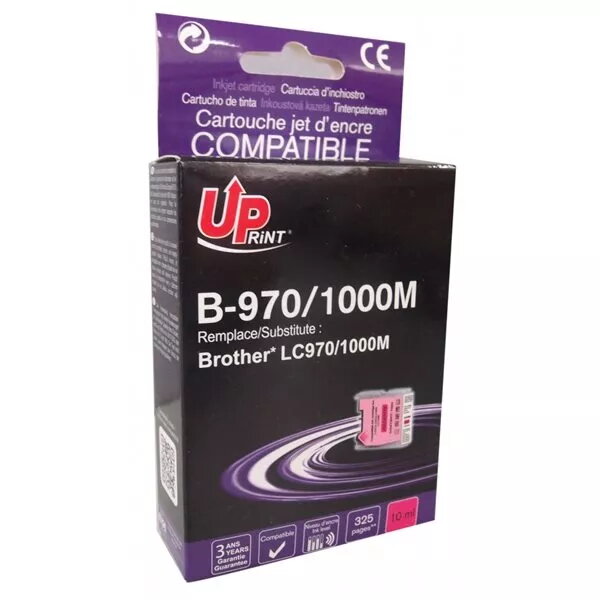
325 pages
-
Quantity per pack:
-
1 pc(s)
-
Compatibility:
The other products, software and hardware this product can be used with.
-
Brother DCP 130C, Brother DCP 135C, Brother DCP 150C, Brother DCP 153C, Brother DCP 155C, Brother DCP 330C, Brother DCP 350C, Brother DCP 353C, Brother DCP 357C, Brother DCP 540CN, Brother DCP 560CN, Brother DCP 750CN, Brother DCP 750CW, Brother DCP 770CW, Brother FAX 1355, Brother FAX 1360, Brother FAX 1460, Brother FAX 1560, Brother FAX 1860, Brother FAX 1960, Brother FAX 2480C, Brother FAX 2580C, Brother MFC 230C, Brother MFC 235C, Brother MFC 240C, Brother MFC 260C, Brother MFC 3360C, Brother MFC 440CN, Brother MFC 460CN, Brother MFC 465CN, Brother MFC 480CN, Brother MFC 5460CN, Brother MFC 5860CN, Brother MFC 630CD, Brother MFC 630CDW, Brother MFC 650CD, Brother MFC 650CDW, Brother MFC 660CN, Brother MFC 665CW, Brother MFC 680CN, Brother MFC 685CW, Brother MFC 845CW, Brother MFC 850CDN, Brother MFC 850CDWN, Brother MFC 860CDN, Brother MFC 870CDN, Brother MFC 870CDWN, Brother MFC 880CDN, Brother MFC 880CDWN, Brother MFC 885CW
-
Brand compatibility:
What other brands this brand can be used with.
-
Brother
-
Type:
Characteristics of the device.
-
Compatible
-
Printing colours:
The colours that can be produced by the printer.
-
Magenta