


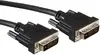
Product specification VALUE DVI-D to DVI-D Cable 2m Black
Description
The VALUE DVI-D to DVI-D Cable 2m Black is a high-quality digital video cable designed to establish a stable and reliable connection between your computer, monitor, and other compatible multimedia devices. With a length of 2 meters, this cable offers optimal reach for standard desktop setups, office workstations, and home entertainment systems. It ensures precise digital signal transmission without conversion loss, delivering sharp and clear high-definition images for your daily computing and viewing needs.
Advantages
This DVI-D to DVI-D cable provides purely digital signal transmission, preventing the quality degradation often associated with analog conversions. Its robust construction ensures dependable everyday performance, while the 2-meter length strikes the right balance between flexibility in device placement and maintaining a tidy workspace without excessive cable clutter. The discrete black color blends seamlessly with most computer hardware and office environments.
Suitable for
- Connecting a desktop computer or laptop with a DVI-D output to a compatible flat-screen monitor
- Setting up dual-monitor workstations in office or home environments
- Linking professional displays and multimedia hardware that utilize standard DVI-D connections
When it may not be suitable
This cable is not suitable for connecting devices that only feature VGA or HDMI ports without the use of dedicated active signal converters or adapters, as DVI-D transmits digital video only and does not carry audio signals. It may also be too short if your equipment layout requires a longer physical distance between the computer and the display.
Key specifications
- Cable type: DVI-D to DVI-D
- Length: 2 meters
- Color: Black
- Signal type: Purely digital video
How to use
Before connecting the cable, ensure that both your computer and monitor are powered off to prevent any potential electrical surges. Align the DVI-D connector pins with the port on your computer's graphics card and gently push it in until fully seated. Secure the connection by tightening the thumbscrews on both sides of the connector. Repeat the same process for your monitor. Once securely fastened, power on your devices and adjust your display settings through your operating system if necessary.
What to consider before purchase
- Verify that both your source device and display feature compatible DVI-D ports
- Confirm that a 2-meter length is sufficient for your intended desk layout and device positioning
- Keep in mind that DVI-D cables transmit video signals only and do not support audio transmission
Usage recommendations: To maintain optimal signal integrity and prevent damage to the connectors, avoid tightly bending the cable at sharp angles or placing heavy objects on top of it. Ensure that the thumbscrews are hand-tightened securely to prevent accidental disconnection during use.


