
Powerful EcoFlow stations for energy anywhere!
In cart {{totalProductsCount}} item(s)
Your cart is empty
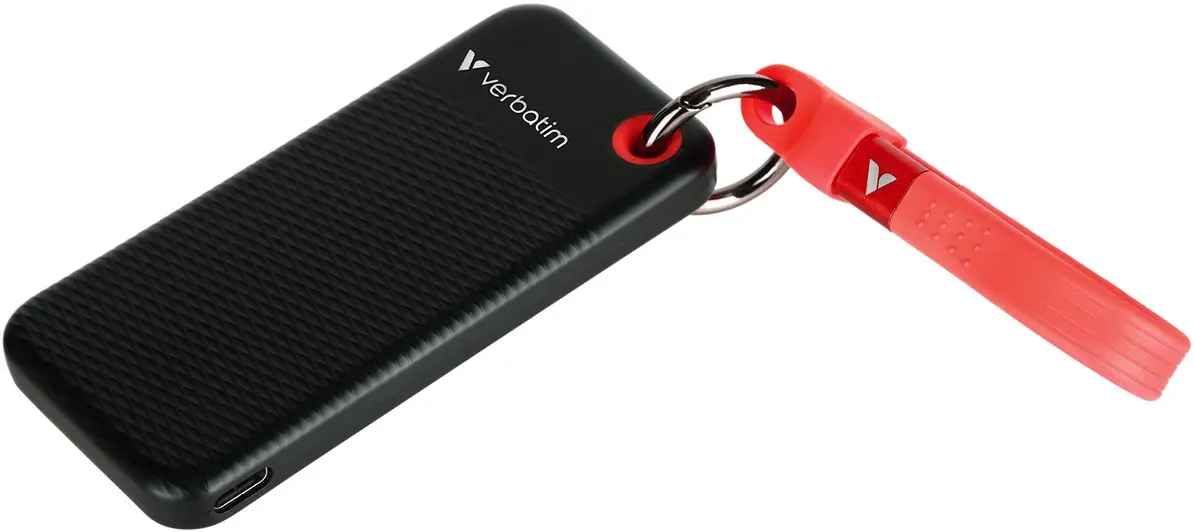
Verbatim Pocket SSD 256GB External Drive, USB-C 3.2 Gen 2, Black-Blue
The Verbatim Pocket SSD 256GB External Drive is a high-performance, compact storage solution designed for users who need reliable and fast data access while on the move. Utilizing the USB-C 3.2 Gen 2 interface, this drive offers rapid data transfer speeds, making it an efficient tool for managing large files, backups, and multimedia content. Its sleek, pocket-sized form factor ensures it fits easily into any bag or pocket, providing a secure way to carry essential data between home, office, or school.
This external SSD stands out due to its robust solid-state technology, which provides faster performance and greater durability compared to traditional mechanical hard drives. The inclusion of the USB-C 3.2 Gen 2 interface allows for high-speed data transfers, significantly reducing waiting times when moving large documents or media libraries. Its lightweight and compact design makes it an ideal companion for modern laptops and tablets, ensuring that users can maintain productivity without the burden of bulky hardware. Furthermore, the drive operates silently and with low power consumption, enhancing the overall user experience.
This drive may not be suitable for users requiring massive storage capacities for extensive server-level data archiving or those working with extremely large 4K/8K video editing projects that require multi-terabyte space. Additionally, it is optimized for modern devices with USB-C ports, so users with older hardware may need to ensure they have the appropriate adapters for full compatibility.
To use the Verbatim Pocket SSD, simply connect the drive to your computer or laptop using the provided USB-C cable. The device is typically plug-and-play, meaning it will be automatically recognized by most modern operating systems without the need for additional driver installations. Once connected, you can drag and drop files directly onto the drive or use it as a destination for your backup software.
For optimal performance, always use the included USB-C cable and ensure your device port supports the USB 3.2 Gen 2 standard to achieve maximum transfer speeds. Safely eject the drive from your operating system before physically disconnecting it to prevent data corruption.
{{highlightedFeature.featureTitle}}:
{{getProductFeatureValueById(product, highlightedFeature.featureId)}}
{{ productComparisonGenerationError }}
