
Dreame vacuums for fast and efficient cleaning!
In cart {{totalProductsCount}} item(s)
Your cart is empty
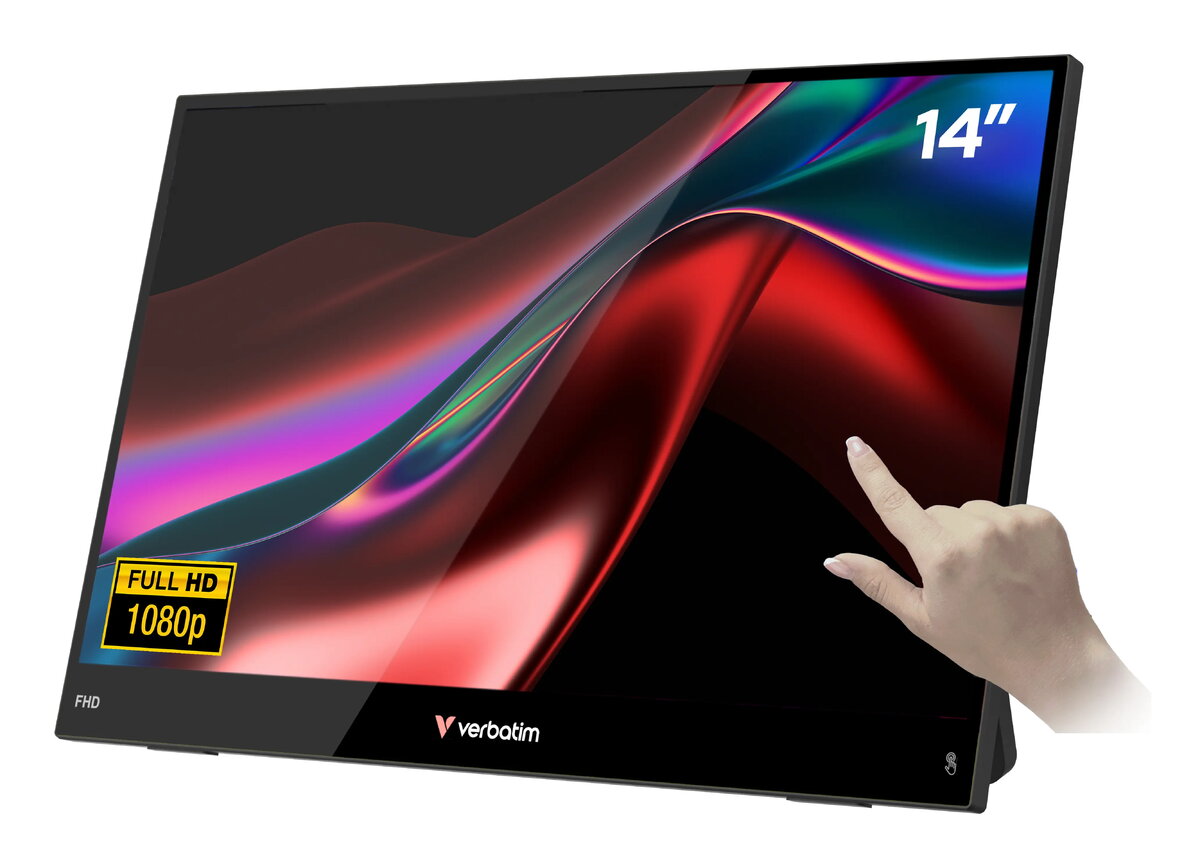
Portable Monitor VERBATIM 14" FHD Touch LIGHT – IPS LCD, 1920×1080, USB-C, 3.5mm, Built-in Speaker
The Verbatim Portable 14" FHD Touch LIGHT is a compact external monitor designed for mobile productivity and multimedia use. It features a 14-inch IPS LCD with Full HD (1920×1080) resolution, capacitive 10‑point multi-touch, and a slim, lightweight body. The monitor supports USB‑C connectivity for video, power and touch signals and also provides a 3.5 mm audio jack and built‑in speaker. With HDR processing, a 178° viewing angle and VESA mounting compatibility, this portable display is intended to extend or mirror screens from laptops, tablets, phones and gaming consoles.
The monitor combines a Full HD IPS panel and HDR processing to deliver clear images and improved colour reproduction across a wide 178° viewing angle. Capacitive 10‑point touch enables direct interaction for apps and presentations without additional peripherals. USB‑C single‑cable operation simplifies setup by carrying video, power and touch data through one connection. Its ultra‑slim profile, light weight (about 0.78 kg) and included neoprene sleeve make it convenient for travel and mobile workflows. Built‑in speakers and a 3.5 mm jack provide flexible audio options for work or entertainment.
This portable monitor is intended as a compact secondary display and may not replace larger desktop monitors for extended multitasking or professional colour‑critical design work that requires wider colour gamut and hardware calibration. Its 10 ms response time and typical contrast ratio are suitable for general multimedia and casual gaming, but competitive fast‑paced gaming may benefit from displays with lower response times and higher refresh rates.
Connect the monitor to a compatible device using a USB‑C cable to enable video, touch and power over a single connection where supported. If your source device does not provide USB‑C display output, use the HDMI input and a separate power source as required. Position the monitor on a stable surface or attach it to a VESA‑compatible mount for fixed setups. Use touch input directly on the screen for navigation, drawing or control of touch‑enabled applications. Adjust brightness and picture settings through the on‑screen display controls to suit ambient lighting and content type.
For portable setups, use the USB‑C connection on devices that support DisplayPort over USB‑C to minimize cables. Carry the included neoprene sleeve during transport to protect the screen. For stationary use, mount the monitor on a VESA arm and adjust the on‑screen picture settings to balance brightness and colour for longer sessions.
{{highlightedFeature.featureTitle}}:
{{getProductFeatureValueById(product, highlightedFeature.featureId)}}
{{ productComparisonGenerationError }}
Device manufacturer code
Device manufacturer
iagonal of the visible part of the screen expressed in centimeters and inches.
Energy efficiency class is a standard classification that is used all over Europe and which is understandable at first sight. Products can be efficiently compared according to classes, starting from A (the most energy efficient class), and ending with G (the most energy-intensive class). The classification of energy efficiency is based on annual energy consumption which is being calculated on the basis of several different parameters.
