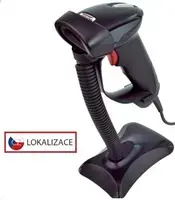
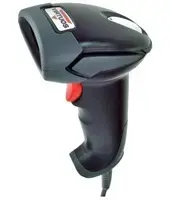
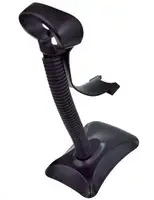
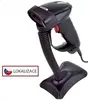
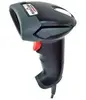
The Virtuos HT-900A is a professional-grade laser barcode scanner engineered for high-performance data capture in demanding retail and warehouse environments. This handheld device utilizes advanced laser scanning technology to deliver rapid and precise readings of standard 1D barcodes, facilitating seamless operations at point-of-sale stations and inventory management hubs. With its robust black housing and versatile connectivity options, it serves as a dependable tool for businesses aiming to optimize their scanning workflows.
Advantages
The primary strength of the Virtuos HT-900A lies in its exceptional scanning speed and accuracy, which significantly reduces the time spent on manual data entry and minimizes human error. Its dual-mode connectivity via USB allows for flexible integration, supporting both keyboard emulation for plug-and-play simplicity and RS232 emulation for legacy system compatibility. The ergonomic design ensures comfort during extended periods of use, while the durable construction is built to withstand the rigors of daily commercial operations.
Suitable for
- Retail point-of-sale systems
- Warehouse inventory tracking
- Logistics and shipping departments
- Library and document management
When it may not be suitable
This scanner is specifically designed for 1D barcodes and will not be able to read 2D codes such as QR codes or Data Matrix. Additionally, it is not intended for industrial environments requiring extreme ruggedization or IP-rated protection against water and heavy dust exposure.
Key specifications
- Scanning technology: Laser
- Supported symbologies: Standard 1D barcodes
- Connectivity: USB
- Emulation modes: Keyboard and RS232
- Color: Black
- Form factor: Handheld
How to use
To begin using the Virtuos HT-900A, simply connect the USB cable to an available port on your computer or POS terminal. The device is typically recognized automatically as a human interface device, allowing it to function immediately without the need for complex driver installations. Once connected, point the laser beam at the barcode you wish to scan, ensuring the beam covers the entire width of the code. The scanner will emit an audible beep and a visual indicator upon a successful read, transmitting the data directly into your active software application.
What to consider before purchase
- Verify that your software supports keyboard or RS232 emulation input.
- Ensure your inventory consists primarily of 1D barcodes.
- Check the cable length to ensure it reaches your workstation comfortably.
Usage recommendations
For optimal performance, keep the scanner lens clean from dust and smudges using a soft, dry cloth. Avoid dropping the device on hard surfaces to maintain the integrity of the internal laser components.