Save time and money with our discounts!
In cart {{totalProductsCount}} item(s)
Your cart is empty
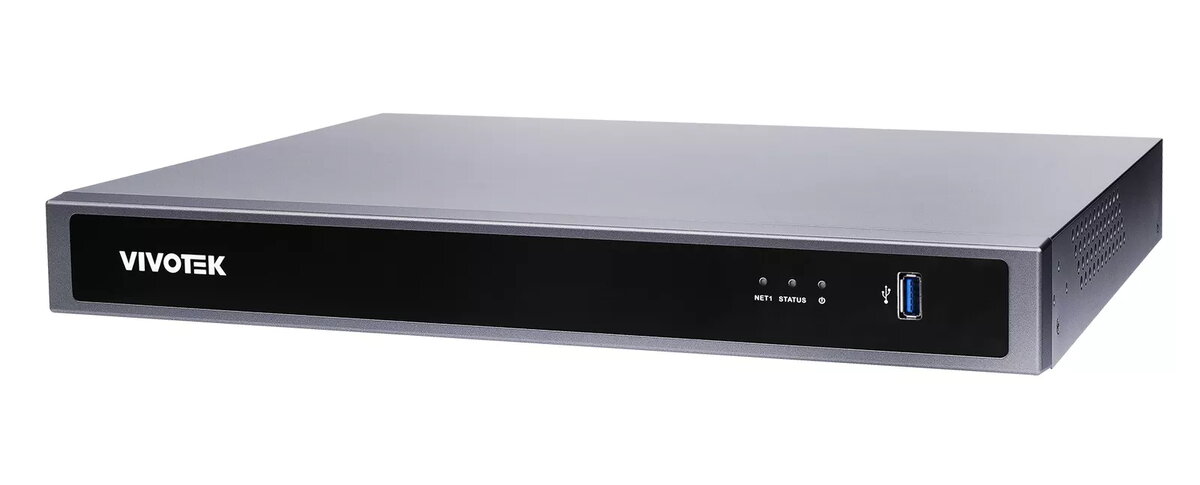
VIVOTEK ND9426P Network Video Recorder 16 Channels 3840x2160 Grey
The VIVOTEK ND9426P is a high-performance 16-channel network video recorder designed to provide reliable and detailed video surveillance. Supporting a maximum resolution of 3840x2160 pixels, this NVR ensures high-definition monitoring and recording. Equipped with advanced Core+ AI firmware, it features Deep Search capabilities, allowing users to efficiently locate specific events or objects using metadata from compatible cameras. The unit supports RAID 0 and 1 configurations for data redundancy and features a robust Ethernet connection with speeds up to 1000 Mbit/s.
This network video recorder offers exceptional clarity through its 4K video input and output support, ensuring that every detail is captured and displayed accurately. The integration of AI-powered Deep Search significantly reduces the time required to find specific evidence by filtering through attributes like vehicle type or person characteristics. Furthermore, the VIVOCloud app and portal provide seamless remote access, allowing users to monitor live streams and playback recordings from anywhere using a mobile device. The inclusion of RAID support enhances data security, while the intuitive interface simplifies alarm management and event searching.
This device may not be the ideal choice for small-scale installations that require fewer than four channels, as it is optimized for larger, multi-camera setups. Additionally, users who do not utilize VIVOTEK cameras with Smart VCA capabilities may not be able to leverage the full potential of the advanced AI search and event management features.
To set up the VIVOTEK ND9426P, connect your IP cameras to the network and link the NVR to your local network via the Ethernet port. Connect a monitor to the HDMI or VGA output to access the local interface. Configure the storage by installing compatible 3.5-inch hard drives and setting up the desired RAID level. Once the system is initialized, use the VIVOCloud portal or mobile app to register the device by scanning the QR code, which enables remote viewing and push notifications for triggered events.
For optimal performance and security, it is recommended to use high-endurance surveillance-grade hard drives. Regularly update the NVR firmware to ensure access to the latest AI features and security patches. Utilize the VIVOCloud app for real-time alerts to stay informed about suspicious activity immediately.
{{highlightedFeature.featureTitle}}:
{{getProductFeatureValueById(product, highlightedFeature.featureId)}}
{{ productComparisonGenerationError }}