
Hurry and order now – up to 50% off!
In cart {{totalProductsCount}} item(s)
Your cart is empty
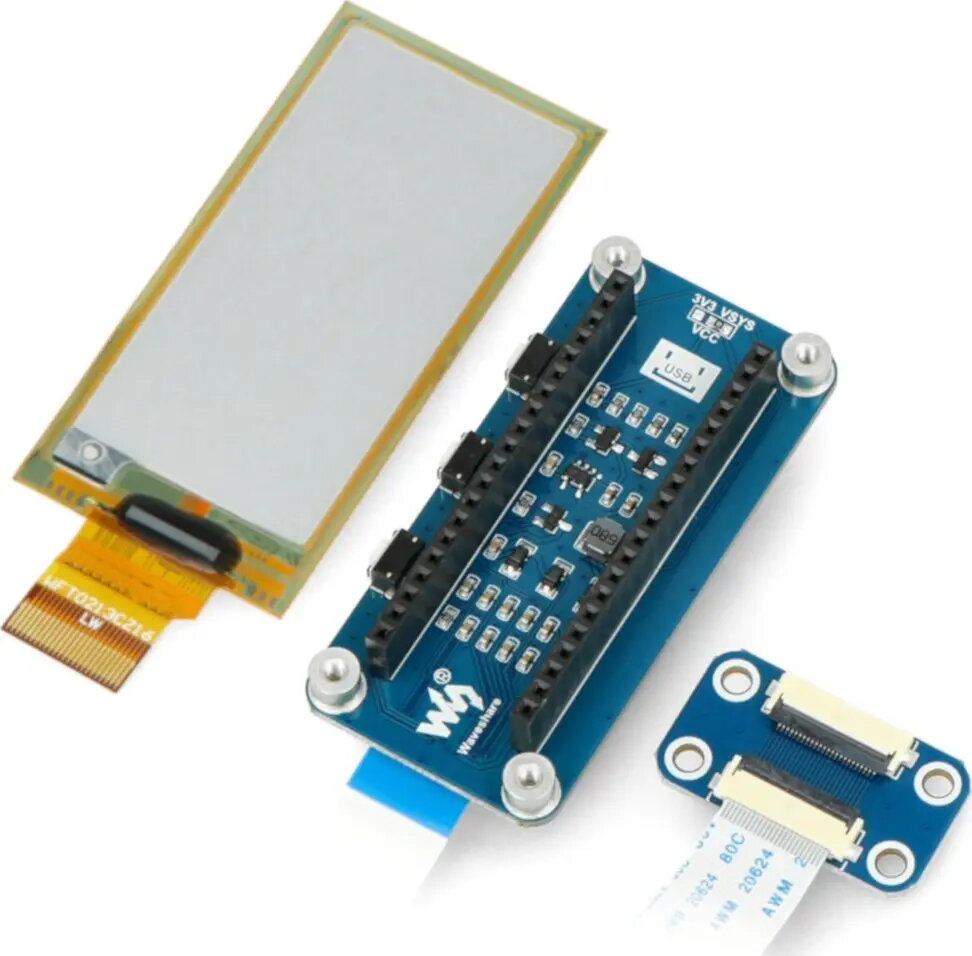
E-paper E-Ink 2.9" 296x128 px display module for Raspberry Pi Pico, Waveshare WSR-20103, black/white
Waveshare E-paper E-Ink 2.9" 296×128 px is a black-and-white flexible display module designed as an add-on for Raspberry Pi Pico. The module offers a 296×128 pixel monochrome e-ink panel that retains images without power, making it suitable for low-power and battery-operated projects that require static images, text or simple graphics. The display is intended for applications such as e-readers, price tags, status indicators and information panels where long-term image retention and minimal energy consumption are important.
The e-ink technology provides bistable image retention so the last displayed content remains visible with no supply current. The monochrome panel supports clear text and simple graphics with wide viewing angles and low reflectivity. Designed to interface with Raspberry Pi Pico, the module integrates into microcontroller projects for battery-powered or always-on indicators. The thin, flexible form factor reduces weight and space requirements compared with conventional LCDs, and the low average power consumption extends battery life in portable setups.
Connect the module to a Raspberry Pi Pico following the manufacturer's pinout and wiring guidelines for the display interface. Use the provided or available driver libraries and example code to initialize the e-ink controller, clear the panel and send monochrome image or text buffers at the native resolution of 296 × 128 pixels. Update the screen only when necessary to conserve power; the e-ink panel will retain the displayed image after the Pico and module are powered down. Allow full refresh and partial update timings as recommended by the driver to ensure correct contrast and minimize ghosting.
For best results, use the module in applications with infrequent screen changes. Prepare monochrome image assets at the native resolution to avoid scaling artifacts, and follow driver timing and refresh guidance to reduce visual ghosting. When operating from batteries, schedule display updates and put the host microcontroller into low-power modes between updates to maximize runtime.
{{highlightedFeature.featureTitle}}:
{{getProductFeatureValueById(product, highlightedFeature.featureId)}}