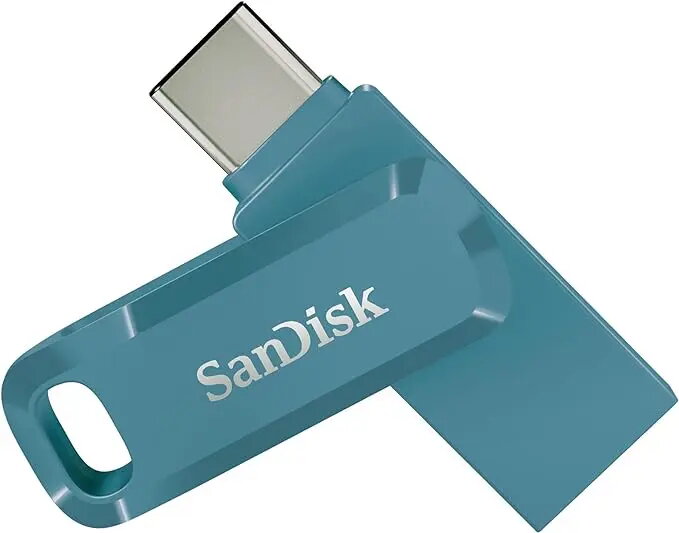
The SanDisk Ultra Dual Drive Go is a versatile 128GB flash drive designed to bridge the gap between modern and legacy devices. Featuring a dual-connector design with both USB Type-A and USB Type-C interfaces, this drive allows for seamless file transfers between smartphones, tablets, and computers. Utilizing USB 3.2 Gen 1 technology, it provides high-speed data access with read speeds reaching up to 400 MB/s, ensuring efficient management of large media files and documents.
Advantages
The primary benefit of this flash drive is its exceptional cross-platform compatibility, which eliminates the need for multiple cables or adapters when moving data between different hardware ecosystems. The integrated swivel mechanism serves a dual purpose by protecting the connectors from physical damage while maintaining a compact, pocket-friendly profile. Furthermore, the inclusion of a keyring hole enhances portability, making it a reliable tool for users who require constant access to their digital files on the move.
Suitable for
- Transferring photos and videos from USB Type-C smartphones to computers
- Backing up documents and media files from tablets
- Sharing files between devices with different USB port types
- Expanding storage capacity for mobile devices
This drive may not be suitable for users requiring extreme high-speed performance for professional 4K video editing directly from the drive, as it is optimized for file transfers rather than sustained high-bandwidth workloads. Additionally, it is not designed for permanent storage expansion in devices where the drive would protrude significantly and risk accidental impact.
Key specifications
- Capacity: 128 GB
- Interface: USB Type-A and USB Type-C
- USB Standard: 3.2 Gen 1
- Maximum Read Speed: 400 MB/s
- Design: Swivel form factor
- Color: Blue
To use the drive, simply rotate the swivel cover to expose the desired connector and insert it into the corresponding port on your device. When connecting to a smartphone or tablet, the device will typically recognize the drive as external storage, allowing you to copy, move, or back up files using your device's file manager application. For computer use, the drive functions as a standard plug-and-play storage device.
What to consider before purchase
- Ensure your mobile device supports USB OTG (On-The-Go) functionality
- Check if your computer ports support USB 3.2 Gen 1 to achieve maximum transfer speeds
- Verify that the physical clearance around your device ports is sufficient for the drive's housing
For optimal performance and data integrity, always use the 'eject' or 'safely remove' function on your computer before disconnecting the drive. Keep the swivel cover closed when the drive is not in use to prevent dust and debris from accumulating in the connectors.