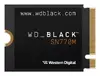
Western Digital Wrsn Internal Solid State Drive (WDBDNH0010BBK) is a 2.5-inch internal SSD designed for desktops and compatible laptops. It offers the typical benefits of solid-state storage: faster system boot, reduced application load times, lower latency for file access, and silent operation. The drive is intended for system upgrades, capacity expansion, and everyday computing where improved responsiveness and reliability are required.
Advantages
This internal SSD provides noticeably faster read and write responsiveness compared with traditional hard disk drives, resulting in reduced boot and application launch times. Its lack of moving parts increases resistance to mechanical shock and lowers power consumption during typical use. The compact 2.5-inch form factor and SATA interface enable straightforward installation in most desktop and laptop systems that support SATA drives.
Suitable for
- Upgrading an older desktop or laptop from an HDD to an SSD to improve overall system performance
- Primary system drive for operating system and applications to shorten boot and load times
- General storage expansion for documents, photos, and everyday files
- Office and home computing tasks that benefit from faster responsiveness and quieter operation
When it may not be suitable
This SSD uses a SATA-compatible 2.5-inch form factor, so it is not suitable for systems that require M.2 NVMe modules or proprietary storage connectors. If the primary requirement is extremely high sustained sequential throughput for specialized workloads (for example, some high-end video editing or server tasks), NVMe PCIe drives typically offer higher bandwidth than SATA SSDs. Also, users who need very large capacity beyond the available model sizes should confirm the offered capacity before purchase.
Key specifications
- Form factor: 2.5-inch internal SSD
- Interface: SATA (SATA III compatible)
- Solid-state storage technology with no moving parts
- Typical use: internal system drive for desktops and compatible laptops
- Performance characteristics: improved random access and reduced latency compared with HDDs
How to use
Install the drive into an available 2.5-inch bay in your desktop or laptop or use a compatible mounting adapter if required. Connect the drive to the system using a SATA data cable and a power connector from the power supply, or insert into the device's native SATA slot. After physical installation, power on the system and enter the operating system installer or disk management utility to initialize, partition, and format the drive. For upgrading an existing system, clone the operating system from the current drive or perform a clean OS installation according to standard migration procedures.
What to consider before purchase
- Confirm that your device supports a 2.5-inch SATA drive or that you have an adapter for mounting
- Verify the required storage capacity for your files and applications
- Check compatibility with your operating system and planned migration method (cloning vs clean install)
Usage recommendations
Use this SSD as a primary system drive for the operating system and frequently used applications to maximize responsiveness. Keep important data backed up to an external drive or cloud service and enable TRIM support in your operating system to maintain long-term performance.