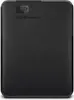
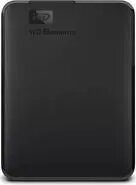
The Western Digital 4TB External Hard Drive USB3.0 is a compact 2.5-inch portable HDD designed to store large volumes of documents, photos, videos and backups. With USB 3.0 connectivity it provides faster transfer rates compared to older USB 2.0 interfaces and supports plug-and-play operation with most modern computers. Its slim form factor makes it suitable for carrying in a laptop bag or backpack while offering ample 4TB capacity for long-term file storage and media libraries.
Advantages
This external hard drive combines high storage capacity with a small physical footprint, enabling convenient portability without sacrificing space. USB 3.0 connectivity reduces waiting time for large file transfers and is backward compatible with USB 2.0 ports. The drive is designed for everyday reliability and straightforward use, requiring no internal installation and offering broad compatibility with Windows and many other operating systems when formatted appropriately.
Suitable for
- Backing up personal or work files and system images
- Storing photo and video collections for mobile access
- Transporting large datasets between locations
- Extending laptop storage for media and project files
When it may not be suitable
This mechanical 2.5-inch HDD is not ideal for workloads that demand sustained high random I/O performance, such as heavy database servers or virtualization hosts; for those use cases, an SSD would be more appropriate. Additionally, while robust for daily transport, it is not rated as rugged or waterproof, so it may not be suitable for use in harsh environments or where the drive may be exposed to drops, moisture, or extreme temperatures.
Key specifications
- Form factor: 2.5-inch portable hard drive
- Capacity: 4 TB
- Interface: USB 3.0 (backward compatible with USB 2.0)
- Typical use: external storage and backup
- Power: bus-powered via USB (no external power adapter required)
How to use
Connect the drive to a computer using the supplied USB 3.0 cable; the drive is bus-powered and does not require an external power source. On first use, verify the drive format and reformat if necessary to match your operating system (for example NTFS for Windows or exFAT for use with both Windows and macOS). Use standard file explorer tools or backup software to copy files, create scheduled backups, or store archives. Safely eject the drive from the operating system before disconnecting to avoid data corruption.
What to consider before purchase
- Ensure 4 TB capacity fits your needs for backups and media storage
- Confirm your computer has a USB 3.0 or compatible USB port for optimal transfer speeds
- Consider whether a mechanical HDD meets your performance and durability requirements versus an SSD
- Check compatibility with your operating system and whether reformatting is needed
Usage recommendations
For reliable long-term use, keep the drive on a stable surface during operation, avoid abrupt movement while reading or writing, and perform regular backups of critical data. Use encryption or password protection offered by your OS or third-party software if storing sensitive information.