{{ totalProductsCount }}

In cart {{totalProductsCount}} item(s)

Total:
{{sum | formatAmount}}

Your cart is empty

header-product Xerox VersaLink C7000 Colour Laser Printer A3 35 ppm Duplex 1200 x 2400 DPI 2 Trays 620 Sheets Ethernet
1,205.99 €

Xerox VersaLink C7000 Colour Laser Printer A3 35 ppm Duplex 1200 x 2400 DPI 2 Trays 620 Sheets Ethernet

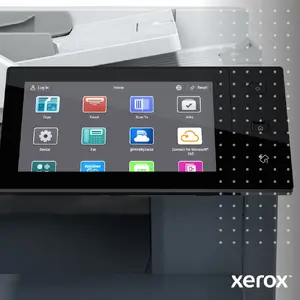
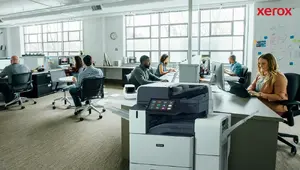
Xerox VersaLink C7000 Colour Laser Printer Photo 1
Xerox VersaLink C7000 Colour Laser Printer Photo 2
Xerox VersaLink C7000 Colour Laser Printer Photo 3
Xerox VersaLink C7000 Colour Laser Printer Photo 4
Xerox VersaLink C7000 Colour Laser Printer Photo 5
Xerox VersaLink C7000 Colour Laser Printer Photo 6
Xerox VersaLink C7000 Colour Laser Printer Photo 7
Xerox VersaLink C7000 Colour Laser Printer Photo 8
Xerox VersaLink C7000 Colour Laser Printer Photo 9
Xerox VersaLink C7000 Colour Laser Printer Photo 10
Xerox VersaLink C7000 Colour Laser Printer Photo 11
Xerox VersaLink C7000 Colour Laser Printer Photo 12
Xerox VersaLink C7000 Colour Laser Printer Photo 13
Xerox VersaLink C7000 Colour Laser Printer Photo 14
Xerox VersaLink C7000 Colour Laser Printer Photo 15
Xerox VersaLink C7000 Colour Laser Printer Photo 16
Xerox VersaLink C7000 Colour Laser Printer Photo 17
Xerox VersaLink C7000 Colour Laser Printer Photo 18
Xerox VersaLink C7000 Colour Laser Printer Photo 19
Xerox VersaLink C7000 Colour Laser Printer Photo 20
Xerox VersaLink C7000 Colour Laser Printer Photo 21
Xerox VersaLink C7000 Colour Laser Printer Photo 22
Xerox VersaLink C7000 Colour Laser Printer Photo 23
Xerox VersaLink C7000 Colour Laser Printer Photo 24
Xerox VersaLink C7000 Colour Laser Printer Photo 25
Xerox VersaLink C7000 Colour Laser Printer Photo 26
Xerox VersaLink C7000 Colour Laser Printer Photo 27
Xerox VersaLink C7000 Colour Laser Printer Photo 28
Xerox VersaLink C7000 Colour Laser Printer Photo 29
Xerox VersaLink C7000 Colour Laser Printer Photo 30
Xerox VersaLink C7000 Colour Laser Printer Photo 31
Xerox VersaLink C7000 Colour Laser Printer Photo 32
Xerox VersaLink C7000 Colour Laser Printer Photo 33
Xerox VersaLink C7000 Colour Laser Printer Photo 34
Xerox VersaLink C7000 Colour Laser Printer Photo 35
Xerox VersaLink C7000 Colour Laser Printer Photo 1
Xerox VersaLink C7000 Colour Laser Printer Photo 2
Xerox VersaLink C7000 Colour Laser Printer Photo 3
Xerox VersaLink C7000 Colour Laser Printer Photo 4
Xerox VersaLink C7000 Colour Laser Printer Photo 5
Xerox VersaLink C7000 Colour Laser Printer Photo 6
Xerox VersaLink C7000 Colour Laser Printer Photo 7
Xerox VersaLink C7000 Colour Laser Printer Photo 8
Xerox VersaLink C7000 Colour Laser Printer Photo 9
Xerox VersaLink C7000 Colour Laser Printer Photo 10
Xerox VersaLink C7000 Colour Laser Printer Photo 11
Xerox VersaLink C7000 Colour Laser Printer Photo 12
Xerox VersaLink C7000 Colour Laser Printer Photo 13
Xerox VersaLink C7000 Colour Laser Printer Photo 14
Xerox VersaLink C7000 Colour Laser Printer Photo 15
Xerox VersaLink C7000 Colour Laser Printer Photo 16
Xerox VersaLink C7000 Colour Laser Printer Photo 17
Xerox VersaLink C7000 Colour Laser Printer Photo 18
Xerox VersaLink C7000 Colour Laser Printer Photo 19
Xerox VersaLink C7000 Colour Laser Printer Photo 20
Xerox VersaLink C7000 Colour Laser Printer Photo 21
Xerox VersaLink C7000 Colour Laser Printer Photo 22
Xerox VersaLink C7000 Colour Laser Printer Photo 23
Xerox VersaLink C7000 Colour Laser Printer Photo 24
Xerox VersaLink C7000 Colour Laser Printer Photo 25
Xerox VersaLink C7000 Colour Laser Printer Photo 26
Xerox VersaLink C7000 Colour Laser Printer Photo 27
Xerox VersaLink C7000 Colour Laser Printer Photo 28
Xerox VersaLink C7000 Colour Laser Printer Photo 29
Xerox VersaLink C7000 Colour Laser Printer Photo 30
Xerox VersaLink C7000 Colour Laser Printer Photo 31
Xerox VersaLink C7000 Colour Laser Printer Photo 32
Xerox VersaLink C7000 Colour Laser Printer Photo 33
Xerox VersaLink C7000 Colour Laser Printer Photo 34
Xerox VersaLink C7000 Colour Laser Printer Photo 35
Keep track of price changes You keep track of price changes
Watch the price drop

Leave your address - as soon as the price of the product goes down, you'll know about it right away

You keep track of price changes

Xerox VersaLink C7000 Colour Laser Printer A3 35 ppm Duplex 1200 x 2400 DPI 2 Trays 620 Sheets Ethernet

{{email}}
You keep track of price changes

Xerox VersaLink C7000 Colour Laser Printer A3 35 ppm Duplex 1200 x 2400 DPI 2 Trays 620 Sheets Ethernet

{{email}}
{{selectedOffer && selectedOffer.price | formatAmount}}

Short description

Xerox VersaLink C7000 colour laser printer designed for business environments. Offers a maximum resolution of 1200 x 2400 DPI, print speeds up to 35 ppm for A3 and A4 formats, and automatic duplex printing. Features a total input capacity of 620 sheets across 2 trays, built-in LCD display, 2GB internal memory, Ethernet connectivity, and support for Adobe PostScript 3 and PCL page description languages.
Available at price 1,205.99 €: 10 pcs.
Total available for order: 41 pcs.
Warranty: 2 Years
SKU: 438224
delivery
to the Customer Service Center at Kengaraga 2b, Riga
01.12.2026 {{selectedOffer.officeDeliveryString}}
free
Customer service center
2b. Kengaraga str., Riga, Latvia, LV-1063
01.12.2026 {{selectedOffer.officeDeliveryString}}
free
Courier Delivery Please note that in case of a large parcel additional delivery costs may apply!
04.12.2026 {{selectedOffer.courierDeliveryString}}
From 53.99 € (Weight: 71.00 kg)
0 credit

Esto — pay in 6 equal parts

today

0 €

afterward

6 mth. × 201 €

overpayment

0 €

All payment Methods:
Bank transfer, Bank cards on-line, Apple Pay, Google Pay, Installment, Leasing for legal entities
36 months installment: from 33.50 euros per month
Leasing for legal entities: from 41.97 euros per month
Together cheaper
{{product.price | formatAmount}}
{{product.title}}
{{productBundle.reference.specialPrice | formatAmount}}
{{productBundle.title}}
{{productBundlePreviousPrice | formatAmount}}
{{productBundleSpecialPrice | formatAmount}}

You saving {{productBundleYouSave | formatAmount}}

Product information

Description

The Xerox VersaLink C7000 Colour Laser Printer is a reliable and efficient printing solution engineered specifically for modern business environments. Delivering professional-grade output with vivid colour and sharp text, this laser printer supports media up to A3 size and handles demanding workloads with ease. Equipped with advanced connectivity, a built-in display, and robust processing capabilities, it integrates seamlessly into office networks to streamline daily document production.

Advantages

This business laser printer offers impressive print speeds of up to 35 pages per minute for both black and white and colour documents, ensuring that high-volume office tasks are completed quickly. Automatic duplex printing reduces paper consumption, while the generous monthly duty cycle supports heavy workloads. The inclusion of multiple page description languages guarantees accurate rendering of complex documents and graphics.

Suitable for

  • Printing high-quality marketing materials and presentations up to A3 size
  • Producing everyday office documents, reports, and correspondence
  • Managing shared printing workloads in small to medium business workgroups
  • Automated double-sided printing to save paper resources

When it may not be suitable

This device may not be ideal for home users with very low monthly printing volumes or limited physical space, as it is designed as a robust office machine. Additionally, offices requiring wireless network connectivity out of the box will need to consider alternative models, as this version relies on Ethernet and USB connections.

Key specifications

  • Print technology: Laser
  • Colour capability: Colour
  • Maximum resolution: 1200 x 2400 DPI
  • Print speed: Up to 35 ppm
  • Maximum paper size: A3
  • Duplex printing: Automatic
  • Total input capacity: 620 sheets across 2 trays
  • Total output capacity: 500 sheets
  • Internal memory: 2048 MB
  • Monthly duty cycle: Up to 153000 pages
  • Connectivity: Ethernet LAN, USB
  • Supported page description languages: HP-GL, PCL 5e, PCL 6, PostScript 3, TIFF, XPS

How to use

Connect the printer to your office network using an Ethernet cable or directly to a computer via USB. Load your preferred paper type into the input trays, ensuring the paper guides are adjusted correctly. Send print jobs from your networked workstation or use direct printing options. Monitor job status and printer settings conveniently using the built-in display panel.

What to consider before purchase

  • Verify that the physical dimensions and weight of the printer fit your designated office space
  • Ensure your network infrastructure supports Ethernet connectivity
  • Confirm that the paper capacity and monthly duty cycle match your office printing volume
  • Check if the supported media types align with your specific document requirements

For optimal performance and longevity, use recommended paper media types, keep firmware updated, and perform regular maintenance checks on the input trays and print cartridges.

Specifications

Power consumption (printing):
1600 W
Built-in display: A display which is part of the product, so you do not need to attach another display.
Yes
Market positioning: Under which category can the device be positioned in the market, e.g. camera phone.
Business
Internal memory: The amount of memory, usually measured in bytes (e.g. MB, GB), which is installed in the system's hardware.
2048 MB
Ethernet LAN: An Ethernet LAN (Local Area Network) interface is present, for a wired conection via a cable.
Yes
Wi-Fi: Popular technology that allows an electronic device to exchange data or connect to the internet wirelessly using radio waves.
No
USB port: The device features a socket into which a USB cable can be plugged.
Yes
Direct printing: With direct printing it is possible to print your photographs or other documents directly to a printer from a compatible device, without the use of a computer.
Yes
Maximum ISO A-series paper size: The maximum paper size the device can handle, defined by ISO A-series.
A3
Total output capacity:
500 sheets
Total input capacity:
620 sheets
Total number of input trays:
2
Number of print cartridges: The amount of print cartridges. A print cartridge is a container holding a quantity of ink which is inserted into a inkjet printer mechanism.
4
Maximum duty cycle: The maximum number of prints/copies made by a printer/copier in a fixed period.
153000 pages per month
Print speed (black, normal quality, A4/US Letter): The print speed of a printer for black & white A4 pages, normal quality. The exact speed varies depending on the system configuration, software program, and document complexity.
35 ppm
Maximum resolution: Maximum printing resolution.
1200 x 2400
Duplex printing: Feature of computer printers and multifunction printers (MFPs) that allows the printing of a sheet of paper on both sides (automatically or manually)
Yes
Print technology: Indicates the method used to print by this product.
Laser
Colour: The main colour of the product.
Yes
Product colour: The colour e.g. red, blue, green, black, white.
White
ISO A-series sizes (A0...A9): Different sizes of paper from A0 (big) to A9 (small). A4 is the most common size used for printing documents.
A3, A4
Paper tray media types:
Bond paper, Card stock, Glossy paper, Heavy paper, Labels, Letterhead, Lightweight paper, Plain paper, Pre-Printed, Recycled paper
Page description languages:
HP-GL, PCL 5e, PCL 6, PostScript 3, TIFF, XPS
Printing colours: The colours that can be produced by the printer.
Black, Cyan, Magenta, Yellow
All features

Other features

Box contents:
- Power cord - Software and documentation - Starter toner cartridges - One of each (Cyan, Magenta, Yellow: 3,300 pages; Black: 5,300 pages) - Imaging Drum - One of each (Cyan, Magenta, Yellow, Black): 82,200 print capacity
Languages support: The product has support (help) for languages.
Multi
Compatibility: The other products, software and hardware this product can be used with.
VersaLink C7000

Logistics data

Harmonized System (HS) code:
84433210

Packaging content

Cables included:
AC
Included cartridge capacity (CMY):
3300 pages
Included cartridge capacity (black):
5300 pages
Cartridge(s) included:
Yes

Packaging data

Package height: The distance from the top to the bottom of the packaging.
945 mm
Package depth: The distance from the front to the back of the packaging.
770 mm
Package width: The distance from one side of the packaging to the other.
710 mm

Weight & dimensions

Weight: Weight of the product without packaging (net weight). If possible, the net weight is given including standard accessories and supplies. Please note that sometimes the manufacturer leaves out the weight of accessories and/or supplies.
54.3 kg
Height: The measurement of the product from head to foot or from base to top.
637 mm
Depth: The distance from the front to the back of something.
670.8 mm
Width: The measurement or extent of something from side to side.
590 mm

Sustainability

Sustainability certificates:
ENERGY STAR

Operational conditions

Operating relative humidity (H-H):
10 - 85
Storage temperature (T-T): The minimum and maximum temperatures at which the product can be safely stored.
0 - 35
Operating temperature (T-T): The minimum and maximum temperatures at which the product can be safely operated.
10 - 32

System requirements

Other operating systems supported:
HP-UX 11
Server operating systems supported:
Windows 2000 Server, Windows Server 2003, Windows Server 2008, Windows Server 2008 R2, Windows Server 2012
Linux operating systems supported: 8 RT. Linux (9.4, 9.5), Red Hat Enterprise Linux 5.0 (supported with a pre-built package); SUSE Linux (10.3, 11.0, 11, 11.1, 11.2), Fedora (9, 9.0, 10, 10.0, 11.0, 11, 12, 12.0), Ubuntu (8.04, 8.04.1, 8.04.2, 8.10, 9.04, 9.10, 10.04), Debian (5.0, 5.0.1, 5.0.2, 5.0.3)
Y
Mac operating systems supported: Mac operating systems e.g. OS X can be used with the device.
Mac OS X 10.10 Yosemite, Mac OS X 10.11 El Capitan, Mac OS X 10.12 Sierra
Windows operating systems supported: Windows vesions wich can be used with the device.
Windows 10, Windows 10 Education, Windows 10 Education x64, Windows 10 Enterprise, Windows 10 Enterprise x64, Windows 10 Home, Windows 10 Home x64, Windows 10 IOT Core, Windows 10 Pro, Windows 10 Pro x64, Windows 7 Enterprise, Windows 7 Enterprise x64, Windows 7 Home Basic, Windows 7 Home Basic x64, Windows 7 Home Premium, Windows 7 Home Premium x64, Windows 7 Professional, Windows 7 Professional x64, Windows 7 Starter x64, Windows 7 Ultimate, Windows 7 Ultimate x64, Windows 8, Windows 8 Enterprise, Windows 8 Enterprise x64, Windows 8 Pro, Windows 8 Pro x64, Windows 8 x64

Power

AC input frequency:
50 - 60
AC input voltage: The voltage of the AC electricity that is inputted into the product.
220 - 240
Current rating:
8 A
Power consumption (PowerSave):
1.4 W
Power consumption (standby): The amount of electricity that is consumed when the product is on standby.
94 W
Power consumption (printing):
1600 W

Design

Control type: The way in which the device is controlled.
Buttons, Touch
Display diagonal: Size of the display for this product, measured diagonally, usually in inches.
5 "
Colour display:
Yes
Display: The description of display that can includes display type, resolution, size etc.
LCD
Built-in display: A display which is part of the product, so you do not need to attach another display.
Yes
Product colour: The colour e.g. red, blue, green, black, white.
White
Market positioning: Under which category can the device be positioned in the market, e.g. camera phone.
Business

Performance

Sound power level (standby):
4.1 dB
Sound power level (printing):
6.75 dB
Sound pressure level (printing):
52.5 dB
Processor cores: The number of central processing units ('cores') in a processor. Some processors have 1 core, others have 2 (e.g. Intel Core Duo) or more (e.g. the Intel Xeon E7-2850 has 10 cores).
2
Processor frequency: The clock rate is the fundamental rate in cycles per second (measured in hertz) at which a computer performs its most basic operations such as adding two numbers. There are more factors, like internal memory size, that influence a computer's actual response time.
1050 MHz
Built-in processor: Whether or not a processor is built into the device.
Yes
Maximum internal memory: The maximum amount of memory inside a product, usually measured in bytes e.g megabytes (MB) or gigabytes (GB).
2048 MB
Internal memory: The amount of memory, usually measured in bytes (e.g. MB, GB), which is installed in the system's hardware.
2048 MB

Network

Mobile printing technologies: Apps etc. which allow users to send a print job from a smartphone or tablet to a printer via a wireless network.
Apple AirPrint, Google Cloud Print, Mopria Print Service
Management protocols:
DHCP, SNMP, WINS, HTTP, HTTPS, TLS, SNTP, MDNS
Supported network protocols (IPv6):
TCP/IP: HTTP/HTTPS, Internet Printing Protocol, LPR/LPD, Raw Socket Printing/Port 9100, IPv4/IPv6, WSD, LDAP, Bonjour /AirPrint
Supported network protocols (IPv4):
TCP/IP: HTTP/HTTPS, Internet Printing Protocol, LPR/LPD, Raw Socket Printing/Port 9100, IPv4/IPv6, WSD, LDAP, Bonjour /AirPrint
Security algorithms: Security algorithms are used to provide authentication, cipher key generation, integrity and radio link privacy to users on mobile networks. The security algorithms supported are the ones that can be used with this product.
256-bit AES, FIPS 140-2, HTTPS, IPSec, SNMPv3, SSL/TLS
Near Field Communication (NFC):
Yes
Cabling technology: Type of cable technology performance.
10/100/1000Base-T(X)
Ethernet LAN data rates: The different speed levels of the Ethernet LAN connection.
10, 100, 1000
Network ready: Indicates whether the product is network-ready out of the box.
Yes
Ethernet LAN: An Ethernet LAN (Local Area Network) interface is present, for a wired conection via a cable.
Yes
Wi-Fi: Popular technology that allows an electronic device to exchange data or connect to the internet wirelessly using radio waves.
No

Ports & interfaces

Optional connectivity:
Wireless LAN
USB connector: What type of USB connector is built into the device.
USB Type-A / USB Type-B
USB port: The device features a socket into which a USB cable can be plugged.
Yes
Direct printing: With direct printing it is possible to print your photographs or other documents directly to a printer from a compatible device, without the use of a computer.
Yes
Standard interfaces: Most common industry-standard communication protocols ranging from RS-232, RS-422, RS-423, RS-485, and LVDS to USB.
Ethernet, NFC, USB 3.2 Gen 1 (3.1 Gen 1)

Paper handling

Multi-Purpose Tray media weight:
60 - 216
Paper tray media weight:
64 - 256
Custom media length:
98.4 - 431.8
Custom media width:
88.9 - 297
ISO A-series sizes (A0...A9): Different sizes of paper from A0 (big) to A9 (small). A4 is the most common size used for printing documents.
A3, A4
Paper tray media types:
Bond paper, Card stock, Glossy paper, Heavy paper, Labels, Letterhead, Lightweight paper, Plain paper, Pre-Printed, Recycled paper
Maximum ISO A-series paper size: The maximum paper size the device can handle, defined by ISO A-series.
A3

Input & output capacity

Multi-Purpose tray input capacity:
100 sheets
Multi-Purpose tray:
Yes
Paper input type:
Paper tray
Paper tray 1 input capacity:
520 sheets
Total output capacity:
500 sheets
Total input capacity:
620 sheets
Total number of input trays:
2

Features

Country of origin: Country where the device is made. Aka Country of manufacture (COM).
Vietnam
Number of PostScript fonts:
136
Number of PCL fonts:
83
Number of printer fonts:
219
Printer fonts:
PCL, PostScript
Page description languages:
HP-GL, PCL 5e, PCL 6, PostScript 3, TIFF, XPS
Number of print cartridges: The amount of print cartridges. A print cartridge is a container holding a quantity of ink which is inserted into a inkjet printer mechanism.
4
Printing colours: The colours that can be produced by the printer.
Black, Cyan, Magenta, Yellow
Recommended duty cycle:
0 - 10000
Maximum duty cycle: The maximum number of prints/copies made by a printer/copier in a fixed period.
153000 pages per month

Printing

Secure printing:
Yes
Watermark printing:
Yes
N-up printing:
2, 4, 6, 8, 9, 16
Booklet printing function:
Yes
Time to first page (colour, normal):
7.6 s
Time to first page (black, normal):
5.1 s
Warm-up time (from sleep mode):
12 s
Duplex print speed (colour, normal quality, A4/US Letter):
35 ppm
Duplex print speed (black, normal quality, A4/US Letter):
35 ppm
Print speed (colour, normal quality, A4/US Letter):
35 ppm
Print speed (black, normal quality, A4/US Letter): The print speed of a printer for black & white A4 pages, normal quality. The exact speed varies depending on the system configuration, software program, and document complexity.
35 ppm
Maximum resolution: Maximum printing resolution.
1200 x 2400
Duplex printing mode:
Auto
Duplex printing: Feature of computer printers and multifunction printers (MFPs) that allows the printing of a sheet of paper on both sides (automatically or manually)
Yes
Print technology: Indicates the method used to print by this product.
Laser
Colour: The main colour of the product.
Yes

Reasons to buy

Brighter Results

Superior color that delivers enhanced prints with professional impact.

Brighter Results

Xerox® Mobile Print Solutions

Print and scan from virtually anywhere.

Xerox® Mobile Print Solutions

Top Quality

Xerox® technology and Genuine Xerox® Toner for fine details and vibrant prints.

Top Quality

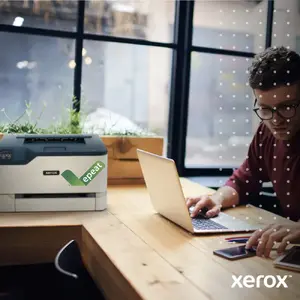
Perfect for Small Business

Reliable, dependable printers with built-in comprehensive security.

Perfect for Small Business

Designed for Sustainability

Printers built for energy efficiency and with recycled plastic content.

Designed for Sustainability

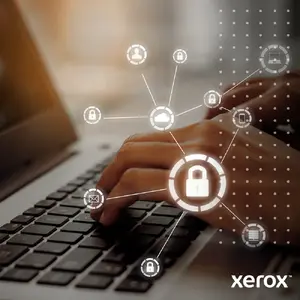
Stay Protected

Advanced built-in security to help safeguard data and stop threats in their tracks.

Stay Protected

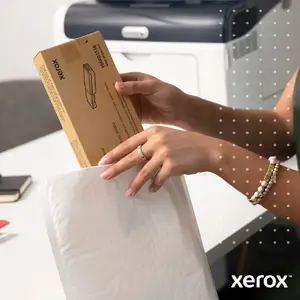
Xerox® Supplies Recycling Program

Return Genuine Xerox® Toner Cartridges to divert waste from landfill and promote materials reuse.

Xerox® Supplies Recycling Program

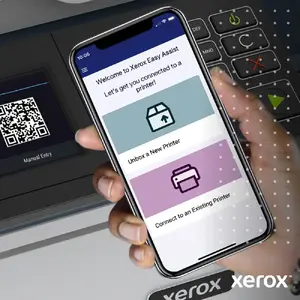
Xerox® Easy Assist App

Easily set-up and manage your printer from your mobile phone.

Xerox® Easy Assist App

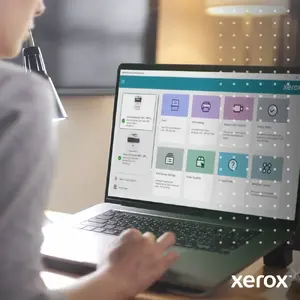
Xerox® Print and Scan Experience

Hassle-free printing & scanning.

Xerox® Print and Scan Experience

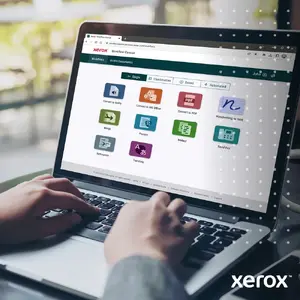
Xerox® Workflow Central

Automated workflows to translate, convert files, summarize documents and more.

Xerox® Workflow Central

Work Your Way

Boost productivity and efficiency with a personalized printer user interface.

Work Your Way

XEROX® CONNECTKEY® TECHNOLOGY

Work smarter by bridging paper and digital worlds while automating mundane and repetitive tasks.

XEROX® CONNECTKEY® TECHNOLOGY

XEROX® CONNECTKEY® TECHNOLOGY

Automate mundane and repetitive tasks that get in the way of doing actual work.

XEROX® CONNECTKEY® TECHNOLOGY

XEROX® CONNECTKEY® TECHNOLOGY

Security that stays ahead of your evolving needs.

XEROX® CONNECTKEY® TECHNOLOGY

XEROX® CONNECTKEY® TECHNOLOGY

Connect physical and digital worlds for more seamless and collaborative working.

XEROX® CONNECTKEY® TECHNOLOGY

Similar products

{{product.title}}
Show details Hide details

{{highlightedFeature.featureTitle}}:

{{getProductFeatureValueById(product, highlightedFeature.featureId)}}

{{product.price | formatAmount}}

Product comparison

The main product Printer Xerox VersaLink C7000 Laser Colour is compared against several similar printer alternatives from the same brand. All evaluated devices utilize laser printing technology and are designed for business or office environments, but they differ in maximum supported paper size, print speed, color capabilities, and tray capacities. The primary differences lie in the fact that the main product and its direct C7000 series counterparts support A3 paper sizes and automatic duplex printing, whereas the other VersaLink alternatives focus exclusively on A4 formats while offering higher print speeds or monochrome operation.

⚙️ The specifications comparison table below contrasts the key technical characteristics of the devices: maximum paper size, print speed, maximum resolution, internal memory, and total input and output tray capacities.

SpecificationPrinter Xerox VersaLink C7000 Laser ColourPrinter Xerox VersaLink C7000 Laser Colour (C7000V_N)Printer Xerox VersaLink C620 Laser ColourPrinter Xerox VersaLink C410 Laser Colour 40ppmXerox VersaLink C7000 A3 35/35 ppm Duplex PrinterPrinter Xerox VersaLink B620 Laser Grey WhitePractical significance of differences
Maximum paper sizeA3A3A4A4A3A4A3 support enables printing large spreadsheets, charts, and promotional materials, whereas A4 models are suited for standard office paperwork.
Technology and colorLaser, colorLaser, colorLaser, colorLaser, colorLaser, colorLaser, monochromeMost models support full-color printing, while the B620 is built specifically for high-speed monochrome document workflows.
Print speed35 ppm35 ppm52 ppm40 ppm35 ppm65 ppmHigher-speed models like the C620 and B620 handle heavy daily document workloads more efficiently.
Automatic duplexYesNot specifiedYesYesYesYesAutomatic double-sided printing saves paper and time on multi-page reports.
Tray capacity (input/output)620 / 500 sheets620 / 500 sheets650 / 300 sheets251 / 125 sheets620 / 500 sheets650 / 550 sheetsLarger tray capacities on the main product and B620 reduce the frequency of paper refills.

◎ The suitability table below evaluates which user needs and use cases are best matched by each compared device.

Use caseRecommended productWhy
General office A3 and color printingPrinter Xerox VersaLink C7000 Laser ColourThe main product is ideal for workgroups requiring versatile A3 color output and reliable monthly duty cycles.
Basic A3 printing without standard duplex requirementPrinter Xerox VersaLink C7000 Laser Colour (C7000V_N)A comparable base model for A3 printing workflows where specific pre-configured duplex options are not strictly required.
High-volume A4 color printingPrinter Xerox VersaLink C620 Laser ColourOffers faster print speeds up to 52 ppm while maintaining full color capabilities for A4 documents.
Compact A4 color printingPrinter Xerox VersaLink C410 Laser Colour 40ppmA more compact choice with smaller input trays for moderate A4 color printing needs.
Direct equivalent of the main productXerox VersaLink C7000 A3 35/35 ppm Duplex...Shares identical specifications with the main product, providing the exact same core capabilities.
High-speed monochrome document printingPrinter Xerox VersaLink B620 Laser Grey WhiteProvides maximum print speed (up to 65 ppm) and a higher duty cycle, but is limited to black-and-white output.
Printer Xerox VersaLink C7000 Laser Colour is best suited for offices that require flexible color and monochrome printing up to A3 size with automatic duplex capabilities. Choose this model if you need a balanced device capable of handling larger paper formats and standard office workloads. If A3 capability is not needed and higher A4 speeds are a priority, alternative models such as the C620 or B620 may be more appropriate.
Might be useful
{{product.manufacturerName}}
{{product.categoryName}}
{{product.title}}
{{product.specialPrice}}
{{product.price}}
Stock data
Warehouse Stock Delivery to the store Store Price
WH113 10 01.12.2026 Best delivery
1,205.99 € Best price
WH94 7 01.12.2026 Best delivery
1,322.49 €
WH349 2 01.12.2026 Best delivery
1,371.99 €
Show all offers Hide
Available only for legal entities
Warehouse Stock Delivery to the store Store Price
WH109 10 15.12.2026
1,353.49 €
WH15 4 01.12.2026 Best delivery
1,876.99 €
1,205.99 €
Stock: 10
Delivery Date: 01.12.2026 Best delivery
Warehouse: WH113
1,322.49 €
Stock: 7
Delivery Date: 01.12.2026 Best delivery
Warehouse: WH94
1,371.99 €
Stock: 2
Delivery Date: 01.12.2026 Best delivery
Warehouse: WH349
1,466.49 €
Stock: 8
Delivery Date: 01.12.2026 Best delivery
Warehouse: WH354
Available only for legal entities
1,353.49 €
Stock: 10
Delivery Date: 15.12.2026
Warehouse: WH109
1,876.99 €
Stock: 4
Delivery Date: 01.12.2026 Best delivery
Warehouse: WH15

Customer reviews

Customer questions

FAQ

How much does the Xerox VersaLink C7000 Colour Laser Printer cost, and is it available for purchase?

The price is 1,205.99 € (valid at the time of publication and already includes all taxes). The item is available for order — 41 pcs. are in stock, and you can place your purchase right now with delivery across Latvia and Europe or choose pickup at the Riga collection point. We offer favorable purchase terms, including the option to split the payment into convenient monthly installments. Availability and price are updated in real time, so we recommend placing your order in advance.

If I order this product today, when will I receive my order?

If you place your order today, delivery will be as fast and convenient as possible. You will be able to pick up your order on 01.12.2026 at the Riga pickup point or choose delivery across Latvia and Europe. We carefully inspect every purchase and pack it securely for safe transportation.

What payment options are available?

AiO.lv offers several payment methods: Bank transfer, Bank cards on-line, Apple Pay, Google Pay, Installment, Leasing for legal entities. All transactions are 100% secure and encrypted.

Can Xerox VersaLink C7000 Colour Laser Printer be purchased with a lease?

Yes, the purchase is available both on credit and with an interest-free installment plan. We work with leading banks and leasing companies in Latvia, allowing you to make your purchase on convenient terms — with a minimal down payment and a repayment period from 3 to 36 months. You can apply for credit or installments for the Xerox VersaLink C7000 Colour Laser Printer online, and the application process is as simple as possible:
  • Select the product on the website and add it to your cart;
  • When placing your order, choose the payment method “Installments”;
  • Fill in the required details for the lending partner;
  • Receive a decision within a few minutes.
For more information about available payment options, interest-free installment terms, and credit conditions in Latvia, please visit the Payment page.

Can this product be purchased for a company (with VAT)?

Yes. AiO.lv works with legal entities in Latvia and across Europe. The product price already includes VAT. For certain product categories, as well as for companies from other EU countries with a valid VAT number, a 0% VAT rate may apply. We issue the invoice immediately after the order is placed, support electronic BIS invoices, and automatically generate all necessary accounting documents. You can complete the purchase for a company online — simply select the company profile and choose bank transfer as the payment method during checkout.

What is the warranty period?

All Xerox products come with an official 2 Years warranty. It covers all manufacturing defects and malfunctions that may occur during use. The warranty is valid at all authorized Xerox service centers and through AiO.lv

Can the product be returned after purchase?

Yes, you can return the product within 14 days of purchase if you bought it as a consumer (not a legal entity). Returns are possible without giving any reason — the main condition is that the product retains its original appearance and full set of accessories. We will make the process as simple and convenient as possible: just contact our customer support team, and we will help you arrange the return.

Where should I contact for warranty service?

For warranty-related questions you can contact the AiO.lv (SIA VSPRO) customer support team. We will assist with consultation, warranty claim processing, and coordination with certified service centers.

How can I tell if this product suits my needs?

When making a choice, we recommend paying attention to the key features: power consumption (printing), built-in display, market positioning, internal memory, ethernet lan, wi-fi, usb port, direct printing, maximum iso a-series paper size, total output capacity, total input capacity, total number of input trays, number of print cartridges, maximum duty cycle, print speed (black, normal quality, a4/us letter), maximum resolution, duplex printing, print technology, colour, product colour, iso a-series sizes (a0...a9), paper tray media types, page description languages, printing colours, compatibility with your devices or usage conditions, material quality, functionality, and warranty terms. These characteristics will help you determine how well the model meets your needs.

Where can I download the instructions for Xerox VersaLink C7000 Colour Laser Printer?

You can download the instructions in PDF format from the “Instructions” section on the product description page. The file contains complete information about installation, setup, and usage.
warranty
14-Day Return Policy
We are confident in our quality, but if the purchase doesn’t fit — you have 14 days to return the product with peace of mind.
shipping
Fast Delivery
Get your orders as quickly as possible — right to your door, parcel lockers, or pickup points across Latvia and the EU.
payment
Secure Payment
Pay the way you prefer: cash, VISA, MasterCard, Apple Pay, Google Pay, bank transfer, or 0% installment plan.
warranty
Quality Since 2008
AiO.lv has been on the market for over 18 years and has earned trust — with more than 6000 genuine positive reviews on Google.