Powerful EcoFlow stations for energy anywhere!
In cart {{totalProductsCount}} item(s)
Your cart is empty
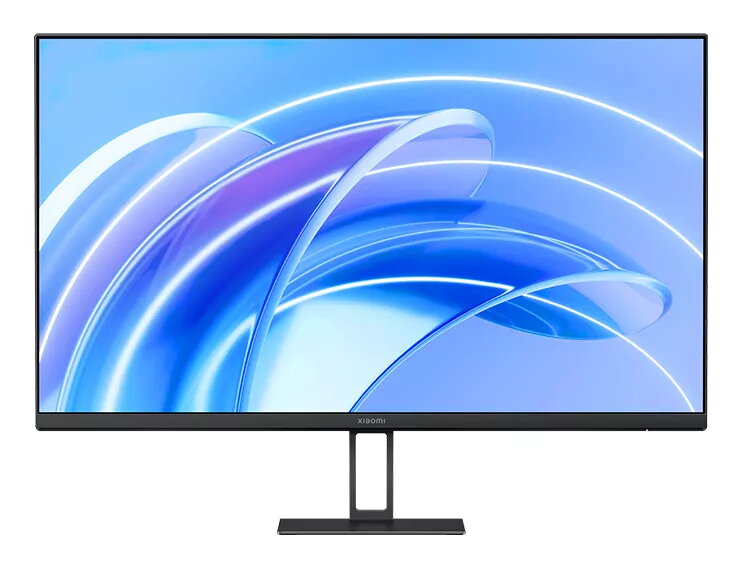
Monitor Xiaomi A27i 27" Full HD LCD 1920 x 1080
The Xiaomi A27i is a 27" Full HD (1920 × 1080) IPS LCD monitor that delivers clear and natural images for work and entertainment. With a 178° viewing angle, 16.7 million colors, 99% sRGB coverage and factory ΔE<2 color calibration, the display reproduces accurate colors and fine detail. The 100Hz refresh rate reduces motion blur and lag, while TÜV Low Blue Light certification and DC dimming help lower eye strain. Narrow bezels on three sides improve immersion and multi-monitor setups. The monitor includes upgraded ports such as HDMI 2.0 and DisplayPort 1.4 and supports VESA mounting.
The IPS panel with 1920 × 1080 resolution and a 178° viewing angle ensures high-definition, consistent image quality from wide angles. A high color depth (16.7 million colors) and 99% sRGB deliver vivid and natural photos and videos, while factory ΔE<2 calibration provides accurate color reproduction. The 100Hz refresh rate offers smoother on-screen motion for browsing, spreadsheets and casual video content. Low blue light mode certified by TÜV and DC dimming reduce short-wave blue light and flicker to increase viewing comfort during long sessions. Thin bezels on three sides make the monitor suitable for multi-display layouts, and the upgraded HDMI 2.0 and DisplayPort 1.4 ports ensure stable signal transmission.
Place the Xiaomi A27i on a stable desk or mount it using a compatible VESA bracket. Connect your PC or laptop using the HDMI 2.0 or DisplayPort 1.4 port for optimal signal transmission. Adjust the display settings in your operating system and on-screen menu to set preferred brightness, color temperature and refresh rate (up to 100Hz). For color-critical work, use the calibrated color profile or select the monitor's factory-calibrated mode. Enable Low Blue Light and DC dimming when working for extended periods to reduce eye fatigue.
For the best balance of image quality and comfort, use the factory-calibrated color mode for photo and video tasks, set the refresh rate to 100Hz where supported by your device, and enable Low Blue Light mode and DC dimming during long work sessions. When using multiple monitors, align bezels and settings across screens to maintain consistent color and viewing angles.
{{highlightedFeature.featureTitle}}:
{{getProductFeatureValueById(product, highlightedFeature.featureId)}}
{{ productComparisonGenerationError }}