Powerful EcoFlow stations for energy anywhere!
In cart {{totalProductsCount}} item(s)
Your cart is empty
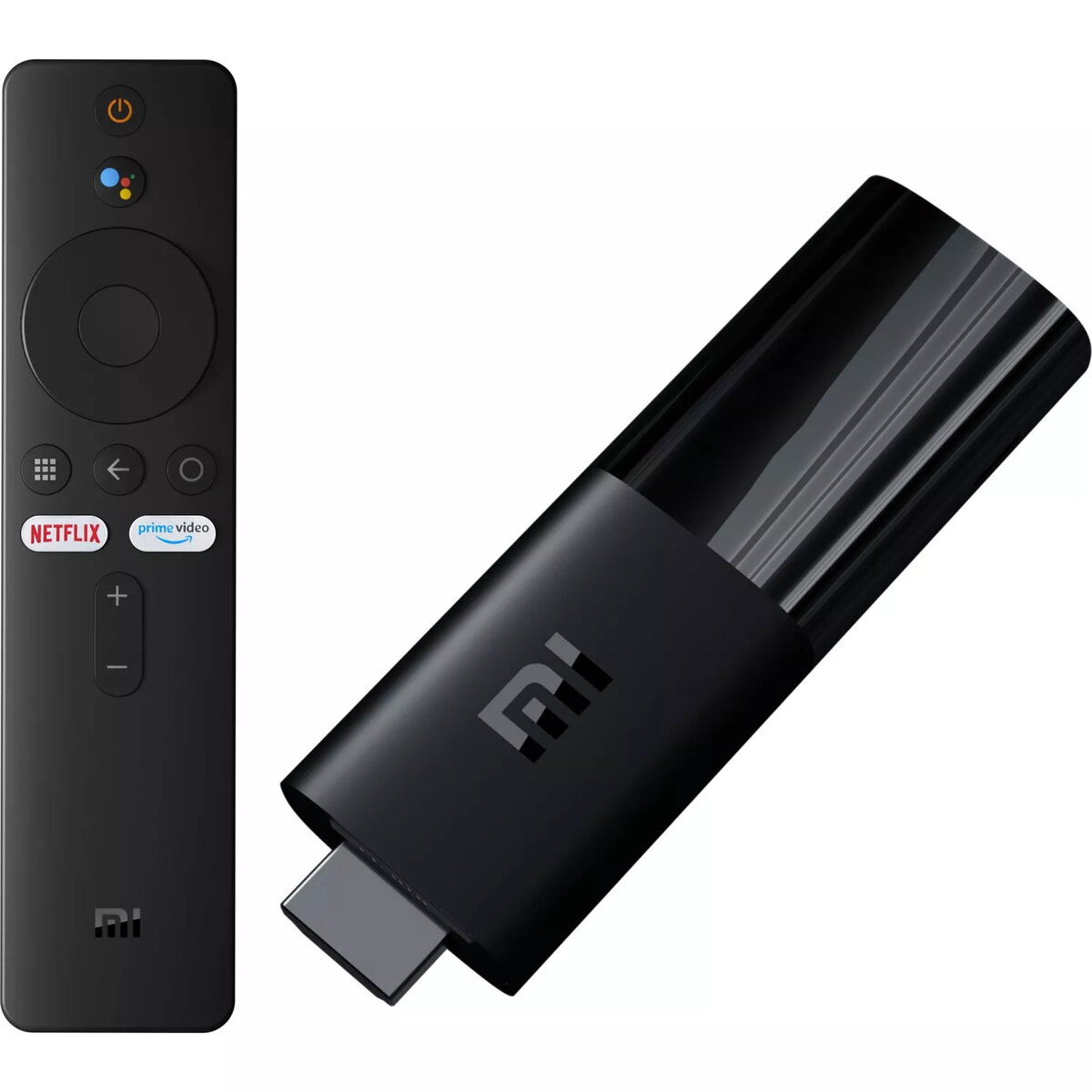
TV Stick Xiaomi Mi TV Stick HDMI Full HD
The Xiaomi Mi TV Stick is a compact and portable streaming media player designed to transform any display with an HDMI port into a smart entertainment hub. Weighing less than 30 grams, this device is highly portable, making it an ideal companion for travelers or those who want to enjoy their favorite content on different screens throughout the home. Powered by the Android TV operating system, it provides a user-friendly interface and access to a vast library of applications via the Google Play Store.
This device offers exceptional convenience due to its lightweight and pocket-sized design, allowing for easy transport and discreet installation behind any television. The integration of Android TV ensures a smooth and intuitive user experience, complete with voice search capabilities via the included Bluetooth remote. Users benefit from high-quality Full HD streaming, supported by Dolby and DTS surround sound decoding for an immersive audio experience. Furthermore, the built-in Chromecast functionality enables seamless wireless casting from smartphones, tablets, and laptops, providing flexibility in how media is consumed.
The Xiaomi Mi TV Stick is designed for Full HD playback and may not be the optimal choice for users requiring 4K Ultra HD resolution. Additionally, as it relies on internal storage and cloud-based streaming, it is not intended for users who need to play large local media files from external USB drives or memory cards.
To begin using the device, simply plug the Xiaomi Mi TV Stick directly into an available HDMI port on your television or monitor. Connect the power cable to the device and a power source. Follow the on-screen instructions to connect to your local Wi-Fi network and sign in with your Google account. Once configured, you can navigate the interface using the Bluetooth remote, download apps from the Google Play Store, or use the voice assistant to find content.
For the best performance, ensure the device is placed in an area with a strong Wi-Fi signal. If the TV's HDMI port is in a tight space, consider using an HDMI extension cable to improve signal reception and ease of access.
{{highlightedFeature.featureTitle}}:
{{getProductFeatureValueById(product, highlightedFeature.featureId)}}