-
Processor model:
-
Helio G100 Ultra
-
Platform:
-
Android
-
Weight:
-
0.51 kg
-
Internal memory type:
-
LPDDR4x-SDRAM
-
Wi-Fi standards:
-
802.11g, 802.11b, 802.11a, Wi-Fi 5 (802.11ac)
-
Form factor:
-
Slate
-
Battery capacity:
-
9000 mAh
-
Display diagonal:
iagonal of the visible part of the screen expressed in centimeters and inches.
-
11 "
-
Processor manufacturer:
-
MediaTek
-
Bluetooth version:
-
5.3
-
AC adapter included:
-
No
-
Display brightness:
-
500 cd/m²
-
Height:
-
254.58 mm
-
Display resolution:
-
2560 x 1600
-
Width:
-
166.04 mm
-
Depth:
-
7.36 mm
-
Electronic compass:
-
Yes
-
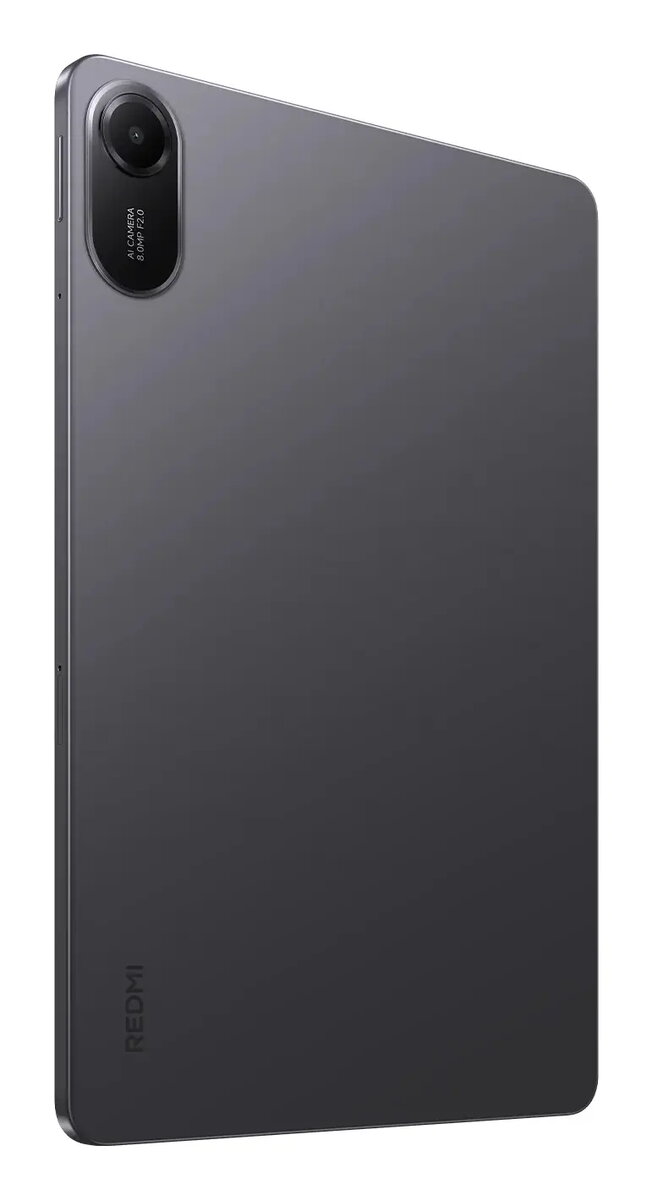
Product colour:
-
Graphite
-
Bluetooth:
-
Yes
-
Processor family:
-
MediaTek
-
Device type:
-
Mobile tablet
-
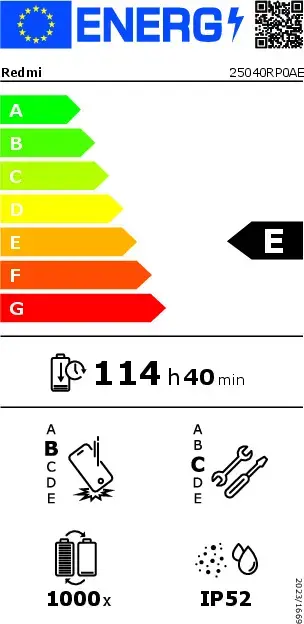
Energy efficiency class:
Rating of how efficiently a device uses energy, affecting power consumption and costs.
-
E
-
Video capturing speed:
-
30 fps
-
Resolution at capture speed:
-
1920x1080@30fps, 1280x720@30fps
-
Card reader integrated:
-
Yes
-
Headphone connectivity:
-
3.5 mm
-
Fast charging:
-
Yes
-
Processor cores:
-
8
-
Assisted GPS (A-GPS):
-
No
-
Maximum memory card size:
-
2000 GB
-
Dual SIM support:
-
Yes
-
Maximum refresh rate:
-
90 Hz
-
Graphics card family:
-
Adreno
-
International Protection (IP) code:
Device protection rating against dust and water according to the international IP standard.
-
IP52
-
Processor boost frequency:
-
2.2 GHz
-
Dolby technologies:
-
Dolby Atmos, Dolby Vision
-
Internal storage capacity:
-
128 GB
-
Accelerometer:
-
Yes
-
Gyroscope:
-
Yes
-
Face recognition:
-
Yes
-
Internal memory:
-
4 GB
-
Native aspect ratio:
-
16:10
-
HD type:
-
2.5K
-
Storage media:
-
UFS
-
Rear camera resolution (numeric):
-
8 MP
-
Front camera:
-
Yes
-
Front camera resolution (numeric):
-
5 MP
-
Pixel density:
-
274 ppi
-
Colour name:
-
Graphite Gray
-
Mobile network connection:
-
No
-
Top Wi-Fi standard:
-
Wi-Fi 5 (802.11ac)
-
Position location:
-
No
-
Rear camera type:
-
Single camera
-
Rear camera aperture number:
-
2
-
Front camera aperture number:
-
2.2
-
USB Power Delivery (USB PD):
-
Yes
-
Fast charging technology:
-
Quick Charge 2.0, Power Delivery 2.0
-
USB 2.0 Type-C ports quantity:
-
1
-
High Dynamic Range (HDR) supported:
-
Yes
-
Energy efficiency scale:
Range of energy efficiency levels classifying devices from most to least energy-efficient.
-
A to G
-
User interface (UI):
-
HyperOS 2
-
USB Type-C charging port:
-
Yes
-
USB Type-C required charging power (min):
-
10 W
-
USB Type-C required charging power (max):
-
18 W
-
Battery endurance per cycle:
-
6880 min
-
Repeated free fall reliability class:
Assessment of device durability after repeated drops from a specified height.
-
B
-
Battery endurance in cycles:
Number of full charge–discharge cycles the battery endures before its capacity significantly decreases.
-
1000
-
Repairability class:
Rating of how easy it is to disassemble and repair the device, including parts and manual availability.
-
C