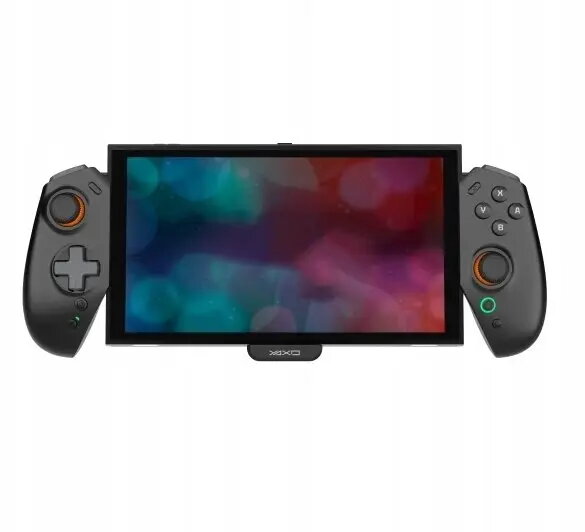
The Wireless Controller Yaxo EVO DECK for NS2 Techno Black is a dedicated wireless deck-style controller designed to work with NS2 Techno platforms. It offers wireless connectivity and control functions tailored to NS2 Techno devices, packaged in a compact black housing suited for remote operation, configuration and real-time control tasks where a dedicated external controller is required.
Advantages
The controller delivers wireless control compatibility with NS2 Techno systems, enabling remote operation without physical connection. Its deck-style layout is intended to provide intuitive access to common controls and quick configuration during live or studio use. The compact black enclosure supports easy integration into existing setups and minimizes footprint while maintaining the connectivity needed for responsive control.
Suitable for
- Remote control of NS2 Techno devices in live performance and studio environments
- On-site configuration and real-time adjustments where cable-free operation is preferred
- Users who need a dedicated deck-style controller to complement NS2 Techno hardware
When it may not be suitable
This controller is specifically designed for NS2 Techno platforms and may not be compatible with other device families or generic controllers. If you require multi-platform compatibility or integration with non-NS2 systems, this product may not meet those requirements. Additionally, environments that demand wired redundancy or where wireless interference is critical may require a different solution.
Key specifications
- Form factor: deck-style wireless controller
- Connectivity: wireless interface designed for NS2 Techno devices
- Finish: black housing
- Primary functions: remote operation, configuration, real-time control
- Intended use: external controller for NS2 Techno platform
How to use
Power on the Yaxo EVO DECK and ensure the NS2 Techno device is in pairing or wireless receive mode according to the NS2 Techno device instructions. Establish the wireless link following the platform’s pairing procedure, then use the deck controls to navigate, adjust settings and perform real-time control tasks. For best results, keep the controller within the recommended operating range of the NS2 Techno device and avoid large obstacles or RF-noise sources between units.
What to consider before purchase
- Confirm that your device is part of the NS2 Techno platform and supports the platform-specific wireless control protocol
- Check operating range and environmental requirements for wireless operation in your intended use location
- Verify that a deck-style controller fits your workflow and the available physical space
Usage recommendations
Use the controller in environments with controlled RF conditions and keep firmware on both the controller and NS2 Techno devices up to date for best performance. For live use, test the wireless link and backups in advance; for studio use, position the controller to minimize latency and interference.