Hurry and order now – up to 50% off!
In cart {{totalProductsCount}} item(s)
Your cart is empty
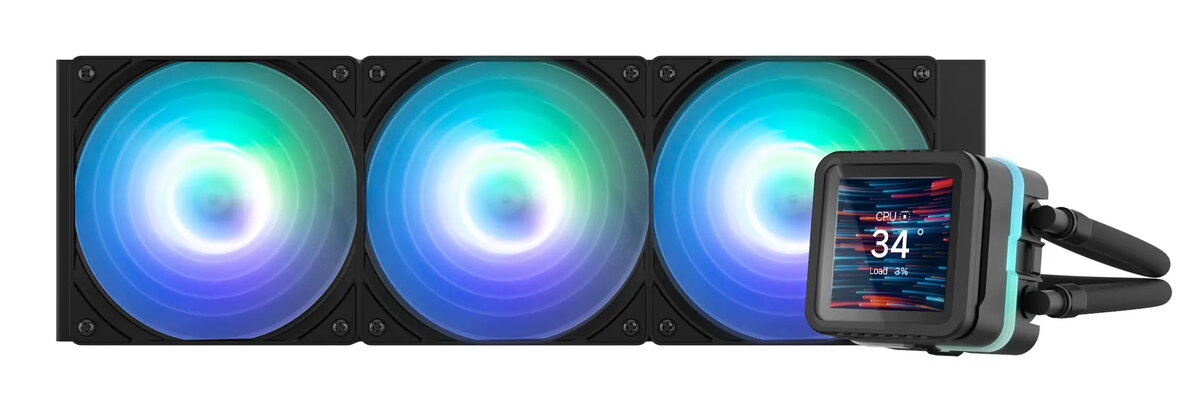
All-in-one liquid cooler ZALMAN ALPHA2 DS A36 — 120 mm fan, ceramic bearing, black
ZALMAN ALPHA2 DS A36 is an all-in-one liquid CPU cooler with a 120 mm AF120 annular fan and ceramic bearing, finished in black. Designed for compact to mid-size PC builds, the cooler integrates an aluminum radiator, a pure copper cold plate and an innovative dual-flow pump to reduce residual fluid and improve heat transfer. The package includes ZM-STC10 thermal compound and supports a broad range of Intel and AMD sockets, providing straightforward installation and comprehensive system monitoring through ZM-OZ software and an adjustable IPS LCD display.
The design combines a high-efficiency aluminum radiator with a pure copper base for rapid heat dissipation and improved processor cooling. The AF120 annular fan with shark fin blades and anti-vibration rubber pads reduces wind noise and blade vibration while maintaining stable airflow. An angle-adjustable magnetic pump cover and daisy-chain connectors simplify installation and cable management. Addressable RGB support and ZM-OZ software allow real-time system monitoring and customizable lighting and fan curves.
Mount the radiator in the chosen case location using the provided mounting holes in a pull or push configuration according to available space. Secure the cold plate to the CPU socket following the included instructions for your socket type. Connect the fan(s) and pump to the supplied hub or to motherboard headers, and attach the ARGB cables if lighting synchronization is required. Install the ZM-OZ software to configure display themes, monitor CPU and GPU parameters, and set fan control modes or custom curves. Apply the included ZM-STC10 thermal compound on the CPU before seating the cold plate for optimal thermal contact.
For consistent cooling performance, ensure good case airflow by providing adequate intake and exhaust. Use the custom fan curve option or motherboard PWM control to balance noise and cooling according to workload. Periodically check mounting screws and tubing routing, and keep the radiator fins clear of dust to maintain maximum heat dissipation. When synchronizing ARGB effects, use the motherboard RGB software or ZM-OZ hub for reliable color and mode management.
{{highlightedFeature.featureTitle}}:
{{getProductFeatureValueById(product, highlightedFeature.featureId)}}
{{ productComparisonGenerationError }}