Hurry and order now – up to 50% off!
In cart {{totalProductsCount}} item(s)
Your cart is empty
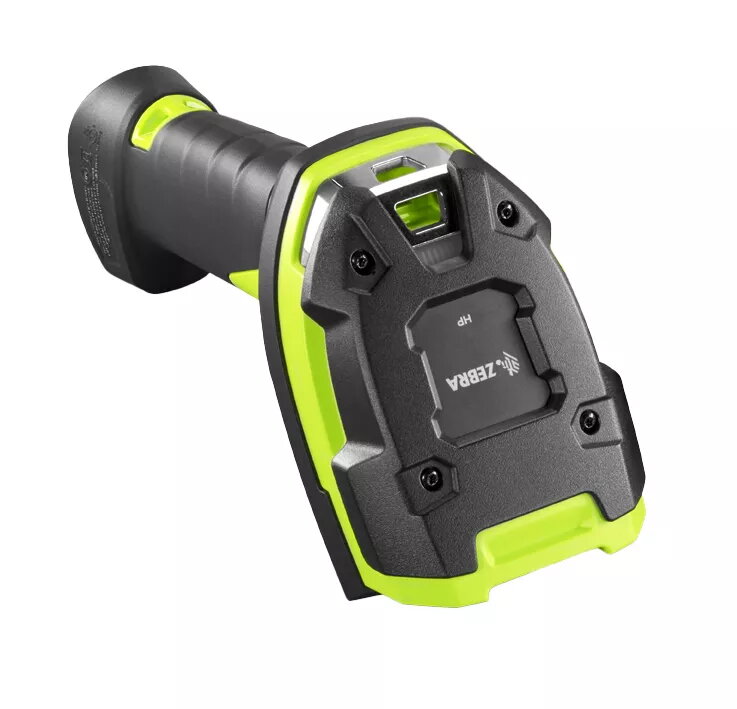
Handheld bar code reader Zebra DS3608-HP
The Zebra DS3608-HP handheld bar code reader delivers ultra-rugged, high-performance capture of 1D and 2D barcodes, photos and documents for demanding warehouse and manufacturing environments. Built to the Ultra-Rugged 3600 Series standard, the corded DS3608-HP provides dependable wired connectivity and fast scanning from close range up to several metres, while offering resistance to dust, water and shocks for continuous operation in harsh conditions.
The DS3608-HP reads virtually any electronic or printed 1D/2D barcode, including poorly printed or damaged codes, and also captures photos and high-legibility document images for recordkeeping. Its ultra-rugged design meets IP67 ingress protection and is compatible with an IP65-sealed cradle for rugged cordless deployments, ensuring durability on the warehouse and manufacturing floor. Integrated manageability tools allow remote configuration, firmware updates and formatted data output to streamline integration with business systems.
The DS3608-HP is a corded, wired scanner; if you require continuous cordless operation without a cradle or need Bluetooth wireless mobility, choose a cordless model instead. Also, if your workflow demands scanning beyond the manufacturer’s specified range for very long-distance capture, a specialized long-range imager may be more appropriate.
Connect the DS3608-HP to your host system using the appropriate cable (USB or RS-232). Position the scanner so the aiming pattern covers the target barcode, then pull the trigger to capture the code or press the activation method configured by your system. For document or photo capture, align the document within the imager field and trigger the capture. Use the provided management software to configure output formatting, symbology settings and to perform firmware updates.
For reliable results, keep the scanner window clean, configure symbology settings to match your barcodes, and use Zebra’s management tools to apply centralized configuration and firmware updates. When capturing documents or photos, ensure sufficient ambient lighting and steady positioning to maximise image legibility.
{{highlightedFeature.featureTitle}}:
{{getProductFeatureValueById(product, highlightedFeature.featureId)}}
{{ productComparisonGenerationError }}