Hurry and order now – up to 50% off!
In cart {{totalProductsCount}} item(s)
Your cart is empty
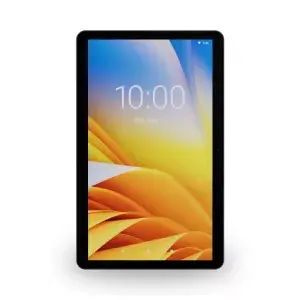
Touchscreen Monitor Zebra KC50 21.5" 1080p Qualcomm Snapdragon 2.1 GHz
The Zebra KC50 Android Kiosk Computer is a 21.5" 1080p touchscreen kiosk module designed for self-service, assisted checkout and display applications across retail, hospitality, healthcare, manufacturing, travel, government and other industries. Built on the Zebra enterprise Android platform and powered by a Qualcomm Snapdragon 2.1 GHz processor with 8 GB RAM and 128 GB flash (expandable via MicroSD), the KC50 combines an elegant consumer-facing design with enterprise-grade durability, connectivity and peripheral support. The unit can be mounted in portrait or landscape orientation on a wall, floor, counter or desk and supports modular accessories such as barcode scanners, payment terminals, printers, notification light bars and the TD50 companion touch display.
The KC50 offers a flexible modular design with Z-Flex connectors on all sides for easy peripheral placement and relocation, integrated audio with dual noise-canceling microphones and dual 1W speakers for voice-enabled assistants, and enterprise tools (Mobility Extensions, OEM Config, DataWedge, Lifeguard for Android) to simplify management, security and application deployment. It supports Wi‑Fi 6E for robust wireless performance, Power-over-Ethernet (PoE) to reduce installation complexity, and rugged display features including dust and splash protection, anti-smudge coating and ball-drop tested durability. The product is available for a defined multi-year lifecycle and extended service options.
Install the KC50 in the desired orientation (portrait or landscape) and mount it to a wall, counter, desk or floor stand that accommodates any required peripherals. Connect peripherals using the Z-Flex connectors on any side or pair compatible Zebra Bluetooth/USB scanners. Configure network and power—use PoE where available to combine power and wired data over a single Ethernet cable. Use Zebra OEM Config or your Enterprise Mobility Management (EMM) system to apply device settings, power profiles and security policies. If adding payment or wallet features, integrate third-party payment terminals via the dedicated USB connection and, where required, implement Zebra Pay, Apple VAS or Google Smart Tap SDKs for contactless transactions.
For reliable operation in public and high-traffic environments, mount the KC50 using an appropriate stand or VESA mount, enable PoE to simplify cabling, and apply OEM Config profiles via your EMM to standardize settings across deployments. Add a Zebra SE4720 or compatible scanner for barcode capture and use DataWedge to integrate barcode data into applications without coding. For voice interactions, enable the digital assistant integration and position the kiosk to minimize ambient noise interference.
{{highlightedFeature.featureTitle}}:
{{getProductFeatureValueById(product, highlightedFeature.featureId)}}
{{ productComparisonGenerationError }}