JBL speakers and headphones for pure and deep sound!
In cart {{totalProductsCount}} item(s)
Your cart is empty
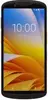
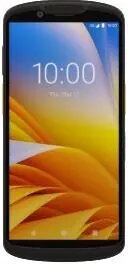
Mobile Computer Zebra TC58E with 6.0-inch Display, 5G FR1, Wi‑Fi 6E, 8GB RAM / 128GB Storage, SE55 Imager, 16MP/8MP Cameras
Zebra TC58E is a rugged mobile computer with a 6.0-inch display designed for field and retail use. The device supports 5G FR1 connectivity and Wi‑Fi 6E to maintain reliable data links in mobile and high-density environments. With 8GB of RAM and 128GB of internal storage the TC58E runs enterprise applications and stores data locally, while the integrated SE55 imager and 16MP rear / 8MP front cameras enable barcode capture, image-based workflows and documentation. The product is intended for inventory, deliveries, inspections and other mobile workflows where durability and connectivity are required.
The TC58E combines rugged construction with modern wireless options, offering consistent performance for extended field use. Its 6.0-inch display balances screen area and device portability for single-hand operation. The SE55 imager provides fast, accurate barcode scanning across a wide range of codes and conditions, while the 16MP rear camera supports detailed photographic documentation. Large memory and storage capacity accommodate multitasking and offline data collection, and support for 5G FR1 and Wi‑Fi 6E ensures low-latency communication in supported networks.
Power on the Zebra TC58E and configure network settings to connect to cellular or Wi‑Fi networks as required. Install or provision enterprise applications according to your organisation’s mobile management policies. Use the touchscreen and on-screen keyboard for data entry, and use the SE55 imager to scan barcodes by aligning the code within the imager window; the device will capture and decode codes automatically. Capture photos with the rear camera for documentation or the front camera for video calls. Save or synchronise collected data to central systems when network connectivity is available.
For reliable operation in demanding environments, use a compatible protective case and follow your organisation’s charging and battery-care guidelines. Keep device firmware and scanning/imaging firmware up to date to ensure best performance and compatibility with barcode symbologies and wireless networks.
{{highlightedFeature.featureTitle}}:
{{getProductFeatureValueById(product, highlightedFeature.featureId)}}
{{ productComparisonGenerationError }}