
Dreame vacuums for fast and efficient cleaning!
In cart {{totalProductsCount}} item(s)
Your cart is empty
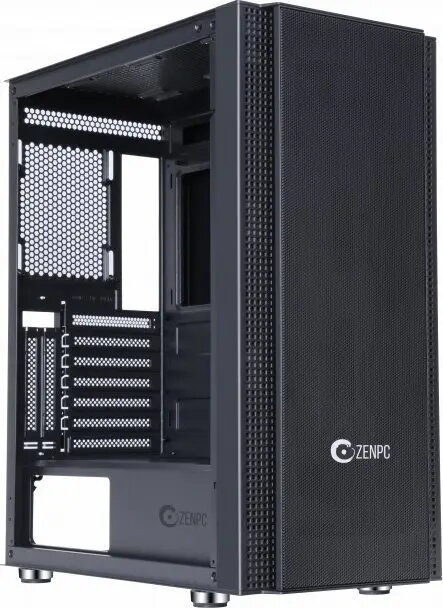
Computer Case Zenpc Z5 Mesh Black with 4x P12 PWM PST ARGB 120mm Fans
The Zenpc Z5 Mesh Black is a mid-tower computer case designed for airflow-focused PC builds. It features a full mesh front panel and comes with four preinstalled P12 120mm fans that support PWM, PST and ARGB lighting. The case accommodates ATX-compatible motherboards and standard components while offering straightforward cable routing and multiple cooling options for gaming rigs and workstation systems that need efficient ventilation.
The mesh front maximizes fresh-air intake while the four included P12 120mm fans deliver balanced airflow for CPU and GPU cooling. PWM and PST support allow synchronized fan speed control from compatible fan headers, reducing noise during low-load operation. ARGB support provides addressable lighting options that integrate with common motherboard RGB controllers. The mid-tower layout supports standard PSU and storage configurations, simplifying upgrades and component swaps.
Install the motherboard into the case using the preinstalled standoffs and secure it with screws. Mount the PSU in the designated compartment and connect power cables to the motherboard, GPU and drives. Fit storage drives into the 2.5" or 3.5" mounting locations and route cables through the case’s cable management grommets for a tidy build. Connect the included P12 fans to a compatible PWM header or to a compatible fan hub using PST cabling, and attach ARGB connectors to a supported ARGB header or controller to enable lighting control. Ensure front-panel connectors are properly connected to the motherboard according to the motherboard manual.
For optimal cooling, maintain unobstructed airflow by keeping intake and exhaust areas clear and cleaning dust filters regularly. When configuring fan control, use motherboard fan curves or a dedicated fan controller to balance cooling performance and noise. Verify ARGB compatibility with your motherboard or controller before connecting to avoid signal conflicts.
{{highlightedFeature.featureTitle}}:
{{getProductFeatureValueById(product, highlightedFeature.featureId)}}
{{ productComparisonGenerationError }}