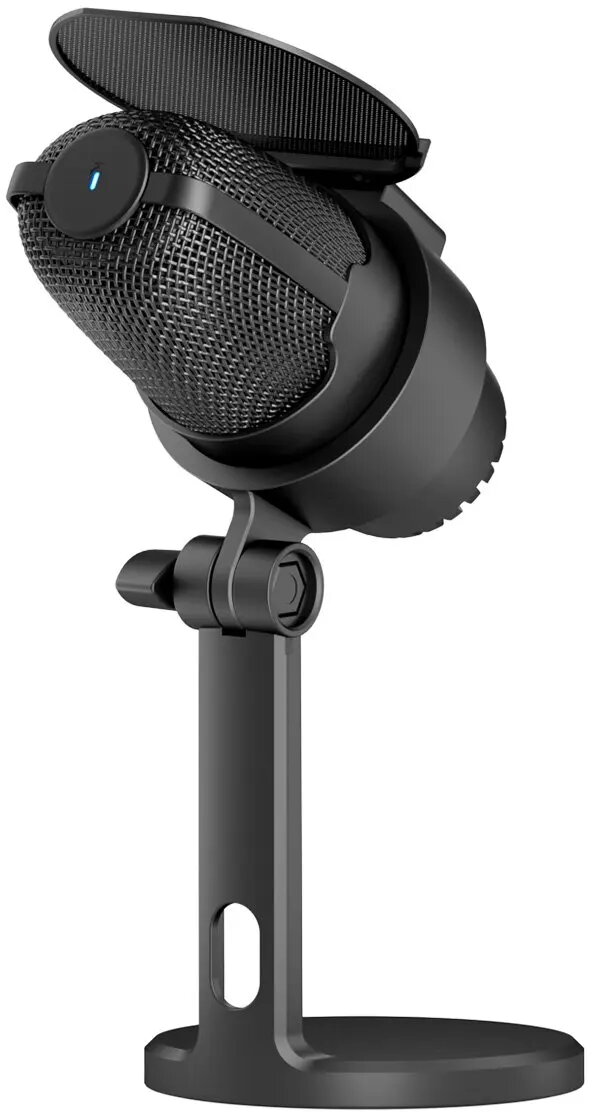
The Zenwire M9 is a professional condenser microphone engineered for high-quality audio capture on computers. Designed to meet the needs of modern content creators, this device provides reliable performance for gaming, live streaming, podcasting, and studio-grade voice recording. With its dual connectivity options including USB-C and USB 3.0, the microphone ensures broad compatibility with various hardware setups while maintaining a stable and clear signal transmission.
Advantages
The primary benefit of the Zenwire M9 is its plug-and-play functionality, which eliminates the need for complex driver installations or external sound cards. The condenser technology captures a wide frequency range with high sensitivity, resulting in crisp and natural vocal reproduction. Its robust build quality combined with the included tripod stand ensures that the microphone remains stable during intense gaming sessions or long recording periods, providing a professional desktop setup right out of the box.
Suitable for
- Live streaming on platforms like Twitch or YouTube
- Recording podcasts and voice-overs
- Online gaming and team communication
- Remote meetings and video conferencing
- Home studio music and vocal recording
When it may not be suitable
This microphone is designed specifically for digital computer interfaces and is not compatible with analog XLR audio equipment or traditional musical instrument amplifiers. It may not be the ideal choice for professional field recording in high-noise environments where specialized shotgun microphones are required.
Key specifications
- Microphone type: Condenser
- Connectivity: USB-C and USB 3.0
- Compatibility: PC, Laptop, and other USB-enabled devices
- Mounting: Included desktop tripod stand
- Installation: Plug-and-play
How to use
To begin using the Zenwire M9, simply connect the provided cable to the microphone and plug the USB end into an available port on your computer. The operating system will automatically detect the device as an external audio input. Once connected, navigate to your computer's sound settings to select the Zenwire M9 as your primary recording device. Adjust the input gain within your software to achieve the desired volume levels for your specific recording environment.
What to consider before purchase
- Ensure your computer has an available USB-C or USB 3.0 port
- Check if your recording software supports external USB audio devices
- Consider the desk space required for the included tripod stand
Usage recommendations
For the best audio quality, position the microphone approximately 15 to 20 centimeters away from your mouth and ensure that the front side of the capsule is facing you. Using a pop filter is recommended if you are recording vocals to minimize plosive sounds.