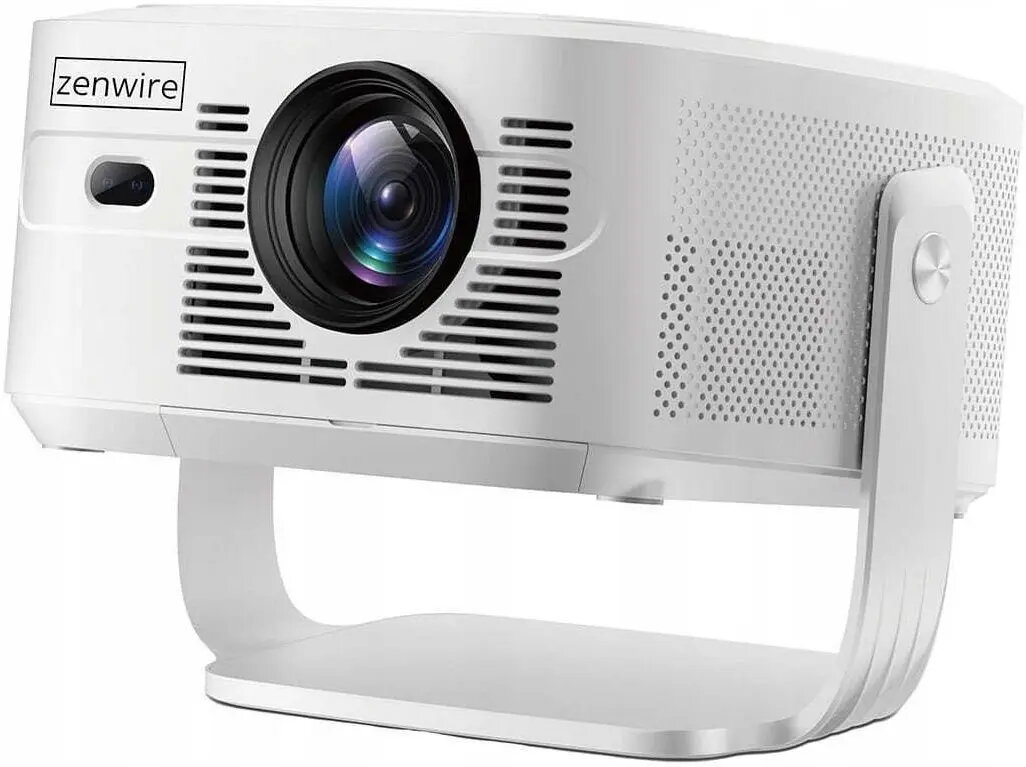
The zenwire PrimeView IMC460 Pro is a compact Full HD projector intended for home and small-office multimedia use. It combines a native 1920×1080 resolution with LED light source technology and a semi-sealed optical engine to deliver detailed images, long lamp life and stable performance. The device runs Android 14, offering built-in streaming and app access, and includes Wi‑Fi 6 and Bluetooth 5.4 for wireless connectivity. Design features such as autofocus, 4D auto keystone and Auto Obstacle Avoidance simplify setup, while a 15 W built-in speaker and multiple mounting options support flexible placement.
Advantages
The projector offers native Full HD resolution with support for online 4K/8K playback formats, a brightness level in the premium home class and contrast characteristics that help preserve image detail in typical indoor lighting. An Android 14 system with 2 GB RAM and 16 GB internal storage enables standalone streaming and app use without additional hardware. The semi‑sealed optical engine protects internal optics from dust, contributing to an LED lifetime of up to 60,000 hours and consistent image quality. Automatic calibration features (autofocus, 4D keystone, obstacle avoidance and auto fit) reduce manual adjustments and speed up installation.
Suitable for
- Home cinema and movie playback
- Small meeting rooms and business presentations
- Photo and slideshow projection
- Portable multimedia playback and streaming
- Temporary installations requiring ceiling, tripod or desktop mounting
Key specifications
- Native resolution: Full HD (1920 x 1080)
- Maximum supported input resolution: up to 3840 x 2160
- Light source: LED with up to 60,000 hours lifetime
- Brightness: approx. 900–950 ANSI lumens
- Contrast ratio: static 4000:1, dynamic up to 15,000:1
- Projection ratio: 1:1; projection distance range approx. 0.90–4.00 m
- Screen size range: approx. 1.02–5.08 m diagonal
- Image formats: 16:9 and 4:3
- Built‑in speaker: 15 W
- Connectivity: Wi‑Fi 6 (2.4/5 GHz), Bluetooth 5.4, 1× HDMI, 1× USB‑A, 3.5 mm audio out
- Smart system: Android 14; RAM 2 GB; internal storage 16 GB
- Display technology: LCD; semi‑sealed optical engine
- Physical dimensions: approx. 247 × 242 × 193 mm; weight approx. 1 kg
- Noise level: approx. 35 dB during operation
How to use
Place the projector on a stable surface, tripod or mount it on the ceiling according to the intended viewing orientation. Power the device and follow the on‑screen Android 14 setup to connect to Wi‑Fi and complete initial configuration. Use autofocus and auto keystone functions to obtain a sharp, correctly aligned image; Auto Obstacle Avoidance and Auto Fit will adjust the projection if objects are on the projection surface. Connect external sources via HDMI or stream directly using built‑in apps and mirroring functions. Adjust audio output using the 3.5 mm jack or pair Bluetooth speakers if external sound is required.
Usage recommendations
For best image quality, use the projector in a dimly lit room and position it within the recommended projection distance for the desired screen size; enable automatic calibration features on first setup and update installed apps through the Android interface. Allow sufficient ventilation around the housing to maintain quiet cooling performance and avoid placing the projector where direct dust or strong airflow may enter the vents.