Dreame vacuums for fast and efficient cleaning!

{{ totalProductsCount }}
In cart {{totalProductsCount}} item(s)
In cart {{totalProductsCount}} item(s)
Total:
{{sum | formatAmount}}
Your cart is empty
Smartphone Accessories
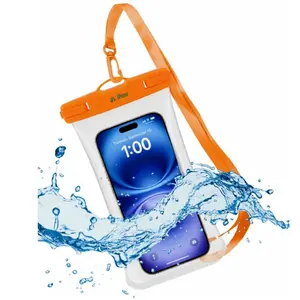
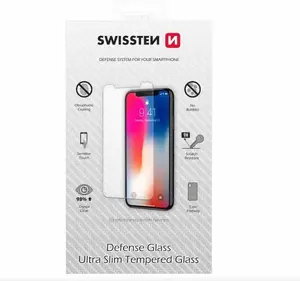



Smartphones accessories are a range of add-on products designed to extend functionality, protect devices, and improve user convenience. They include items that attach to, charge, protect, or connect smartphones and are used by individuals in everyday, travel, work, and leisure scenarios. Consumers choose accessories to solve practical needs such as power management, device protection, improved audio or photography, hands-free operation, and wired or wireless connectivity. These products vary in form, technology, and compatibility, and often require attention to dimensions, connector types, and software support. Accessories are selected based on the phone model, user behaviour, and specific tasks like commuting, remote work, outdoor use, or media consumption.
Types of Smartphones accessories
Common categories of smartphone accessories include:
- Protective cases and screen protectors that guard against drops, scratches, and wear.
- Chargers, power banks, and cables for wired and wireless charging and power delivery.
- Audio accessories such as wired earphones, Bluetooth headphones, and portable speakers.
- Mounts and holders including car mounts, bike mounts, and desk stands for hands-free use.
- Camera and photography add-ons like lenses, tripods, and external flashes.
- Connectivity adapters and dongles (USB-C, Lightning, HDMI, card readers) for data transfer and peripheral connection.
- Wearable and smart accessories that pair with phones for notifications, fitness tracking, or remote control.
- Cleaning tools, replacement parts, and organizational items such as cases with card holders.
What are Smartphones accessories used for?
Smartphone accessories serve specific practical functions in daily use:
- Protection: cases and tempered glass reduce damage from drops and abrasion.
- Power and charging: chargers and power banks maintain battery levels during travel or extended use.
- Audio and communication: headsets and speakers enable private listening and clearer calls.
- Photography and video: lenses, stabilizers, and tripods enhance image quality and stability.
- Hands-free operation: mounts and stands allow safer use while driving, working, or video calling.
- Connectivity and expansion: adapters and hubs connect storage devices, displays, or other peripherals.
- Maintenance and convenience: cleaning kits and organizational accessories help keep devices functional and accessible.
Key Differences between Smartphones accessories
Differences among accessories arise from design, compatibility, performance, and materials:
- Compatibility: connectors (USB-C, Lightning, Micro-USB) and model-specific case dimensions determine fit and function.
- Charging technology: output power, fast-charge standards, and wireless charging protocols affect charging speed and safety.
- Material and protection level: silicone, TPU, leather, and hard plastic offer different grip, shock absorption, and aesthetic properties.
- Audio quality and latency: wired vs wireless, codec support (AAC, aptX) and driver design influence sound reproduction and delay.
- Optical and mechanical quality: camera add-ons differ by glass quality, field of view, and mounting stability.
- Durability and warranty: build quality, ingress protection ratings, and manufacturer warranties indicate expected lifespan and reliability.
How to Choose Smartphones accessories?
Choose accessories by matching technical specifications and usage needs:
- Check compatibility: verify connector type, phone model dimensions, and supported protocols before buying.
- Prioritize safety and standards: select chargers and batteries with recognized certifications and appropriate power ratings.
- Consider use case: pick rugged or slim cases depending on protection needs; choose battery capacity based on expected runtime.
- Assess quality and reviews: examine material descriptions, technical specs, and user feedback for performance and durability.
- Balance features and simplicity: prefer accessories that meet required functions without unnecessary complexity or unsupported features.
- Plan for future compatibility: where possible, choose universal or standard interfaces to maintain usefulness across device upgrades.

14-Day Return Policy
We are confident in our quality, but if the purchase doesn’t fit — you have 14 days to return the product with peace of mind.

Fast Delivery
Get your orders as quickly as possible — right to your door, parcel lockers, or pickup points across Latvia and the EU.

Secure Payment
Pay the way you prefer: cash, VISA, MasterCard, Apple Pay, Google Pay, bank transfer, or 0% installment plan.

Quality Since 2008
AiO.lv has been on the market for over 18 years and has earned trust — with more than 6000 genuine positive reviews on Google.