


Add to wish listAdd to AI comparison
LenovoDelivery: 08.12.2026
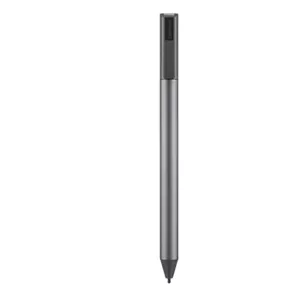
Stylus Pen Lenovo GX81J61977 GreyDelivery: 08.12.2026
The discount is valid from 23.11.2026 to 21.12.2026
43.49 €30.49 €
Add to cart

Necessary cookies enable the site’s essential functions, including authentication and security, saving the shopping cart, placing orders, selecting a language, and retaining other user settings. They are always active because the site cannot work correctly without them. These cookies are not used for analytics or advertising.
A stylus is a handheld input tool designed to interact with touchscreens, graphics tablets, and certain digital devices by allowing precise pointing, drawing, or writing. Styluses vary in construction, using passive conductive tips, active electronic tips with pressure sensitivity, or hybrid designs that combine features for different devices. They are used by professionals, students, and casual users for note-taking, sketching, photo editing, navigation, and accessibility tasks where finger input lacks the needed precision. Customers select styluses for compatibility with specific screens, tip size and responsiveness, pressure and tilt support, and ergonomics that suit prolonged use. Common scenarios include digital art creation, handwriting recognition, annotating documents, and detailed UI control on phones, tablets, and interactive displays. Choosing the correct stylus depends on the device type, required features, and personal preferences for weight, grip, and maintenance.
Styluses are available in several technical and form-factor categories tailored to different devices and uses.
Styluses serve as precision input instruments for a range of digital tasks across consumer and professional contexts.
Key distinctions between styluses relate to compatibility, sensing technology, and user-focused features that affect performance and workflow.
Selecting a stylus involves matching device compatibility, desired features, and ergonomic preferences to the tasks you perform most often.
Order online at AiO.lv at a good price, with delivery across Latvia and to other EU countries. We deliver to Riga, Daugavpils, Liepāja, Jūrmala, Ventspils and other cities. We offer products from leading manufacturers.

We are confident in our quality, but if the purchase doesn’t fit — you have 14 days to return the product with peace of mind.

Get your orders as quickly as possible — right to your door, parcel lockers, or pickup points across Latvia and the EU.

Pay the way you prefer: cash, VISA, MasterCard, Apple Pay, Google Pay, bank transfer, or 0% installment plan.

AiO.lv has been on the market for over 18 years and has earned trust — with more than 6000 genuine positive reviews on Google.