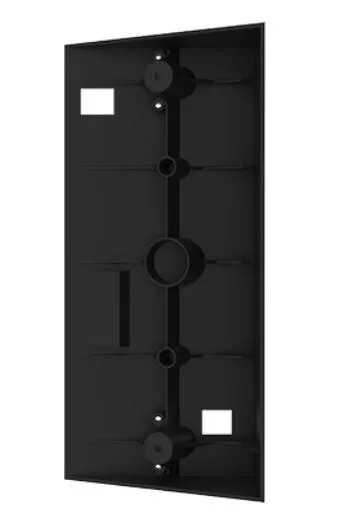
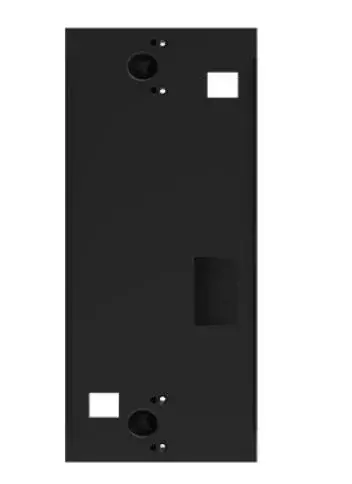
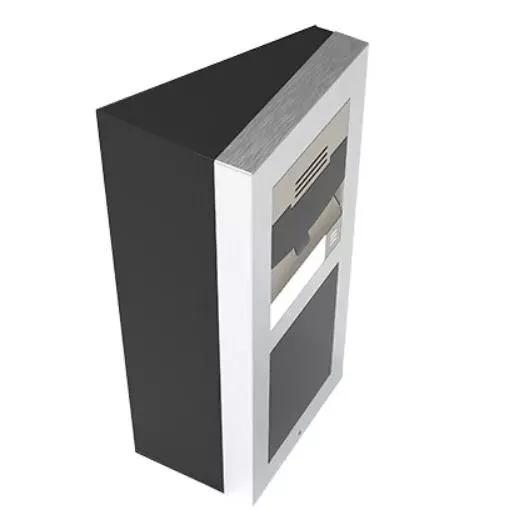
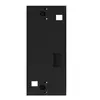
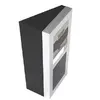
The 2N IP Verso Wedge backplate in black is a specialized mounting accessory engineered to install the 2N IP Verso intercom at a specific angle. By tilting the intercom unit, this backplate significantly improves the camera's field of view and enhances accessibility for visitors, ensuring that the device is positioned optimally for interaction. Crafted from high-quality, durable materials, this accessory provides a robust and stable foundation for your intercom system, maintaining a professional and sleek aesthetic that integrates seamlessly with modern building exteriors.
Advantages
The primary benefit of the 2N IP Verso Wedge backplate is its ability to optimize the viewing angle of the intercom camera, which is particularly useful in installations where the device cannot be mounted directly facing the visitor. This adjustment helps in capturing a clearer image of individuals approaching the entrance. Furthermore, the wedge design improves the ergonomics of the intercom, making it easier for users to reach the buttons or interact with the touch display. The durable construction ensures long-term reliability in various weather conditions, while the black finish offers a sophisticated look that complements the 2N IP Verso series.
Suitable for
- Residential homes requiring better camera coverage of the entrance area
- Commercial office buildings with specific wall mounting constraints
- Installations where the intercom is placed on a side wall rather than directly opposite the visitor
- Upgrading existing 2N IP Verso setups to improve accessibility and visibility
When it may not be suitable
This backplate is specifically designed for the 2N IP Verso series and may not be compatible with other intercom models or brands. It is also not necessary if the mounting surface already provides an ideal viewing angle for the camera or if the installation space is too narrow to accommodate the additional depth and width of the wedge.
Key specifications
- Color: Black
- Compatibility: 2N IP Verso intercoms
- Dimensions: 114 mm x 239 mm
- Material: Durable weather-resistant construction
- Function: Angled mounting for improved camera visibility
How to use
To install the 2N IP Verso Wedge backplate, first ensure that the mounting surface is flat and capable of supporting the weight of the intercom and the wedge. Secure the backplate to the wall using appropriate screws and anchors suitable for your wall material. Once the backplate is firmly attached, mount the 2N IP Verso intercom unit onto the wedge following the standard installation procedures provided with the intercom device. Ensure all cables are routed correctly through the backplate before finalizing the connection to the intercom.
What to consider before purchase
- Verify that your specific 2N IP Verso model is compatible with this wedge size
- Check the available space on your wall to ensure the angled profile fits correctly
- Ensure you have the necessary tools for mounting the backplate securely to your wall type
Usage recommendations
For the best results, ensure the wedge is mounted at a height that aligns the camera lens with the average visitor's eye level. Regularly inspect the mounting screws to ensure they remain tight and the unit stays stable over time.