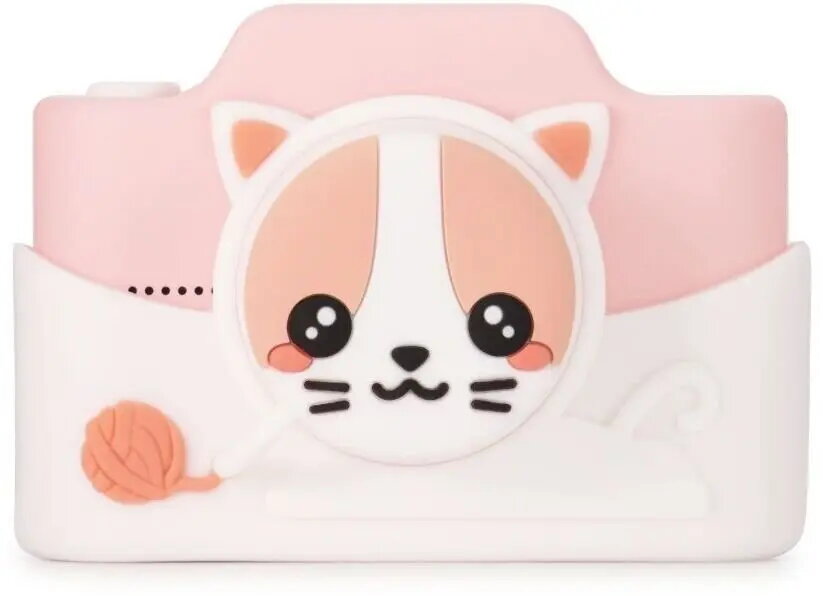
The Digital Kids Camera 4CV Mobile Model K is a compact, child-friendly digital camera engineered for simple operation and everyday use. It features a 32MP image sensor for high-resolution stills, Full HD 1080p video recording for clear motion capture, a 3-inch HD display for preview and playback, and dual lenses including a front-facing selfie lens. The camera is supplied with a 32GB memory card for immediate storage and is intended for casual photography, travel, family events and learning basic camera skills.
Advantages
The camera combines a high-resolution sensor with an intuitive interface designed for children, offering straightforward controls and a durable compact body. Dual lenses expand creative options by providing a rear main lens for standard shots and a front selfie lens for self-portraits. Full HD video recording and the 3-inch HD screen make it easy to review photos and videos on the device. Inclusion of a 32GB memory card means the camera is ready to use out of the box without immediate need for additional accessories.
Suitable for
- Children learning basic photography and camera operation
- Family trips and casual travel snapshots
- Capturing events, playtime and holidays
- Selfies and group photos using the front-facing lens
When it may not be suitable
This camera is designed primarily for casual use and children; it does not offer advanced manual controls or professional-grade optics. Users seeking high-end interchangeable lenses, RAW capture, extensive manual exposure controls, or low-light performance comparable to dedicated professional cameras may find this model limiting.
Key specifications
- Image sensor resolution: 32 megapixels for still photography
- Video recording: Full HD 1080p
- Display: 3-inch HD screen for framing and playback
- Lens configuration: Dual lenses including a front-facing selfie lens and a rear main lens
- Storage included: 32GB removable memory card
- Body: compact and lightweight design suitable for children
- Connectivity: standard ports for charging and data transfer (cable required)
How to use
Power on the camera using the dedicated power switch, insert the supplied 32GB memory card if it is not pre-installed, and use the 3-inch HD screen to frame shots. Select photo or video mode via the mode button and press the shutter to capture images or start/stop video recording. Use the front-facing lens for selfies by switching to the selfie mode or rotating the camera as needed. Connect the camera to a computer with the supplied or compatible cable to transfer files, or remove the memory card and use a card reader. Charge the internal battery using the supplied charger or a compatible USB cable.
What to consider before purchase
- Intended user: optimized for children and casual users rather than professional photographers
- Low-light performance may be limited compared with larger-sensor cameras
- Check included accessories (battery, charging cable, memory card) to ensure immediate usability
- Replacement or larger capacity memory cards can be used for extended recording
Usage recommendations
For best results, use the camera in good daylight or well-lit indoor environments, ensure the lens is clean before shooting, and format the memory card in the camera occasionally to maintain reliable storage. Supervise younger children when charging or connecting the camera to other devices.