

Dreame vacuums for fast and efficient cleaning!
In cart {{totalProductsCount}} item(s)
Your cart is empty
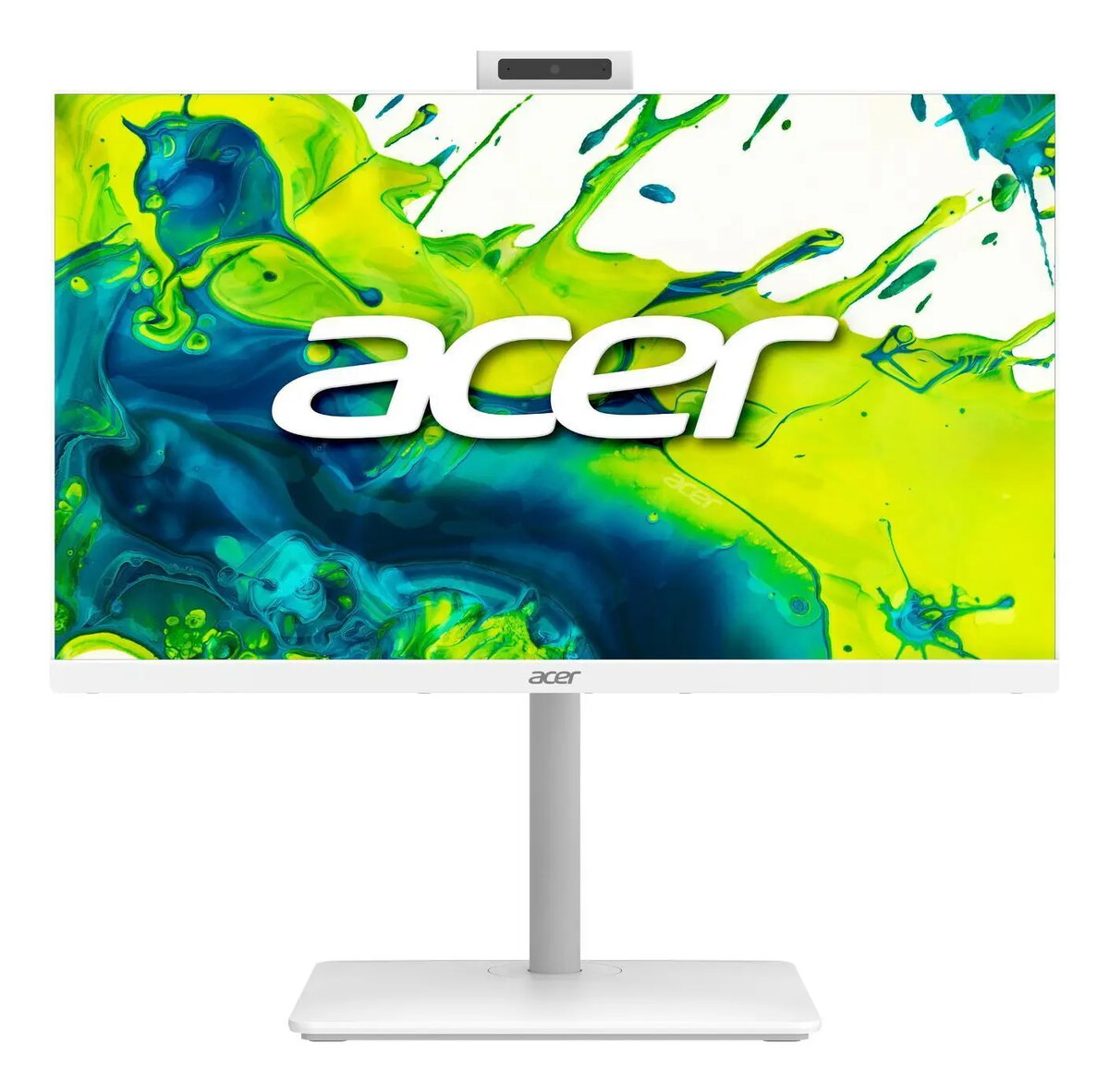
Acer Aspire C27-A All-in-One PC, 27" Full HD, Intel Core 5 120U, 16GB RAM, 512GB SSD, Windows 11 Home, White
The Acer Aspire C27-A is a sophisticated 27-inch All-in-One PC designed to combine modern aesthetics with reliable daily performance. Featuring a crisp Full HD IPS display, this desktop solution offers clear visuals and a space-saving design that fits perfectly into any home or office environment. Powered by an efficient Intel Core 5 processor and equipped with 16GB of RAM, it handles multitasking and productivity tasks with ease, while the 512GB SSD ensures quick boot times and responsive file access.
This All-in-One system eliminates the need for a bulky tower, significantly reducing cable clutter and freeing up valuable desk space. The integration of high-speed Wi-Fi 6E ensures stable and fast internet connectivity, which is essential for video conferencing and streaming. With its built-in camera and high-quality IPS panel, the device is ready for immediate use right out of the box, providing a seamless user experience supported by the latest Windows 11 Home operating system.
This computer is not designed for demanding professional tasks such as high-end 3D rendering, complex video editing, or intensive gaming, as it relies on integrated graphics rather than a dedicated GPU. Users requiring significant internal storage expansion or the ability to upgrade internal components frequently may find the compact All-in-One form factor limiting compared to traditional desktop towers.
Setting up the Acer Aspire C27-A is straightforward. After unboxing, connect the power adapter to the rear of the unit and plug it into a wall outlet. Connect your preferred keyboard and mouse to the available ports. Press the power button to initiate the initial Windows 11 setup process, which will guide you through connecting to your local network and configuring your user account. Once the setup is complete, you can begin installing your preferred applications and customizing your workspace.
To maintain optimal performance, keep the ventilation areas clear of obstructions and regularly update your system drivers through the Windows Update service. Using a surge protector is recommended to safeguard your device against power fluctuations.
{{highlightedFeature.featureTitle}}:
{{getProductFeatureValueById(product, highlightedFeature.featureId)}}
The Acer Aspire C27-A All-in-One PC is compared against several similar desktop solutions from Acer and MSI. All these systems are designed for everyday home or office productivity and share core specifications such as 16GB of RAM, 512GB SSD storage, and efficient Intel Core processors that ensure reliable performance for daily computing tasks. The main differences lie in display size, memory generation, chassis color, operating system version, and physical dimensions.
⚙️ The specification table below compares the most relevant parameters: display size and type, processor model, RAM type, operating system, product color, and network connectivity options.
| Parameter | Acer Aspire C27-A (Main) | Acer Aspire C24A-GRPL | MSI Modern AM272P 1M-1401EU | MSI Modern AM272P 1M-855EU | MSI Modern AM272P 1M-1402EU | MSI Modern AM272P 12M-1063AT | Practical significance of differences |
|---|---|---|---|---|---|---|---|
| Processor | Intel Core 5 120U | Intel Core 5 120U | Intel Core 5 120U | Intel Core 5 120U | Intel Core 5 120U | Intel Core i5-1235U | The Core 5 120U processors offer modern power efficiency, whereas the MSI 12M variant relies on a previous-generation chip while maintaining stable daily performance. |
| Memory | 16GB DDR4 | 16GB DDR4 | 16GB DDR5 | 16GB DDR5 | 16GB DDR5 | 16GB DDR4 | The MSI models featuring DDR5 memory deliver higher bandwidth, which benefits multitasking and overall system responsiveness. |
| Display | 27", IPS, 1920x1080 | 23.8", 1920x1080 | 27", IPS, 1920x1080 | 27", IPS, 1920x1080 | 27", IPS, 1920x1080 | 27", IPS, 1920x1080 | Most options provide spacious 27-inch screens for comfortable viewing, while the smaller Acer variant offers a more compact footprint. |
| OS & Color | Win 11 Home, White | Win 11 Home, White | Win 11 Home, Black | Win 11 Pro, Black | Win 11 Home, White | Win 11 Home, Black | Choice depends on color preference for the interior, the need for Windows 11 Pro (found on one MSI model), or the standard Home edition. |
◎ The suitability table below evaluates which product is best suited for specific user needs and usage scenarios.
| Use case | Recommended product | Why |
|---|---|---|
| Bright workspace with a spacious screen | Acer Aspire C27-A | Combines a clean white aesthetic with a comfortable 27-inch display for productive document handling and daily apps. |
| Compact setup with limited desk space | Acer Aspire C24A-GRPL | Features a smaller 23.8-inch display that saves valuable space on smaller desks. |
| Professional environments requiring Windows Pro | MSI Modern AM272P 1M-855EU | Equipped with Windows 11 Pro to support advanced network and security features needed in professional setups. |
| Higher memory bandwidth for multitasking | MSI Modern AM272P 1M-1401EU | Utilizes faster DDR5 RAM to handle demanding multitasking scenarios more fluidly. |
The Acer Aspire C27-A stands out with its large 27-inch display, capable Intel Core 5 processor, and sleek white design. It is most suitable for users seeking a generous screen and a tidy, light-colored desktop solution for home or office use. If space is limited, the smaller Acer alternative is a great choice, whereas buyers looking for dark-colored aesthetics or faster DDR5 memory may prefer the MSI alternatives.
