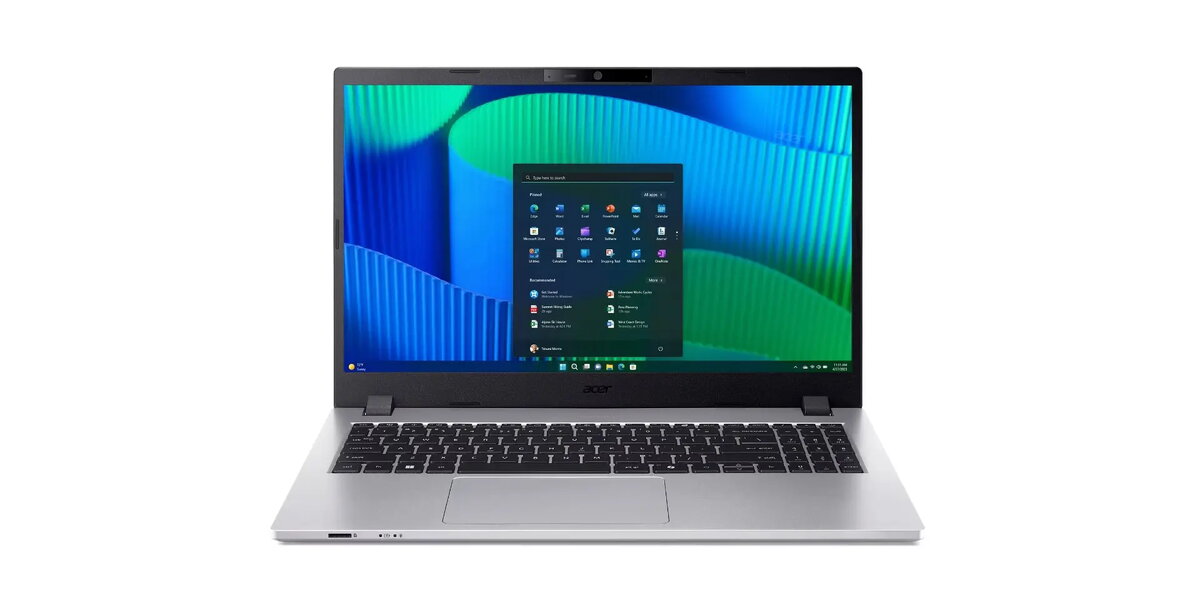
The Acer TravelMate P2 TMP215-55T is a robust 15.6-inch laptop engineered to meet the demands of modern professional environments. Powered by the Intel Core 5 120U processor and 16GB of DDR5 memory, this device ensures smooth multitasking and efficient performance for business-critical applications. Its durable construction, verified by MIL-STD 810H military standards, combined with TCO certification, makes it a reliable choice for mobile professionals who require a stable and secure computing platform.
Advantages
This laptop offers a high level of versatility through its 15.6-inch Full HD anti-glare touch display, which provides clear visuals and intuitive navigation. The inclusion of a white backlit keyboard with a numeric keypad enhances productivity in various lighting conditions, while the OceanGlass touchpad offers a premium tactile experience. Security is prioritized with an integrated fingerprint reader and TPM 2.0 support, ensuring your data remains protected. Furthermore, the device features extensive connectivity options, including high-speed USB4 ports with Thunderbolt 4 support, Wi-Fi 6E, and a dedicated RJ-45 port for stable wired networking.
Suitable for
- Daily office tasks and document management
- Professional video conferencing using the integrated FHD TNR webcam
- Mobile business use requiring a durable and portable design
- Educational environments and administrative workflows
This device may not be suitable for users who require high-end dedicated graphics for professional 3D rendering, intensive gaming, or complex video editing tasks. Additionally, since it comes with an eShell operating system, users who rely on specific Windows-only software will need to perform an operating system installation before the device can be used for standard desktop applications.
Key specifications
- Processor: Intel Core 5 120U (10 cores, up to 5.0 GHz)
- Memory: 16GB DDR5 RAM
- Storage: 512GB PCIe NVMe SSD
- Display: 15.6-inch FHD (1920x1080) IPS touch, 300 nits
- Connectivity: Wi-Fi 6E, Bluetooth 5.3, Gigabit Ethernet
- Ports: 2x USB-C (Thunderbolt 4), 2x USB 3.2 Gen 1, HDMI 2.1, RJ-45
- Security: Fingerprint reader, TPM 2.0, Kensington lock slot
- Weight: Approximately 1.7 kg
To begin using the Acer TravelMate P2, connect the provided 100W USB-C power adapter to charge the battery. Upon initial startup, follow the on-screen prompts to configure your preferred operating system if you intend to replace or supplement the pre-installed eShell. Use the TravelMate Sense app to manage system settings and optimize performance. Ensure that all necessary drivers are updated through the official support channels to maintain system stability and security.
What to consider before purchase
- The device is supplied with eShell; ensure you have a compatible operating system ready for installation if needed.
- Verify that your peripheral devices are compatible with the available USB-C and HDMI 2.1 ports.
- Consider the physical dimensions and weight if you plan to carry the laptop frequently.
For optimal longevity, keep the laptop in a well-ventilated area during heavy workloads and utilize the provided USB-C power delivery system to maintain battery health. Regularly clean the screen with a soft, dry cloth and ensure the firmware is updated to benefit from the latest security patches.