
Save time and money with our discounts!
In cart {{totalProductsCount}} item(s)
Your cart is empty
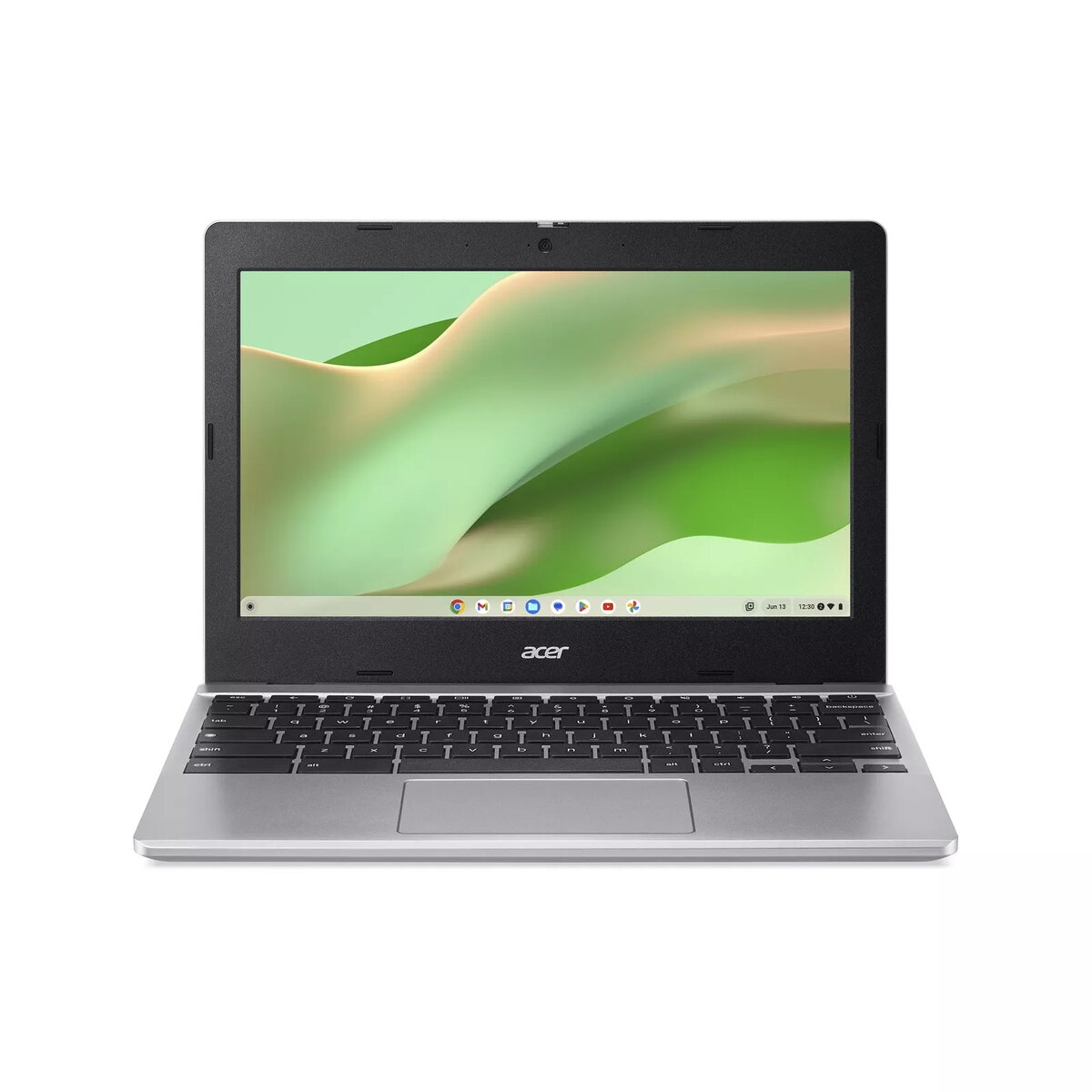
Laptop Acer Chromebook 311 CB311-12HT 11.6" N100 4GB 128GB eMMC UHD Chrome
The Acer Chromebook 311 CB311-12HT is a compact 11.6" laptop designed for mobile productivity and everyday web tasks. The 1366x768 display provides clear text and adequate detail for browsing, email, document editing and media playback. Powered by an N100 processor and equipped with 4GB of RAM and 128GB eMMC storage, this Chromebook runs Chrome OS for a streamlined, secure user experience with fast boot times and automatic updates. Integrated UHD graphics deliver smooth visuals for video streaming and casual multitasking while the lightweight chassis and modest footprint make it convenient for travel and classroom use.
The combination of the N100 processor with 4GB RAM and 128GB eMMC storage offers a balanced performance profile for web-centric workflows, enabling responsive browsing, cloud-based applications and basic local file storage. Chrome OS provides a simplified, low-maintenance environment with built-in security features and frequent updates. The 11.6" 1366x768 display and integrated UHD graphics conserve power while delivering clear visuals for documents, web pages and video. Its compact size and low weight support portability for students and professionals who need a reliable device on the move.
Power on the Chromebook and sign in with your Google account to access Chrome OS and synchronized cloud services. Use the Chrome browser for web applications, install compatible apps from the Chrome Web Store or Google Play if available, and store files locally on the included eMMC storage or in Google Drive for access across devices. Adjust display brightness and power settings to extend battery life during travel. Connect to Wi‑Fi networks and use the built‑in camera and microphone for video calls. For heavier storage needs, use an external USB drive or cloud storage.
For best everyday performance, keep the operating system updated and avoid running many heavy browser tabs or resource-intensive web apps simultaneously. Use cloud storage for large files and enable automatic backups to protect important documents. When using the Chromebook on battery power, reduce screen brightness and close unused apps to prolong run time.
{{highlightedFeature.featureTitle}}:
{{getProductFeatureValueById(product, highlightedFeature.featureId)}}
{{ productComparisonGenerationError }}
