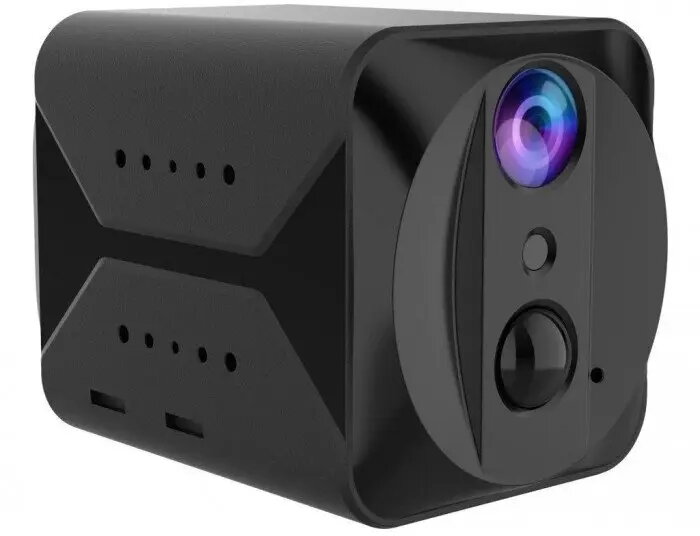
The ActiveJet Viking S309 4G IP Mini Security Camera is a versatile and compact surveillance solution engineered for remote monitoring in environments where traditional Wi-Fi infrastructure is unavailable. By leveraging 4G cellular connectivity, this device ensures consistent video transmission, making it an effective tool for securing remote properties, construction sites, or areas requiring temporary surveillance. Its small form factor allows for discreet installation while maintaining high-quality performance for property protection.
Advantages
The primary benefit of the ActiveJet Viking S309 is its independence from local network infrastructure, as the integrated 4G module allows for seamless operation in isolated locations. The camera is designed for both indoor and outdoor use, providing flexibility in placement. Its compact design ensures that it can be mounted in tight spaces without drawing unnecessary attention, while the robust build quality supports reliable performance under various environmental conditions. Users benefit from real-time monitoring capabilities that keep them informed of activity at their monitored site regardless of their physical distance.
Suitable for
- Remote property and vacation home surveillance
- Monitoring construction sites without internet access
- Temporary security setups for events or storage units
- Wildlife observation or remote area monitoring
This camera may not be suitable for environments with poor cellular signal coverage, as the video stream quality depends heavily on the strength of the 4G network. Additionally, it is not intended for high-speed motion tracking or professional-grade forensic identification in large-scale industrial complexes.
Key specifications
- Connectivity: 4G LTE cellular network
- Form factor: Compact mini IP camera
- Usage: Indoor and outdoor surveillance
- Real-time monitoring: Supported via cellular data
How to use
To begin using the ActiveJet Viking S309, insert a compatible SIM card with an active data plan into the designated slot. Once powered on, follow the manufacturer's instructions to pair the camera with the dedicated mobile application. Ensure the device is mounted in a location with a stable cellular signal to prevent interruptions in the video feed. Adjust the camera angle to cover the desired area and configure motion detection settings within the app to receive alerts directly to your smartphone.
What to consider before purchase
- Check for 4G network coverage in the intended installation area
- Ensure the SIM card has an active data plan suitable for video streaming
- Verify the mounting surface is compatible with the camera's bracket
- Consider the power source requirements for continuous operation
Usage recommendations
For optimal performance, place the camera in a location with a clear line of sight to the area being monitored and ensure the device is protected from direct extreme weather exposure if possible. Regularly check the data usage of your SIM card to avoid service interruptions.