
Leave your address - as soon as the price of the product goes down, you'll know about it right away
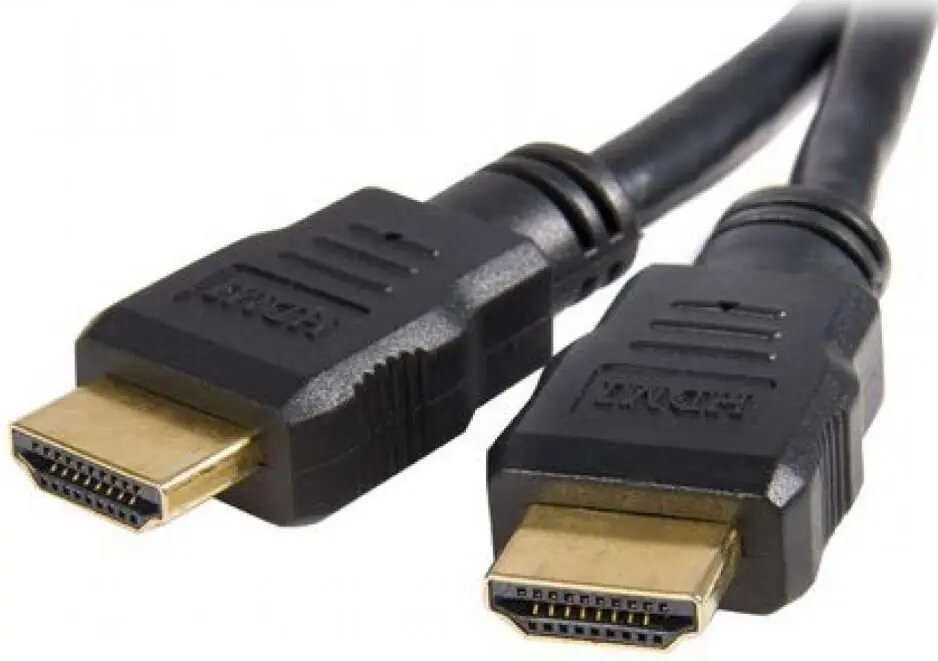
HDMI cable ADAPTEC HDE-BKR-0300.BS — HDMI to HDMI, 3 m, supports 4K
In cart {{totalProductsCount}} item(s)
Your cart is empty
HDMI cable ADAPTEC HDE-BKR-0300.BS — HDMI to HDMI, 3 m, supports 4K
Leave your address - as soon as the price of the product goes down, you'll know about it right away
HDMI cable ADAPTEC HDE-BKR-0300.BS — HDMI to HDMI, 3 m, supports 4K
ADAPTEC HDE-BKR-0300.BS is a 3-meter HDMI to HDMI cable engineered to transmit digital audio and video signals up to 4K resolution. It provides a direct wired connection between source devices and displays, enabling high-definition picture and multichannel audio for home cinema, gaming consoles and PC setups. The cable is compatible with common HDMI-equipped devices such as TVs, monitors, projectors and AV receivers, offering a straightforward solution for extending a high-quality HDMI link across short to medium distances.
This HDMI cable supports 4K video bandwidth and preserves digital audio fidelity, ensuring clear image reproduction and consistent sound. Its 3 m length gives flexibility for typical living-room and desktop configurations without the need for adapters or converters. The cable is built for plug-and-play use, requiring no additional software or power, and is compatible with standard HDMI ports across a wide range of consumer electronics.
Insert one end of the cable into the HDMI output of the source device (for example, Blu-ray player, console or PC) and the other end into the HDMI input on the display device (TV, monitor or projector). Select the corresponding HDMI input on the display and, if necessary, adjust the display or source settings to enable 4K output or the required audio format. No drivers or external power are required; the connection is active as soon as both devices are powered on and set to the correct input/output modes.
For stable 4K performance, use direct connections without excessive bending or tight cable coils. Ensure HDMI ports are free of dust before connecting and confirm both source and display support the same resolution and audio formats to avoid compatibility limitations.
{{highlightedFeature.featureTitle}}:
{{getProductFeatureValueById(product, highlightedFeature.featureId)}}
