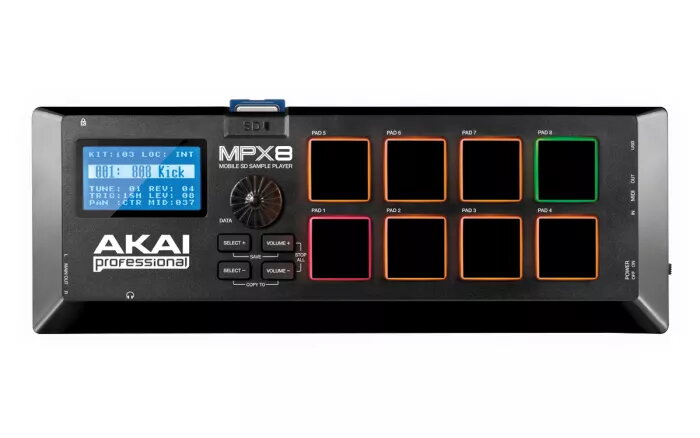
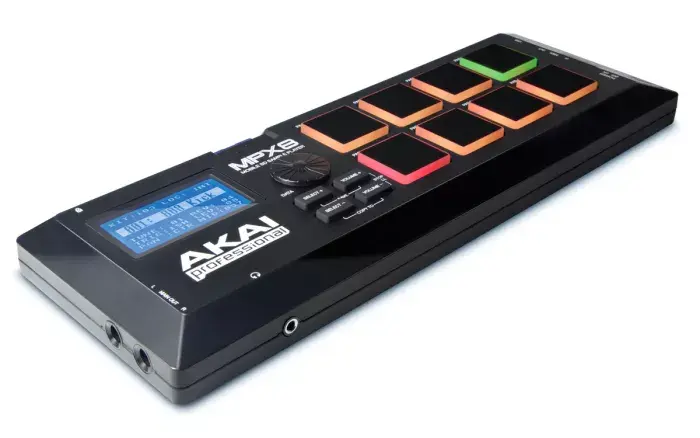
The AKAI MPX8 is a compact sample player and pad controller designed for live performance, studio use, and mobile setups. It accepts SD and SDHC cards for direct sample loading and provides eight backlit, velocity- and pressure-sensitive pads to trigger sounds. Compact dimensions (295 x 102 x 33 mm) and 3.5 mm headphone connectivity make the MPX8 suitable for portable DJ and production workflows, while USB MIDI and standard MIDI I/O enable integration with software and external MIDI devices. The unit runs from a 5 V, 1 A supply and includes an editor for arranging and processing samples on a Mac or PC.
Advantages
The MPX8 offers straightforward sample management via SD/SDHC media and a drag-and-drop sample kit editor for easy preparation of sounds. Its velocity- and pressure-sensitive pads provide expressive triggering and the backlighting aids visibility in low-light environments. Built-in sample libraries and access to a downloadable loop library reduce setup time for performances, while USB MIDI and conventional MIDI ports expand connectivity options. The compact, durable housing and included cables make the unit convenient to carry and integrate into both live and studio rigs.
Suitable for
- Live DJs and performers needing quick access to samples and loops
- Producers and beatmakers using compact hardware for studio work
- Radio hosts and podcasters requiring on-the-fly sound effects
- Musicians integrating sample triggering with MIDI setups
Key specifications
- Pad count: 8 backlit, velocity- and pressure-sensitive pads
- Sample storage: SD / SDHC card support for user samples
- Connectivity: USB MIDI, standard MIDI IN/OUT, 3.5 mm headphone jack
- Power: 5 V DC, 1 A
- Dimensions: 295 mm (W) × 102 mm (D) × 33 mm (H)
- Included accessories: USB cable and 1/8"-to-MIDI adapter; sample kit editor software
How to use
Prepare samples on a computer using the included sample kit editor to arrange, tune, and apply basic effects such as reverb. Save the arranged sample kits to an SD or SDHC card, insert the card into the MPX8, and trigger sounds using the pads. Connect the MPX8 to a computer or external MIDI gear via USB or the MIDI DIN connectors to send or receive MIDI messages. Use the 3.5 mm headphone output for private monitoring during setup or performance.
Usage recommendations
Use high-quality WAV samples formatted according to the editor’s guidelines to ensure consistent playback. For live situations, back up your SD card contents and label card slots to speed set changes. When integrating with other MIDI gear, verify clock and channel settings to avoid timing conflicts. Keep firmware and the sample editor updated to access the latest features and loop library downloads.