Save time and money with our discounts!
In cart {{totalProductsCount}} item(s)
Your cart is empty
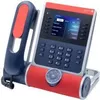
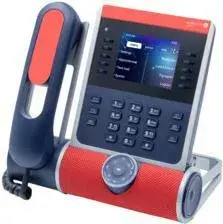
Alcatel-Lucent Enterprise ALE-140 Customization Set for VoIP Phones, Ruby Red, for ALE-300, ALE-400, ALE-500
The Alcatel-Lucent Enterprise ALE-140 Customization Set in ruby red is a premium accessory kit designed to enhance the visual identity of your office communication hardware. This set allows for the aesthetic personalization of compatible VoIP phones, providing a professional finish that integrates seamlessly with your existing office environment or corporate branding requirements. Engineered specifically for the ALE-300, ALE-400, and ALE-500 series, this kit ensures a precise fit and maintains the high-quality standards expected from enterprise-grade communication equipment.
This customization set offers a straightforward way to distinguish specific devices within a large office network, making it easier to identify phones assigned to different departments or roles. By utilizing the ruby red color scheme, organizations can effectively align their hardware with corporate identity guidelines or simply add a distinct visual element to their workspace. The installation process is designed to be intuitive, ensuring that the upgrade can be performed quickly without the need for specialized technical tools or extensive downtime for the communication system.
This customization set is exclusively designed for the specified Alcatel-Lucent Enterprise models and will not fit other phone series or brands. It is not intended for functional hardware repairs or performance upgrades, as it serves purely aesthetic purposes.
To install the customization set, ensure the VoIP phone is disconnected from the power source if necessary for safety. Carefully remove the existing components from your ALE-300, ALE-400, or ALE-500 device as indicated by the manufacturer's guidelines. Align the new ruby red components with the device housing and press firmly until they snap securely into place. Verify that all parts are flush with the device surface to ensure a professional look and proper functionality of the phone buttons or handset.
Usage recommendations: Perform the installation in a clean, well-lit environment to prevent dust or debris from entering the device housing. Handle the components with care to avoid scratching the finish during the attachment process.
{{highlightedFeature.featureTitle}}:
{{getProductFeatureValueById(product, highlightedFeature.featureId)}}
{{ productComparisonGenerationError }}