
Leave your address - as soon as the price of the product goes down, you'll know about it right away
Power Adapter ALIGATOR CONT009 USB-C to 4.5×3.0 mm for HP laptops
In cart {{totalProductsCount}} item(s)
Your cart is empty
Power Adapter ALIGATOR CONT009 USB-C to 4.5×3.0 mm for HP laptops
Leave your address - as soon as the price of the product goes down, you'll know about it right away
Power Adapter ALIGATOR CONT009 USB-C to 4.5×3.0 mm for HP laptops
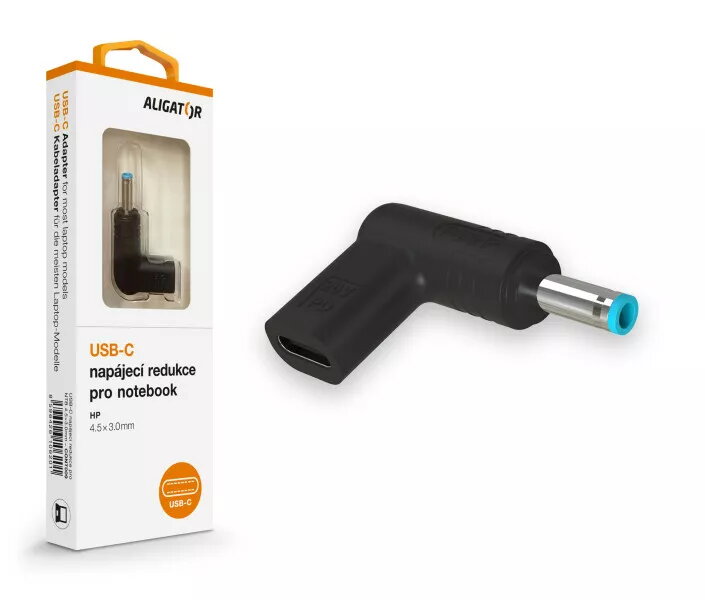
ALIGATOR CONT009 USB-C to 4.5×3.0 mm for HP laptops is a compact power adapter that converts a USB-C Power Delivery source into a 4.5×3.0 mm barrel connector used by many HP notebook models. The adapter enables powering or charging compatible HP laptops from USB-C PD chargers, USB-C power banks, and other USB-C power sources that provide the required voltage and current. Designed for portability, it serves as a convenient solution for travel, office use, or temporary replacement when the original laptop adapter is not available.
The adapter provides a simple, space-saving way to use widely available USB-C PD chargers with laptops that require a 4.5×3.0 mm barrel connector, eliminating the need to carry a dedicated bulky laptop charger. Its plug-and-play design requires no drivers or setup; just connect the USB-C power source and the barrel plug to the laptop. The compact form factor and low weight make it easy to store in a bag or laptop case. The adapter supports standard USB-C PD negotiation so that compatible chargers deliver appropriate power levels when supported by both charger and laptop.
Connect the USB-C plug of the power source (charger or power bank) to the adapter’s USB-C input. Insert the 4.5×3.0 mm barrel plug into the laptop’s power jack. Ensure the USB-C source supports Power Delivery and can supply sufficient voltage and current for the laptop; power negotiation will occur automatically when both devices support PD. If the laptop does not charge, verify the power source’s output rating and the laptop’s power requirements before attempting alternate chargers or adapters.
Use with USB-C chargers or power banks that explicitly support Power Delivery and match or exceed the laptop’s required power rating. Avoid forcing the barrel plug into incompatible sockets. For prolonged charging, use a power source with stable output and adequate thermal management to prevent overheating. If uncertain about compatibility, consult the laptop manual or manufacturer specifications to confirm the required voltage and current.
{{highlightedFeature.featureTitle}}:
{{getProductFeatureValueById(product, highlightedFeature.featureId)}}