


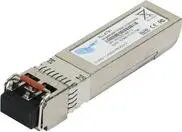
SFP module ALLNET ALL4791 2.5Gbit/s singlemode LC
Offer for a legal entity, non-cash payment.
Short description

Cheapest delivery:
Unisend LV
Product information
Description
ALLNET ALL4791 SFP module provides 2.5 Gbit/s optical connectivity over singlemode fiber using an LC connector. Designed for installation in standard SFP slots, this transceiver enables high-speed uplinks and point-to-point links between switches, routers and media converters. The compact form factor and singlemode optics are intended for extended reach applications where reliable transmission and low-latency performance are required in enterprise and carrier networks.
Advantages
The SFP module supports 2.5 Gbit/s throughput over singlemode fiber while maintaining a small, hot-pluggable form factor compatible with equipment that accepts SFP transceivers. The LC connector provides a secure fiber interface and the singlemode optics are optimized for longer-distance links compared to multimode alternatives. The module is suitable for mixed-speed environments and can be applied to upgrade existing infrastructure to intermediate speeds without replacing SFP-based ports.
Suitable for
- 2.5 Gbit/s uplinks between switches and aggregation devices
- Long-distance point-to-point fiber links in enterprise and carrier networks
- Interconnection of routers, switches and media converters with SFP slots
- Upgrading access networks to intermediate speeds where singlemode fiber is used
Key specifications
- Data rate: 2.5 Gbit/s
- Fiber type: singlemode
- Connector: LC duplex
- Form factor: SFP (small form-factor pluggable)
- Application: optical uplink / point-to-point transmission
How to use
Insert the SFP module into a compatible SFP slot on the switch, router or media converter while the device is powered according to the equipment vendor's guidelines. Connect singlemode LC fiber patch cords to the module's LC ports, observing correct transmit/receive orientation. Configure the network device port for the required speed and duplex settings if manual configuration is required; otherwise allow the device to negotiate link parameters automatically. Monitor link status LEDs and device logs to confirm successful link establishment.
Usage recommendations
Ensure that connected fiber cables are clean and undamaged, use dust caps when ports are unused, and follow ESD precautions while handling the module. Verify compatibility with the host device's SFP interface and consult the network equipment documentation for supported transceiver profiles and firmware requirements.


