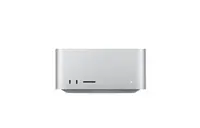
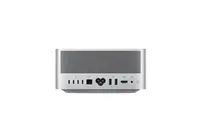
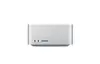
The desktop computer Apple Mac Studio (M5 Max 18-core CPU, 32-core GPU, 36GB RAM, 512GB SSD) is compared against several alternative Mac Studio configurations featuring M4 Max chips, as well as the compact Apple Mac mini M5 Pro desktop. All devices are designed for professional workflows and creative tasks, but they differ in processor generations, memory configurations, and storage capacities, which directly impact performance in video editing, 3D rendering, and heavy multitasking.
⚙️ In the specifications comparison table below, we will compare key hardware characteristics including the processor model, CPU and GPU core counts, RAM capacity, and SSD storage size to highlight the technical differences between the products.
| Parameter | Apple Mac Studio (M5 Max, 36GB, 512GB) | Mini PC Apple Mac Studio M4 Max (14C/36GB/512GB) | Computer Apple Mac Studio CTO M4 Max (14C/2TB) | Computer Apple Mac Studio CTO M4 Max (16C/64GB/40C) | Computer Apple Mac Studio 2025 M4 Max (16C/64GB/1TB) | Apple Mac mini Mini PC M5 Pro (24GB/512GB) | Practical conclusion |
|---|
| Processor | Apple M5 Max (18-core CPU) | Apple M4 Max (14-core CPU) | Apple M4 Max (14-core CPU) | Apple M4 Max (16-core CPU) | Apple M4 Max (16-core CPU) | Apple M5 Pro (15-core CPU) | The M5 Max model offers a newer processor generation and higher core count compared to the M4 Max and M5 Pro alternatives, delivering superior computing power. |
| Graphics | 32-core GPU | 32-core GPU | 32-core GPU | 40-core GPU | 40-core GPU | 16-core GPU | GPU options range from 16 cores in the Mac mini up to 40 cores in top-tier Mac Studio configurations, affecting graphics-heavy workloads. |
| Memory | 36 GB | 36 GB | Not specified | 64 GB | 64 GB | 24 GB | RAM capacity ranges from 24 GB to 64 GB, determining multitasking capabilities. The main model offers a balanced 36 GB. |
| Storage | 512 GB SSD | 512 GB SSD | 2 TB SSD | Not specified | 1 TB SSD | 512 GB SSD | Storage options range from 512 GB up to 2 TB, which is essential for storing large source files and media libraries locally. |
◎ The suitability table below evaluates different usage scenarios and user needs to help you choose the most appropriate configuration for your workflow.
| Use case | Recommended product | Why |
|---|
| Professional video editing and 3D rendering with standard project sizes | Apple Mac Studio (M5 Max, 36GB, 512GB) | The modern M5 Max processor with 18 cores and 36 GB RAM provides robust performance for demanding creative pipelines. |
| Everyday professional creative workflows with lighter graphics demands | Apple Mac mini Mini PC M5 Pro (24GB/512GB) | A more compact and accessible solution powered by the M5 Pro for standard desktop computing and creative tasks. |
| Heavy multitasking and working with massive datasets or complex projects | Computer Apple Mac Studio 2025 M4 Max (16C/64GB/1TB) | Increased RAM capacity up to 64 GB and 1 TB storage offer ample room for extremely demanding workloads. |
| Local storage of extensive media archives without external drives | Computer Apple Mac Studio CTO M4 Max (14C/2TB) | Provides expanded 2 TB storage capacity tailored for users managing large file libraries. |
The primary advantage of the Apple Mac Studio (M5 Max 18-core CPU, 32-core GPU, 36GB RAM, 512GB SSD) is its next-generation M5 Max 18-core processor, which delivers high-end computing performance combined with a well-balanced memory configuration for professional workflows. Choose this model if you need cutting-edge processing power for graphics and video tasks without paying for excessive storage space, while alternatives with M4 Max or M5 Pro chips cater better to specific storage demands or budget requirements.