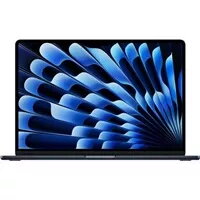
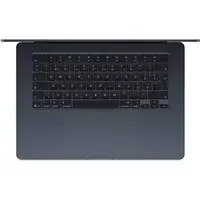
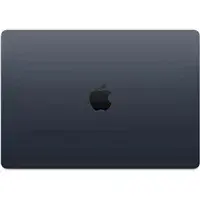
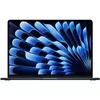
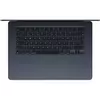
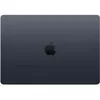
The Apple MacBook Air 15" M4 chip combines a thin, lightweight chassis with the company’s latest M4 system-on-chip to deliver consistent performance for everyday computing and creative work. This configuration includes a 10-core CPU and 10-core GPU, 16GB of unified memory and a 512GB solid-state drive, providing responsive multitasking, fast application launches and smooth handling of graphics tasks in a 15-inch Retina display format. The Midnight finish preserves a professional look while macOS offers built-in security, power management and continuity features for users in an Apple ecosystem.
Advantages
The integrated M4 architecture with a 10-core CPU and 10-core GPU enables efficient processing and graphics performance with low power consumption, extending usable battery life. Unified 16GB memory reduces latency between CPU and GPU, improving responsiveness in multi-app workflows. The 512GB SSD provides rapid read/write speeds for quick boot times and application loading, while the slim aluminum body keeps the device portable for daily transport. macOS includes native optimizations for power management, security and software compatibility with Apple applications and many third-party programs.
Suitable for
- Office productivity, email and web browsing
- Photo editing, light video editing and graphic design
- Software development, coding and local testing
- Streaming media, presentations and remote collaboration
- Students and professionals who need a portable, capable laptop
Key specifications
- Display: 15-inch Retina display with high-resolution color reproduction
- Processor: Apple M4 system-on-chip with 10-core CPU
- Graphics: 10-core integrated GPU
- Memory: 16GB unified RAM for low-latency performance
- Storage: 512GB solid-state drive with fast read/write speeds
- Operating system: macOS with built-in security and continuity features
- Chassis: Thin aluminum body in Midnight finish for portability
- Connectivity: Wi‑Fi and Bluetooth wireless networking (standard on MacBook Air series)
- Battery and power: Energy-efficient SoC for extended battery life under typical workloads
How to use
Start the MacBook Air by opening the lid and following the on-screen setup assistant to configure language, Apple ID and privacy settings. Use macOS Finder and the Dock to organise files and launch applications. Connect to Wi‑Fi from the menu bar and pair Bluetooth accessories as needed. For best performance, keep the system software up to date via System Settings, manage storage using the built-in storage tools, and close unused apps to free memory. Use the USB-C/Thunderbolt ports with appropriate adapters for external displays or wired peripherals.
Usage recommendations
For sustained creative tasks such as extended video exports or large photo libraries, connect the MacBook Air to power and consider using an external drive for long-term media storage. Enable macOS automatic updates and FileVault disk encryption to maintain security. Use a protective sleeve or case for transport and avoid prolonged exposure to extreme temperatures to preserve battery health and device lifespan.