

Dreame vacuums for fast and efficient cleaning!
In cart {{totalProductsCount}} item(s)
Your cart is empty
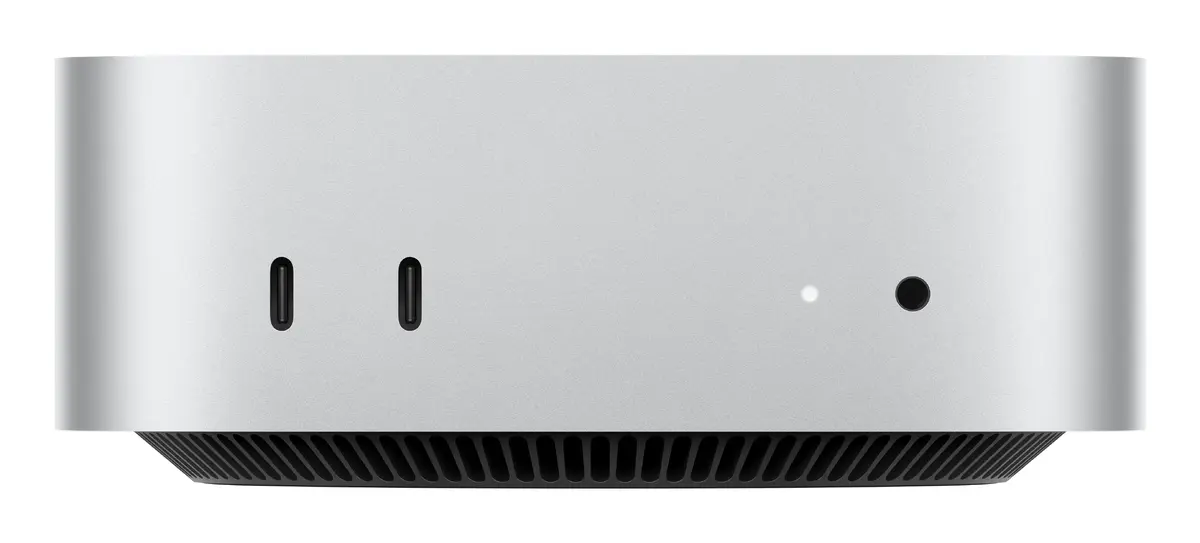
Apple Mac mini Mini PC with Apple M4 processor, 16 GB internal memory, 1 TB SSD storage, Wi-Fi, macOS Sequoia, Silver
The Apple Mac mini Mini PC powered by the Apple M4 processor delivers efficient and reliable performance in a compact silver chassis. Equipped with 16 GB of internal memory and a 1 TB SSD storage capacity, this desktop computer handles everyday computing and multitasking smoothly. Pre-installed with macOS Sequoia, it integrates modern software features alongside robust hardware capabilities like built-in speakers, Ethernet LAN, and Wi-Fi connectivity.
This mini PC offers a space-saving design without compromising on processing power, utilizing the Apple M4 processor and Apple GPU graphics for responsive performance across various applications. The inclusion of a fast 1 TB solid-state drive ensures quick data access and ample storage space for files and media. Connectivity options such as Wi-Fi and Ethernet LAN provide flexible networking integration, while the pre-installed macOS Sequoia operating system delivers a secure and intuitive user environment right out of the box.
This device may not be suitable for users who require extensive hardware upgrades or discrete graphics card solutions for high-end gaming. Additionally, individuals needing alternative operating systems such as Windows as their primary platform without virtualization may find this system less appropriate.
Connect the Mac mini to a compatible monitor using an available display interface, and attach a keyboard and mouse to the USB ports or via wireless connection. Plug the power cord into an electrical outlet and press the power button to start the device. Follow the on-screen setup instructions to configure your network settings, sign in with your Apple account, and complete the macOS Sequoia initialization process.
Place the mini PC on a flat, stable surface with adequate airflow around the chassis to maintain optimal operating temperatures. Regularly update macOS Sequoia to ensure system stability, security, and access to the latest software features.
{{highlightedFeature.featureTitle}}:
{{getProductFeatureValueById(product, highlightedFeature.featureId)}}
{{ productComparisonGenerationError }}
