

Powerful EcoFlow stations for energy anywhere!
In cart {{totalProductsCount}} item(s)
Your cart is empty
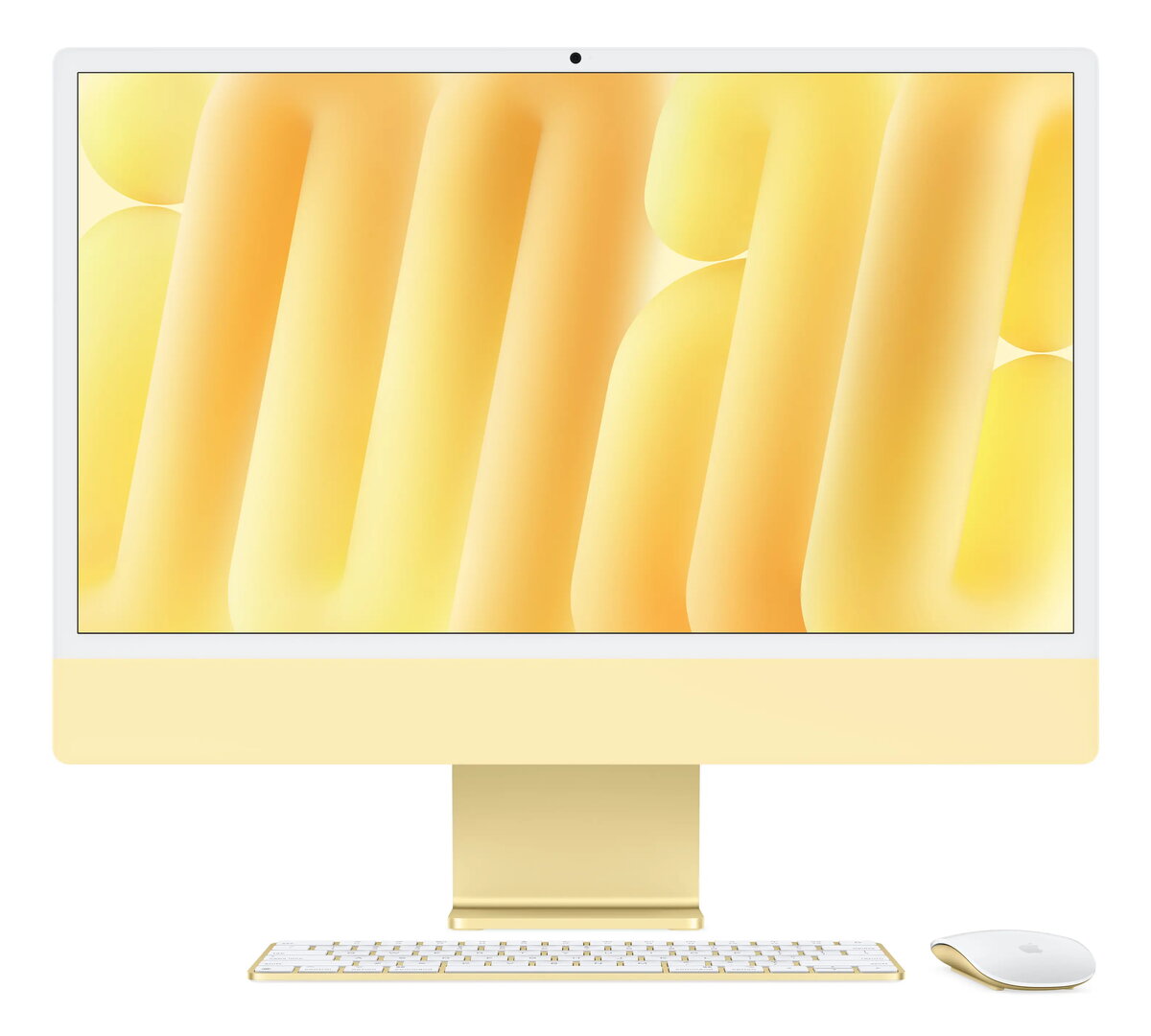
Apple iMac Z1E3 All-in-One PC Apple M M4 23.5" 4.5K 4480 x 2520 16 GB RAM 512 GB SSD macOS Sequoia Yellow
The Apple iMac Z1E3 All-in-One PC is a powerful desktop solution designed for both home and office environments. Featuring a striking yellow finish and an ultra-thin profile, this system combines performance and aesthetics. At its core is the Apple M processor, paired with 16 GB of internal memory and a fast 512 GB SSD storage drive, ensuring smooth multitasking and quick data access. The stunning 23.5-inch 4.5K Retina display delivers a crisp resolution of 4480 x 2520 pixels, bringing your content to life with vibrant detail. Operating on macOS Sequoia, the iMac integrates seamlessly into the Apple ecosystem, offering modern connectivity like Wi-Fi 6E, an integrated camera, and built-in speakers for a complete computing experience.
This All-in-One computer stands out with its space-saving design, integrating all essential computing hardware directly behind the display to minimize desk clutter. The high-resolution 4.5K Retina display offers exceptional clarity, making it ideal for visual tasks and media consumption. The Apple M processor provides efficient processing power for everyday applications and creative workloads alike. Additionally, the inclusion of modern connectivity options, an integrated camera, and quality built-in speakers ensures you are ready for communication and entertainment right out of the box.
This All-in-One PC may not be suitable for users who require extensive hardware customization or internal component upgrades, as the unified architecture limits post-purchase modifications. It is also not tailored for high-end professional gaming or heavy 3D rendering workflows that typically demand discrete graphics cards and specialized desktop hardware.
Place the iMac on a stable, flat surface with adequate ventilation around the unit. Connect the power cord to an electrical outlet and turn on the device using the power button. Follow the on-screen setup instructions to configure your network connection, set up your user account, and sign in with your Apple ID. Use the included keyboard and mouse or compatible Bluetooth accessories to navigate the macOS Sequoia operating system and manage your applications.
Usage recommendations: Keep the operating system updated to the latest version to ensure optimal security and performance. Clean the Retina display regularly using a soft, dry, lint-free cloth, and avoid exposing the yellow exterior to direct sunlight for extended periods to maintain its finish.
{{highlightedFeature.featureTitle}}:
{{getProductFeatureValueById(product, highlightedFeature.featureId)}}
{{ productComparisonGenerationError }}
