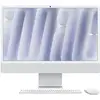
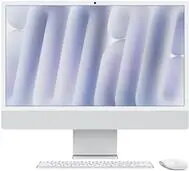
The Apple iMac 24" Silver with M4-10C CPU and 10-core GPU combines a high-resolution 24-inch display and an efficient system-on-chip architecture to deliver balanced performance for everyday computing, creative work and multitasking. Equipped with 16GB of unified memory and a 512GB solid-state drive, this iMac provides fast app launch times, responsive system behavior and sufficient local storage for documents, media and project files. The silver aluminum enclosure and slim profile offer a compact desktop footprint and an understated aesthetic suitable for offices, studios and home workspaces running macOS.
Advantages
The integrated M4 chip with 10 CPU cores and a 10-core GPU offers a combination of power efficiency and processing capability, supporting smooth graphics, video editing and productivity tasks. Unified 16GB memory reduces data-transfer overhead between processor and graphics, improving responsiveness in multitasking and creative applications. A 512GB SSD ensures quick boot times and fast file access. The 24-inch display provides clear image reproduction for design, media consumption and day-to-day work, while macOS delivers system-level security, continuity with other Apple devices and regular software updates.
Suitable for
- Office productivity and multitasking (documents, spreadsheets, email)
- Photo editing and light-to-moderate video editing
- Graphic design, illustration and layout work
- Home office, remote work and video conferencing
- Multimedia playback, streaming and content consumption
Key specifications
- Display size: 24-inch integrated screen with high-resolution panel
- Processor: Apple M4 system-on-chip with 10 CPU cores
- Graphics: 10-core GPU integrated in the M4 chip
- Memory: 16GB unified RAM
- Storage: 512GB solid-state drive (SSD)
- Operating system: macOS with built-in security and continuity features
- Color and build: Silver aluminum enclosure with slim profile
- Connectivity: Wi‑Fi and Bluetooth wireless networking (model-dependent ports available on rear)
How to use
Unbox the iMac and set it on a stable desk surface. Connect the power cable and any wired peripherals such as a keyboard or mouse if required; wireless accessories pair through Bluetooth during initial setup. Power on the system and follow the on-screen macOS setup assistant to configure language, user account, Apple ID and iCloud settings. Use Finder and the Applications folder to install or access productivity, creative and utility apps. Manage storage and backups through System Settings and Time Machine or a preferred cloud service. Keep the system updated via Software Update for the latest security patches and feature improvements.
Usage recommendations
Optimize performance by enabling macOS storage management, keeping available free space on the SSD, and closing unused applications during heavy workloads. Use external drives or cloud storage for large media libraries and maintain regular backups. For color-critical design work, calibrate the display with a hardware colorimeter or use professional color profiles. Place the iMac in a well-ventilated area to ensure efficient cooling during sustained tasks.