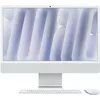
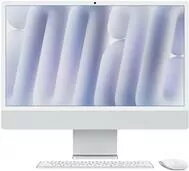
The Apple iMac 24-inch in silver is a high-performance all-in-one desktop computer powered by the advanced M4 10-core processor. Designed to integrate seamlessly into any workspace, this system combines a sleek, minimalist aesthetic with the robust capabilities of macOS. The vibrant 24-inch Retina display delivers exceptional color accuracy and sharp detail, ensuring that every visual task is rendered with precision. With its integrated architecture, this iMac provides a streamlined computing experience that balances power and efficiency for a wide range of professional and personal applications.
Advantages
The primary advantage of this iMac is the M4 chip, which offers significant processing power for demanding applications while maintaining energy efficiency. The all-in-one design reduces cable clutter and saves desk space, providing a clean and organized environment. The high-resolution Retina display offers an immersive viewing experience, making it an excellent choice for photo editing, video consumption, and graphic design. Furthermore, the deep integration between the hardware and the macOS operating system ensures smooth performance, reliable security, and intuitive multitasking capabilities.
Suitable for
- Graphic design and digital illustration
- Office productivity and document management
- High-definition media consumption and streaming
- Educational tasks and remote learning
- General home computing and web browsing
When it may not be suitable
This model may not be the ideal choice for users who require extensive hardware expandability, such as adding internal storage drives or upgrading the memory after purchase. Additionally, users who specifically require specialized software that is only compatible with Windows or Linux operating systems may find the macOS environment restrictive.
Key specifications
- Display: 24-inch Retina display
- Processor: M4 10-core CPU
- Memory: 8GB RAM
- Storage: 256GB SSD
- Operating System: macOS
How to use
To begin using your iMac, connect the power cable to a grounded outlet and press the power button located on the back of the device. Follow the on-screen setup assistant to connect to your Wi-Fi network, sign in with your Apple ID, and configure your system preferences. You can connect peripherals such as a mouse, keyboard, or external drives via the available ports on the back of the unit. The macOS interface allows you to manage applications through the Dock and Launchpad, while the Finder provides access to all your files and folders.
What to consider before purchase
- Assess whether 256GB of storage is sufficient for your long-term file management needs.
- Consider if your workflow requires more than 8GB of RAM for intensive multitasking.
- Verify that your essential software applications are compatible with the current version of macOS.
- Ensure you have adequate desk space for the 24-inch form factor.
Usage recommendations
To maintain optimal performance, keep your macOS updated to the latest version and ensure the ventilation area on the back of the device remains unobstructed. Regularly back up your important data using Time Machine to an external storage device to prevent data loss.