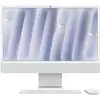
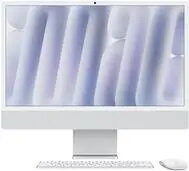
The Apple iMac 24" Silver with M4 10-core CPU and 10-core GPU combines a compact all-in-one design with high-performance components. Equipped with 24GB of unified memory and a 1TB solid-state drive, this iMac delivers responsive multitasking and fast storage access. The 24-inch Retina display offers crisp text and vivid colors suitable for everyday office work, creative tasks and media consumption. Running macOS, the system integrates hardware and software to provide consistent performance and access to a broad ecosystem of applications.
Advantages
This iMac pairs a modern M4 chipset with a 10-core CPU and a 10-core GPU to handle a wide range of computing tasks while maintaining low noise and efficient power use. The 24GB of memory supports smooth switching between multiple apps and browser tabs, and the 1TB SSD provides rapid boot times and quick file access. The 24" Retina display ensures clear visuals for documents, photos and video, while the all-in-one design reduces cable clutter and saves desk space.
Suitable for
- Office productivity: spreadsheets, email, presentations and web conferencing
- Content creation: photo editing, vector design and light to moderate video editing
- Media consumption: streaming video, music and web browsing
- Software development and remote work where macOS compatibility is required
- Home and small-office environments requiring a compact, integrative desktop
When it may not be suitable
This iMac is not designed for heavy, professional-grade 3D rendering farms or the most demanding GPU-accelerated simulations where workstation-class discrete GPUs are preferred. The integrated design also limits internal hardware upgrades compared with tower desktops, so users who require frequent component swapping or multiple internal drives may find it restrictive.
Key specifications
- Display: 24-inch Retina display with high-resolution color-accurate panel
- Processor: Apple M4 chip with 10-core CPU
- Graphics: 10-core integrated GPU
- Memory: 24GB unified RAM
- Storage: 1TB solid-state drive (SSD)
- Operating system: macOS
- Network: Gigabit Ethernet (1Gbps) and Wi‑Fi support
- Design: All-in-one chassis in silver with integrated stand and minimal cabling
How to use
Set the iMac on a stable surface, connect the power cable and any required peripherals such as keyboard, mouse or external storage. Follow the macOS setup assistant to create a user account, configure iCloud and privacy settings, and migrate data from another device if needed. Use System Settings to adjust display preferences, network connections and energy-saving options. For storage and backup, enable Time Machine to an external drive or network storage to protect important files.
What to consider before purchase
- Ensure macOS compatibility with specialized software you rely on, especially professional apps or plugins.
- Assess whether 24GB RAM and 1TB SSD meet your long-term needs for multitasking and storage.
- Consider peripheral and port requirements—external drives, monitors or adapters may be necessary.
- Note the limited internal upgradeability compared with tower desktops; plan for external expansion if needed.
Usage recommendations
For sustained performance, keep macOS and installed applications up to date, use an external backup solution such as Time Machine, and avoid blocking airflow around the iMac's vents. When working on intensive tasks like video exports, close unused applications to allocate resources efficiently to the M4 chip.