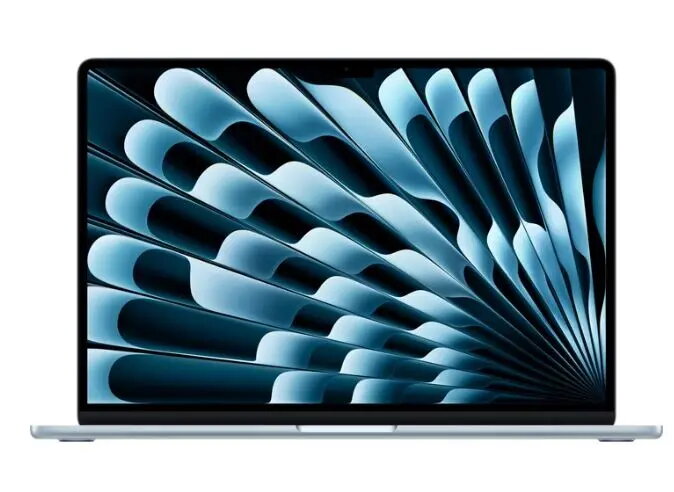
The Apple MacBook Air 15.3 with Apple M5 10‑core CPU/GPU, 24 GB RAM and 512 GB SSD in blue is a thin and lightweight laptop designed for daily productivity and creative work. It combines an integrated M5 processor and graphics subsystem with substantial system memory and NVMe storage to support multitasking, media editing and general-purpose applications. This configuration includes a German DE QWERTZ keyboard layout and a 15.3-inch display size for expanded workspace in a portable chassis.
Advantages
The M5 10‑core CPU/GPU offers balanced on‑device performance for typical productivity tasks, light content creation and media playback while keeping power consumption low. With 24 GB of RAM, the system maintains responsiveness when switching between multiple apps and browser tabs. The 512 GB SSD provides fast boot times and quick file access, and the compact, lightweight design supports mobile use. The integrated graphics enable smooth video playback and accelerate supported workflows without requiring a separate GPU.
Suitable for
- Office productivity: document editing, spreadsheets and email management
- Web browsing, video conferencing and multitasking with many browser tabs
- Photo editing and light video editing using optimized macOS apps
- Students and professionals who need a portable 15.3‑inch laptop with extended screen area
- Media consumption: streaming video, music and casual creative work
When it may not be suitable
This MacBook Air is not intended for high‑end professional 3D rendering, GPU‑heavy machine learning training, or intensive gaming that requires a dedicated high‑performance graphics card. Users who rely on large local datasets or need extensive internal storage may find the 512 GB SSD limiting and could require external or cloud storage solutions.
Key specifications
- Processor: Apple M5 with 10 CPU/GPU cores (integrated)
- Memory: 24 GB RAM
- Storage: 512 GB NVMe SSD
- Display size: 15.3 inches (built‑in)
- Keyboard layout: German DE QWERTZ
- Color/finish: Blue
- Form factor: Thin and lightweight clamshell laptop
How to use
Power on the MacBook Air using the built‑in power button and sign in with your Apple ID to enable iCloud syncing and macOS services. Use the macOS Finder and system settings to configure storage, display preferences and accessibility options. Install applications from the App Store or trusted developers and make routine backups using Time Machine or preferred cloud services. For optimal battery life, use the built‑in energy saver settings and keep macOS up to date to receive performance and security improvements.
What to consider before purchase
- Internal storage capacity: 512 GB may require external or cloud storage for large media libraries or extensive projects
- Keyboard layout: German DE QWERTZ is suited for German‑language typing and may differ from other regional layouts
- Integrated graphics: suitable for light creative work but not for demanding GPU‑intensive applications
- Port availability and adapters: check required ports and consider adapters or docks for legacy peripherals
Usage recommendations
For best day‑to‑day performance, keep at least 15–20% of the SSD free, enable automatic software updates, and back up important files regularly. When working on larger photo or video projects, consider using external fast storage and closing unused apps to allocate memory and system resources to editing tools.