
Leave your address - as soon as the price of the product goes down, you'll know about it right away
USB to RS-232 Adapter Apte 2520-uniw Black – USB-A to Serial (RS-232)
In cart {{totalProductsCount}} item(s)
Your cart is empty
USB to RS-232 Adapter Apte 2520-uniw Black – USB-A to Serial (RS-232)
Leave your address - as soon as the price of the product goes down, you'll know about it right away
USB to RS-232 Adapter Apte 2520-uniw Black – USB-A to Serial (RS-232)
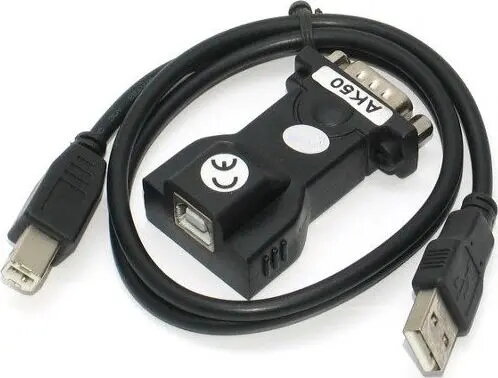
Apte 2520-uniw Black is a USB-A to RS-232 adapter that provides a standard serial interface through a USB-A port. It converts USB signals to RS-232 levels, allowing modern computers without DB9 connectors to communicate with legacy serial devices such as modems, POS terminals, industrial controllers and measurement instruments. The compact black housing and straightforward cable connection make it suitable for desktop and field use where a simple, reliable USB-to-serial bridge is required.
This adapter offers a straightforward way to add RS-232 capability to systems that only have USB-A ports. It supports plug-and-play operation on compatible systems, reducing configuration time. The device preserves standard serial signal lines for reliable connection with common RS-232 peripherals and offers a compact form factor for easy installation and transport. Its design minimizes the need for additional converters or specialized PCI/PCIe cards.
Connect the USB-A plug to an available USB port on the host computer and attach the RS-232 end to the serial device using the provided connector. Install any required USB-to-serial driver supplied by the operating system or device manufacturer if automatic driver installation does not occur. After the driver is installed and the adapter is recognized, configure the serial port parameters (baud rate, data bits, parity, stop bits, flow control) in the host application or device manager to match the connected RS-232 peripheral.
For reliable communication, verify and match serial parameters on both ends before data transfer. Use shielded cabling and avoid running the adapter cable alongside high-power electrical lines to reduce interference. When connecting industrial equipment, ensure signal grounding and appropriate surge protection where required.
{{highlightedFeature.featureTitle}}:
{{getProductFeatureValueById(product, highlightedFeature.featureId)}}