
Leave your address - as soon as the price of the product goes down, you'll know about it right away
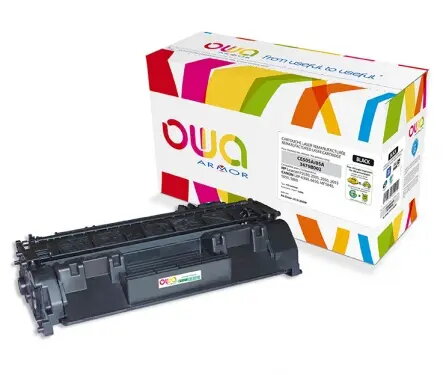
Toner cartridge ArmorAll K15121OW compatible, black, 1 pc
In cart {{totalProductsCount}} item(s)
Your cart is empty
Toner cartridge ArmorAll K15121OW compatible, black, 1 pc
Leave your address - as soon as the price of the product goes down, you'll know about it right away
Toner cartridge ArmorAll K15121OW compatible, black, 1 pc
Compatible black toner cartridge ArmorAll K15121OW, supplied as a single unit, is a remanufactured laser cartridge intended for monochrome printing. Designed to replace original consumables where compatible, this cartridge delivers black toner suitable for everyday document printing in small offices or home environments. The product contains one black toner cartridge and supports standard laser printing workflows.
This compatible toner cartridge provides a cost-effective alternative to original-brand consumables while maintaining consistent black print output for text documents. As a remanufactured unit, it reduces waste by reusing components and is ready to install without additional preparation. The cartridge is suitable for typical office or home laser printers that accept compatible cartridges, offering reliable page yield for routine printing tasks.
Turn off the printer and open the cartridge access cover. Remove the empty cartridge according to the printer manufacturer’s instructions and unpack the compatible ArmorAll cartridge from its protective packaging. Insert the cartridge into the correct slot until it clicks into place, then close the cover and power the printer on. Perform a test print or alignment if the printer prompts to ensure proper installation and print quality.
Store the cartridge in a cool, dry place away from direct sunlight and extreme temperatures. Before installation, avoid touching the imaging drum or electrical contacts to prevent damage or print defects. For consistent output, use printer settings for monochrome or black-and-white printing and run occasional cleaning cycles as recommended by the printer manufacturer.
{{highlightedFeature.featureTitle}}:
{{getProductFeatureValueById(product, highlightedFeature.featureId)}}