
Dreame vacuums for fast and efficient cleaning!
In cart {{totalProductsCount}} item(s)
Your cart is empty
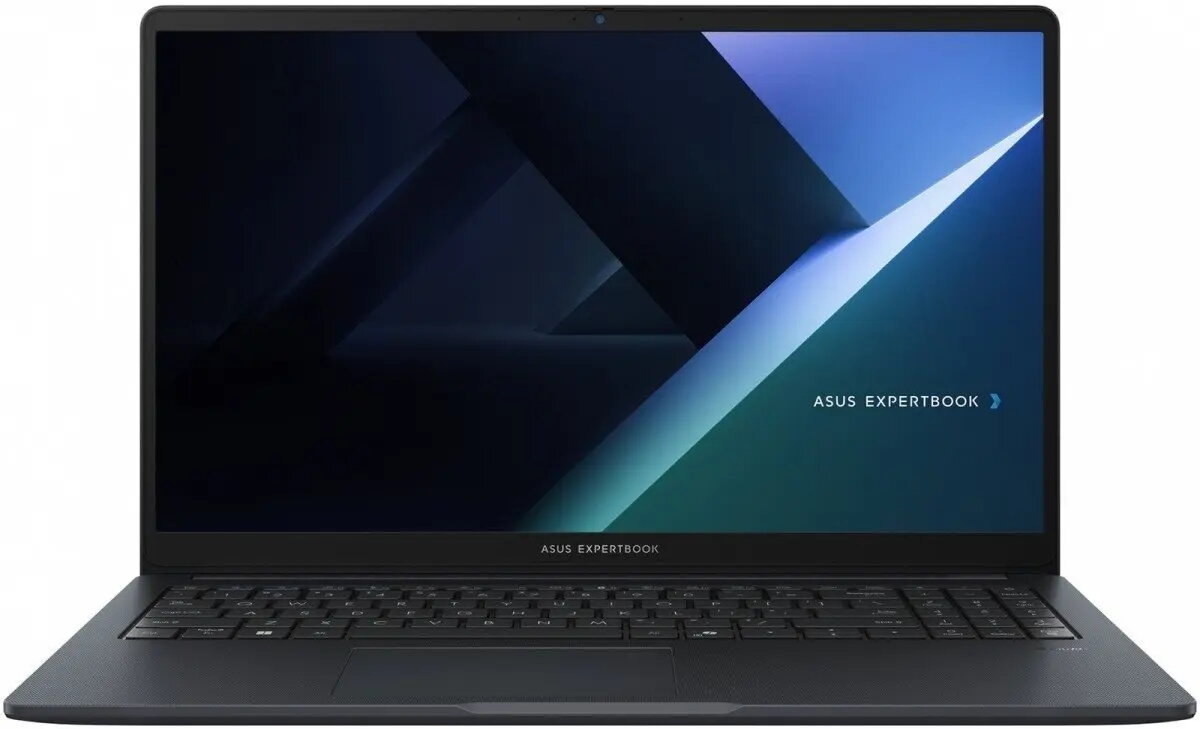
Asus ExpertBook B1 B1503CVA-S78164X Laptop, 15.6" FHD, Intel Core 7 150U, 16GB RAM, 1TB SSD, Windows 11 Pro
The Asus ExpertBook B1 B1503CVA-S78164X is a professional-grade laptop engineered to meet the rigorous demands of modern business environments. Featuring a 15.6-inch Full HD display, this device provides a clear and expansive workspace for document editing, data analysis, and professional communication. Powered by an Intel Core 7 150U processor and 16GB of RAM, it delivers consistent performance for demanding multitasking workflows. With a 1TB SSD, users benefit from rapid boot times and ample storage capacity for large files and applications, all managed under the secure and efficient Windows 11 Pro operating system.
This laptop excels in providing a reliable computing experience for professionals who require stability and speed. The integration of high-performance components ensures that office applications run smoothly without latency. Its robust build quality is designed to withstand the daily wear and tear of a busy work environment, while the inclusion of Windows 11 Pro offers advanced security features and management tools essential for corporate data protection. The large storage capacity eliminates the need for frequent external backups, allowing for seamless project management on the go.
This device is primarily optimized for business productivity and office-based software. It may not be the ideal choice for users seeking a dedicated gaming machine or high-end workstations for professional 3D rendering and intensive video editing, as it lacks a discrete graphics card.
To begin using the Asus ExpertBook B1, connect the power adapter to the charging port and press the power button to initiate the initial Windows 11 Pro setup. Follow the on-screen instructions to configure your user account, network settings, and security preferences. Once the setup is complete, you can install your preferred business software and connect peripherals via the available ports. Ensure the laptop is placed on a flat, stable surface to allow for proper ventilation during operation.
To maintain optimal performance and battery longevity, keep the operating system updated and avoid obstructing the air vents during heavy usage. Regularly back up critical data to an external drive or cloud service to ensure business continuity.
{{highlightedFeature.featureTitle}}:
{{getProductFeatureValueById(product, highlightedFeature.featureId)}}
{{ productComparisonGenerationError }}
