
Dreame vacuums for fast and efficient cleaning!
In cart {{totalProductsCount}} item(s)
Your cart is empty
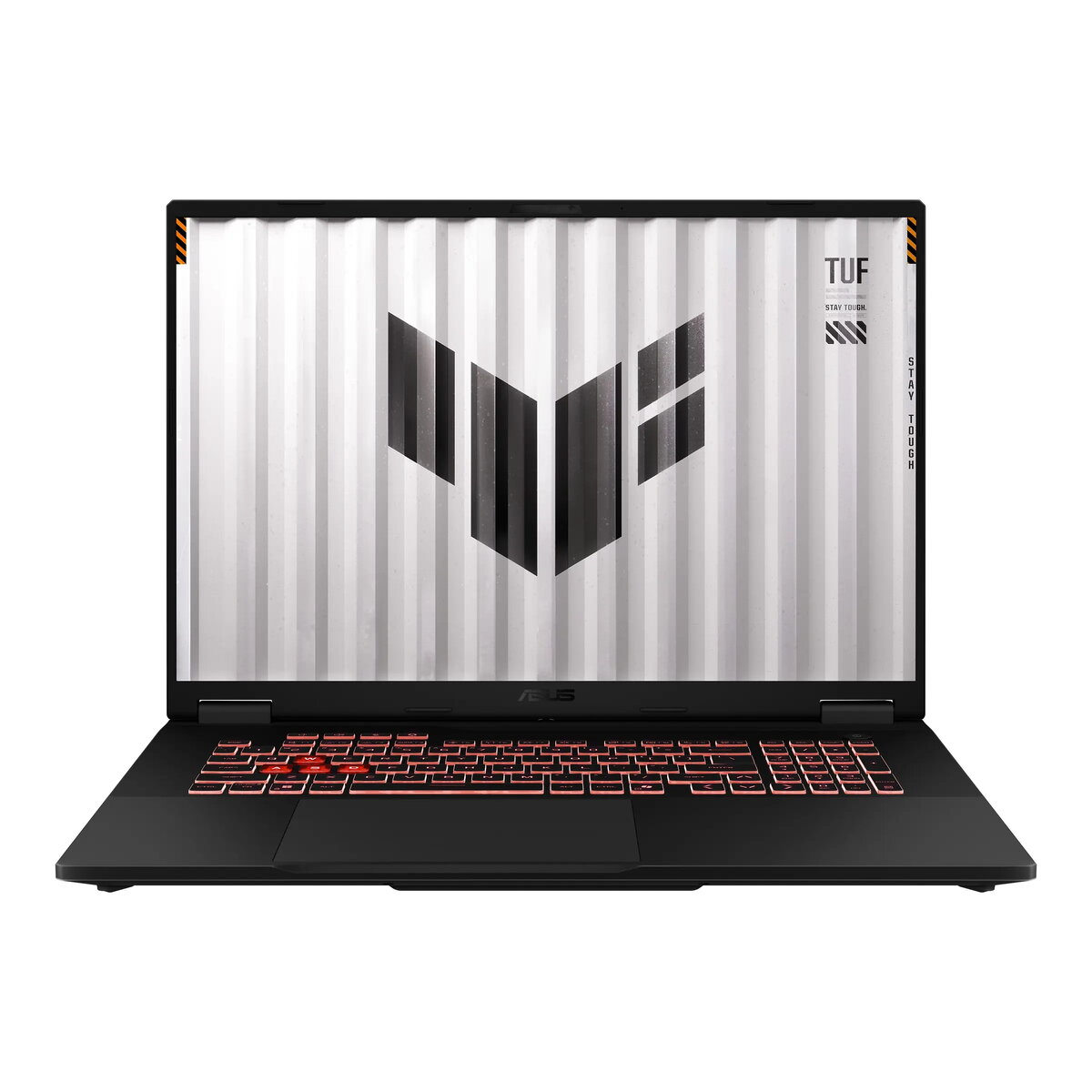
Asus TUF Gaming A18 FA808UH-S8010W Laptop, 18-inch WUXGA, AMD Ryzen 7, 32GB RAM, 1TB SSD, NVIDIA GeForce RTX 5050, Windows 11 Home, Gray
The ASUS TUF Gaming A18 is a robust gaming laptop engineered to deliver high-performance computing in a large-format 18-inch design. Equipped with an AMD Ryzen 7 processor and the latest NVIDIA GeForce RTX 5050 graphics, this machine provides the necessary power for modern gaming, content creation, and intensive multitasking. The device features a spacious WUXGA display with a 144Hz refresh rate, ensuring smooth visuals and an immersive experience, all housed within a durable chassis designed for longevity.
This laptop excels in providing a balanced combination of processing power and graphical performance, making it suitable for demanding software and high-fidelity gaming. The inclusion of 32GB of DDR5 memory and a fast 1TB NVMe SSD ensures rapid system responsiveness and ample storage for large game libraries. With its 18-inch anti-glare display, users benefit from a larger workspace that enhances both productivity and gaming immersion. Furthermore, the integration of advanced cooling and a comprehensive selection of connectivity ports, including high-speed USB4, ensures that the device remains versatile and efficient under heavy workloads.
This device may not be the most suitable choice for users who prioritize extreme portability, as its 18-inch form factor and 2.6kg weight make it less convenient for frequent travel compared to smaller ultrabooks. Additionally, those who require a dedicated optical drive or a built-in memory card reader will need to utilize external peripherals.
To begin using your ASUS TUF Gaming A18, connect the provided power adapter to the device and follow the on-screen instructions to complete the Windows 11 setup. Once configured, you can customize the keyboard lighting and system performance profiles through the pre-installed software. Ensure that the laptop is placed on a flat, stable surface to allow for proper airflow through the cooling vents, especially during intensive gaming sessions or heavy rendering tasks.
For optimal performance and longevity, keep your system drivers and BIOS updated via the official support software. Ensure the cooling vents remain unobstructed during operation to maintain peak performance and prevent thermal throttling.
{{highlightedFeature.featureTitle}}:
{{getProductFeatureValueById(product, highlightedFeature.featureId)}}
{{ productComparisonGenerationError }}
